 Notion AI Hub Docs
Routing Pattern
Manage multiple Notion Custom Agents with the routing pattern — cut unnecessary credit use via entry-point routing and email-label pre-filtering.
Routing Pattern
As your number of Agents grows, efficiently managing their triggers and coordination becomes a key challenge. The routing pattern is the core strategy for solving this problem.
The Problem: Multi-Agent Waste
Imagine you have three email Agents — one for orders, one for customer service, and one for Newsletters. Every time an email arrives, all three Agents wake up, each parsing the email independently. In the end, only one is actually relevant. The other two did work for nothing, wasting Credits.
The Solution: Single Entry Point Routing
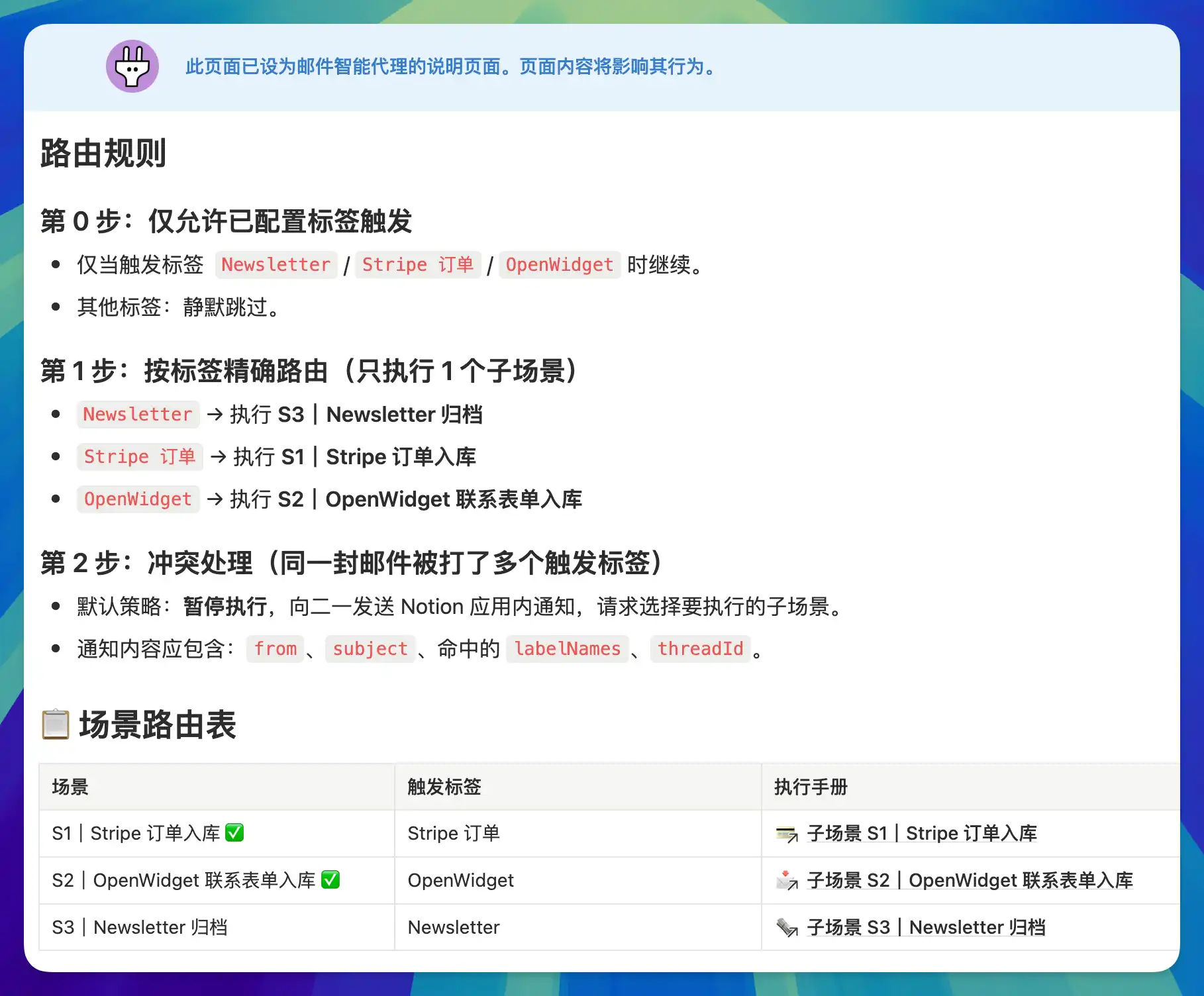
The overall idea is to use just one Agent as the entry point, responsible for identifying and routing.
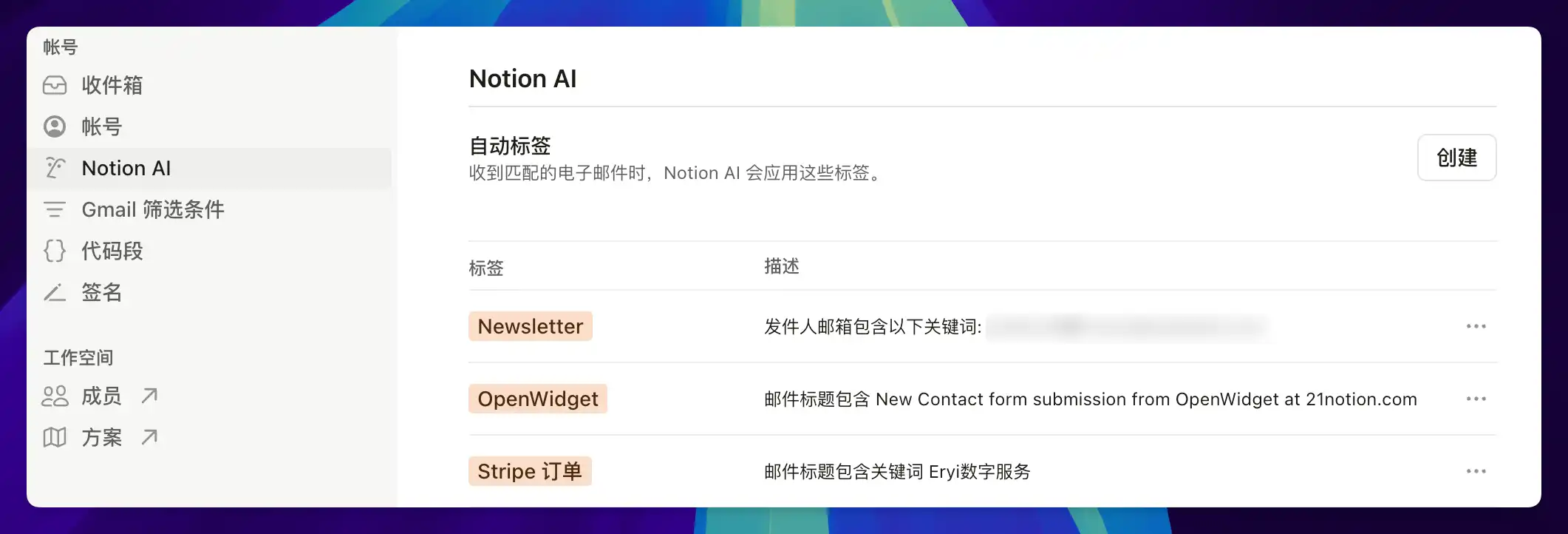
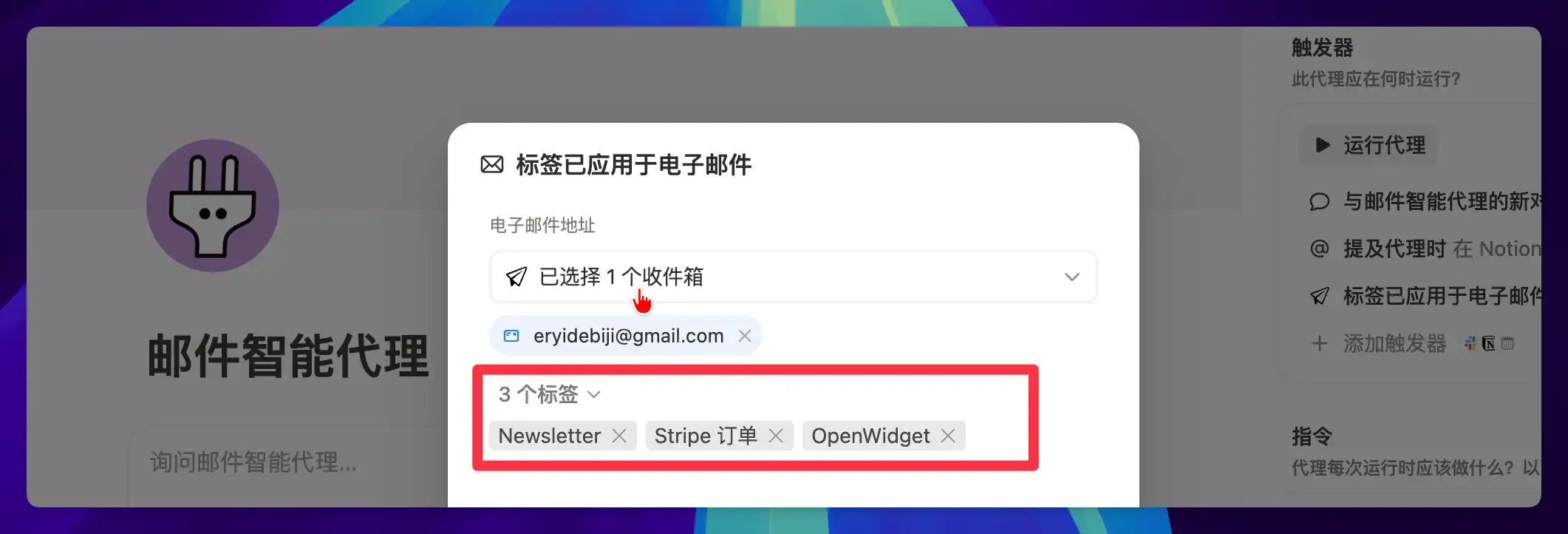
Layer 1: Email Label Pre-Filtering (Free)
- If you subscribe to Notion AI, the official Notion Mail app can automatically label emails using AI
- This step does not consume Custom Agent Credits
- Change your email trigger to "When a label is applied to an email" — only matching emails will trigger the Agent
Layer 2: Instruction Sub-Pages Loaded on Demand
- Each sub-scenario's execution rules are written in separate sub-pages
- The main instruction references these sub-pages via @
- The Agent only loads the corresponding sub-page content when it matches a route
- When processing a Stripe order, the Agent won't read the Newsletter archiving rules
Benefits of the Routing Pattern
- Agents that shouldn't wake up don't wake up — saving Credits
- Email labels filter out irrelevant messages before the Agent even starts
- Instructions are loaded on demand rather than in full, reducing context consumption
- Easier to maintain and extend: adding a new scenario only requires a new sub-page
Design Principle
Before creating a new Agent, beyond thinking about "what should it do," it's also worth asking "when should it NOT be woken up."
Last updated on