 Notion AI Hub Docs
Debugging & Optimization
Debug and optimize your Notion Custom Agent — iterative development workflows, memory page patterns, and fixes for common problems.
Debugging & Optimization
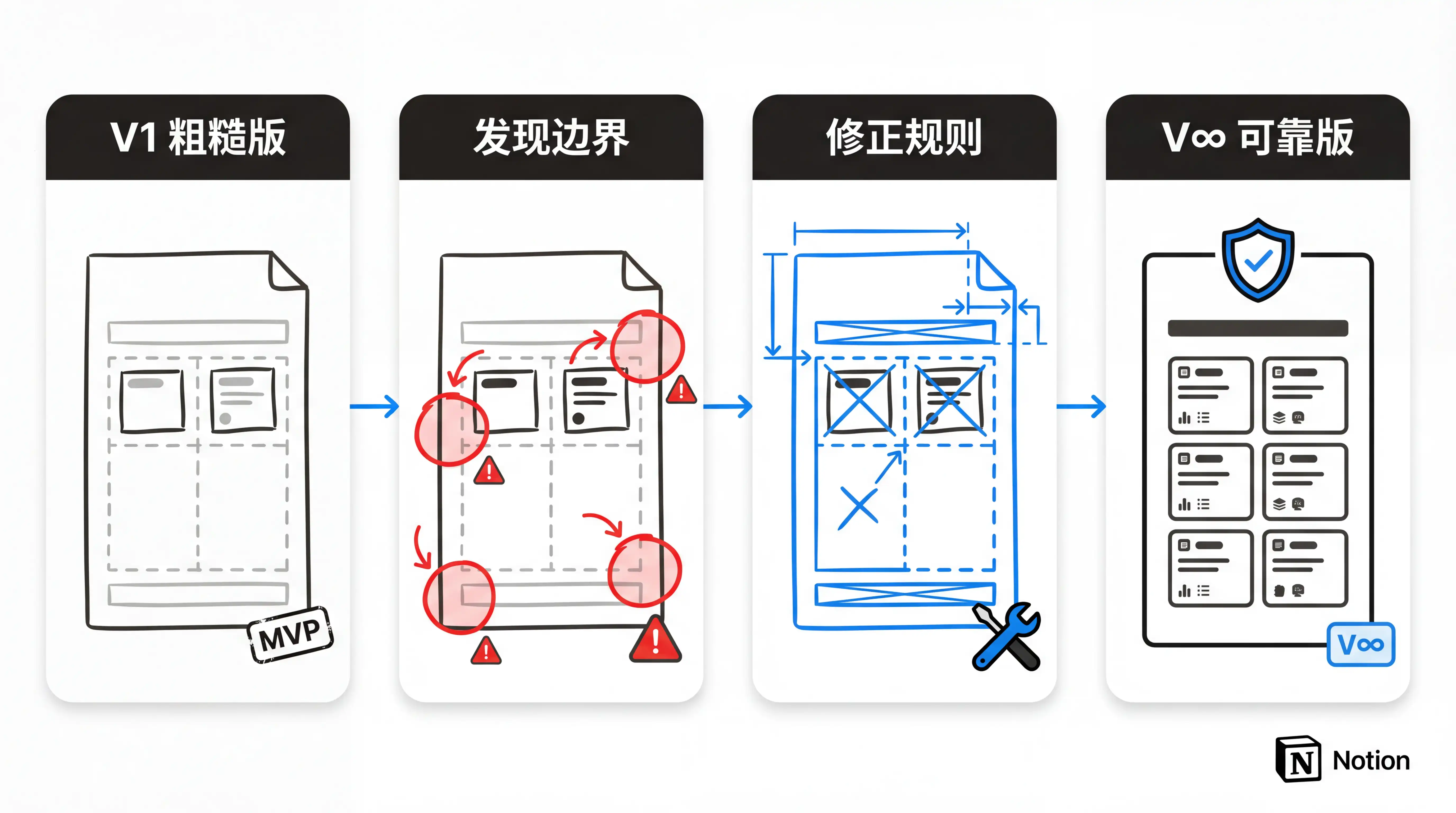
Creating an Agent might only take ten minutes, but the real effort lies in the training period that follows. Think of it like onboarding a new employee — you can't expect everything to go perfectly on day one.
Iterative Development Workflow
- Get it running first — Write only the core steps in your first version of instructions. Don't aim for perfection.
- Observe the results — Review the Agent's output and note where it falls short of expectations.
- Fix the edge cases — You'll inevitably miss some edge cases. Add them in gradually.
- Review regularly — Periodically verify the Agent's output and evaluate whether it's still necessary.
- Clean up decisively — If an Agent feels dispensable, delete it. Otherwise, over time, too many notifications pile up and useful information gets buried in noise.
Memory Page Pattern
Create a dedicated memory page for your Agent:
- The Agent reads it before each execution to understand historical context
- After execution, it writes key information back to the page
- Essentially, a Notion page serves as the Agent's external memory
- The content doesn't need to look polished — accuracy is what matters
Through incremental adjustments, you can gradually refine a rough Agent into a truly reliable virtual employee.
Common Troubleshooting
Agent Didn't Trigger as Expected
- Check whether the trigger settings are correct
- Confirm that page access permissions haven't been lost (permissions can silently fail)
- Review the Agent's execution logs
Agent Output Is Unsatisfactory
- Check whether the instructions are clear and specific enough
- Confirm the Agent can access the required databases and pages
- Consider switching to a more capable model
- Check whether the knowledge base covers the relevant scenarios
Abnormal Credits Consumption
- Check if any Agent is being triggered too frequently by mistake
- Review whether instructions are loading unnecessary context
- Consider using the routing pattern to reduce unnecessary triggers
Silent Permission Failure
- The Agent appears to be running normally, but has actually stopped working
- There are no error messages — you need to proactively check the execution logs
- Solution: Re-authorize access permissions for the relevant pages
Last updated on
Instruction Writing Guide
Write effective instructions for your Notion Custom Agent — basic structure, sub-page references, memory pages, and iterative optimization tips.
Knowledge Base
Learn how to configure a knowledge base for your Notion Custom Agent, and how knowledge base quality affects Agent output.