 Notion AI Hub Docs
Instruction Writing Guide
Write effective instructions for your Notion Custom Agent — basic structure, sub-page references, memory pages, and iterative optimization tips.
Instruction Writing Guide
Instructions are the Custom Agent's "operating manual" and directly determine the quality of its output. Clear instructions lead to consistent, reliable results. Vague instructions lead to chaos.
Basic Instruction Structure
A good Agent instruction should include four parts:
Define the task objective — Tell the Agent exactly what to do. Don't say something vague like "help me process this." Instead, be specific: "Read the page content and write a 3-sentence summary in the Summary field."
Specify input sources — Which database and which fields to read from. The Agent won't automatically know where to look; you need to be explicit.
Set the output format — Where to write the results and in what format. For example, which property to write to, whether to use a list or paragraphs, character limits, etc.
Establish execution rules — Boundary conditions and error handling. For example, what to do when a field is empty, or whether to skip or flag uncertain situations.
Example
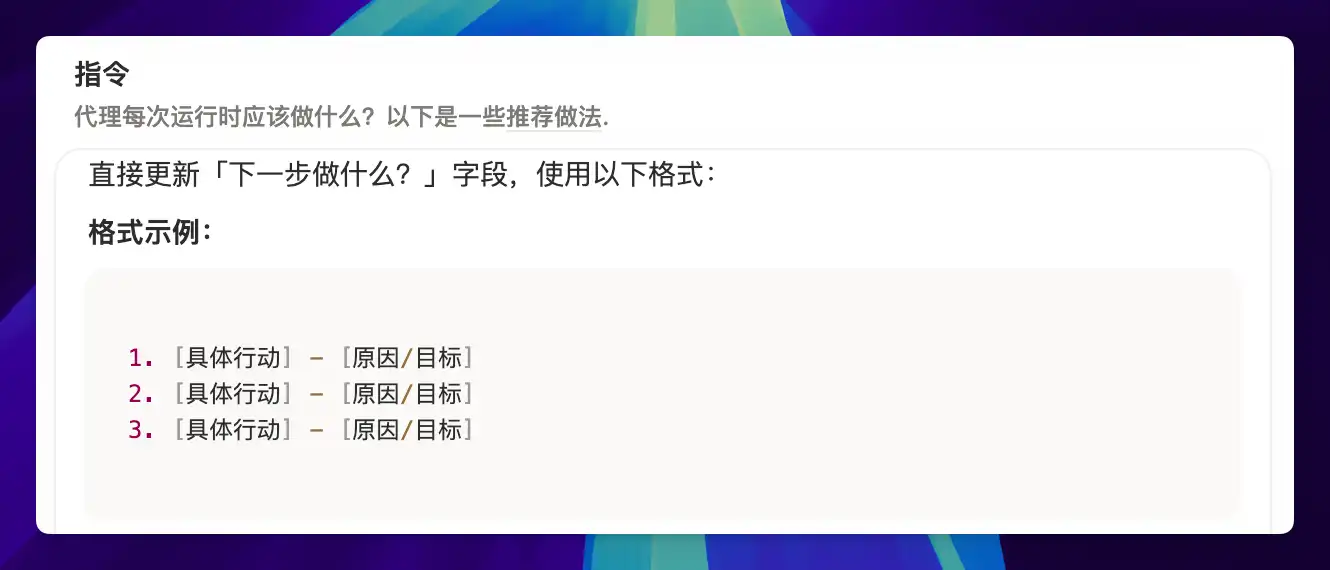
A task follow-up Agent: reads all page content (title, body, status, schedule, linked notes, etc.), evaluates comprehensively, and writes 3 actionable next-step suggestions in the "What to do next" field.
Sub-Page Reference Tips
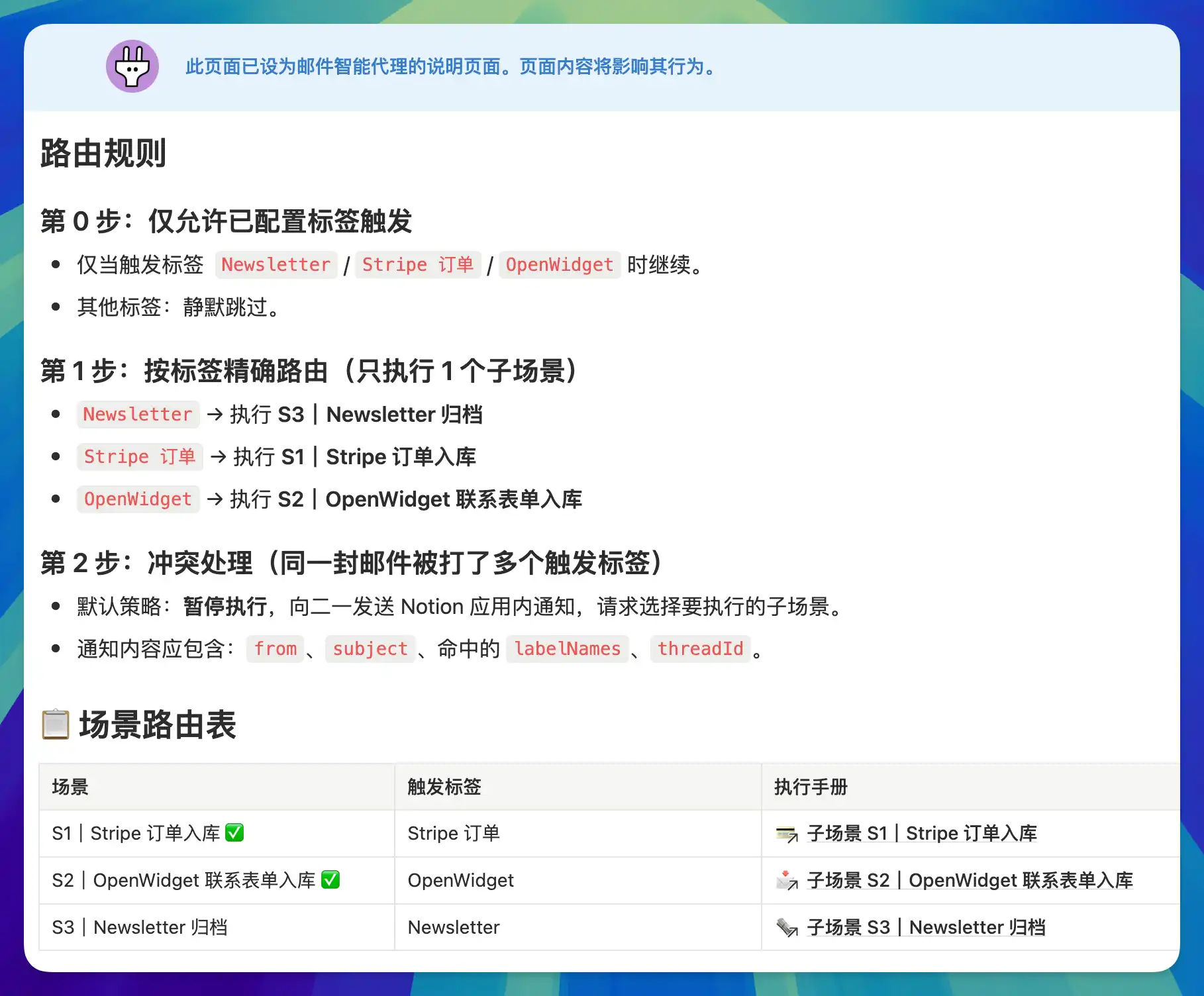
When instructions get long and cover multiple scenarios, you can use @ references to sub-pages to organize them.
The benefit: the Agent only loads sub-page content when it hits the corresponding route, rather than stuffing all instructions into the context every time. This saves Credits, reduces irrelevant noise, and helps the Agent stay focused on the current task.
Memory Page Pattern
Each Agent execution is independent — by default, the Agent doesn't remember what it did last time. If you need your Agent to have "memory," you can create a dedicated memory page for it.
Here's how: in the instructions, tell the Agent to read the memory page before each execution, and write key information back to it after completing its task. This effectively uses a Notion page as the Agent's external memory.
The memory page doesn't need to look pretty — it just needs to be accurate and truthful. It's for the Agent to read, not for humans.
Iterative Optimization Principles
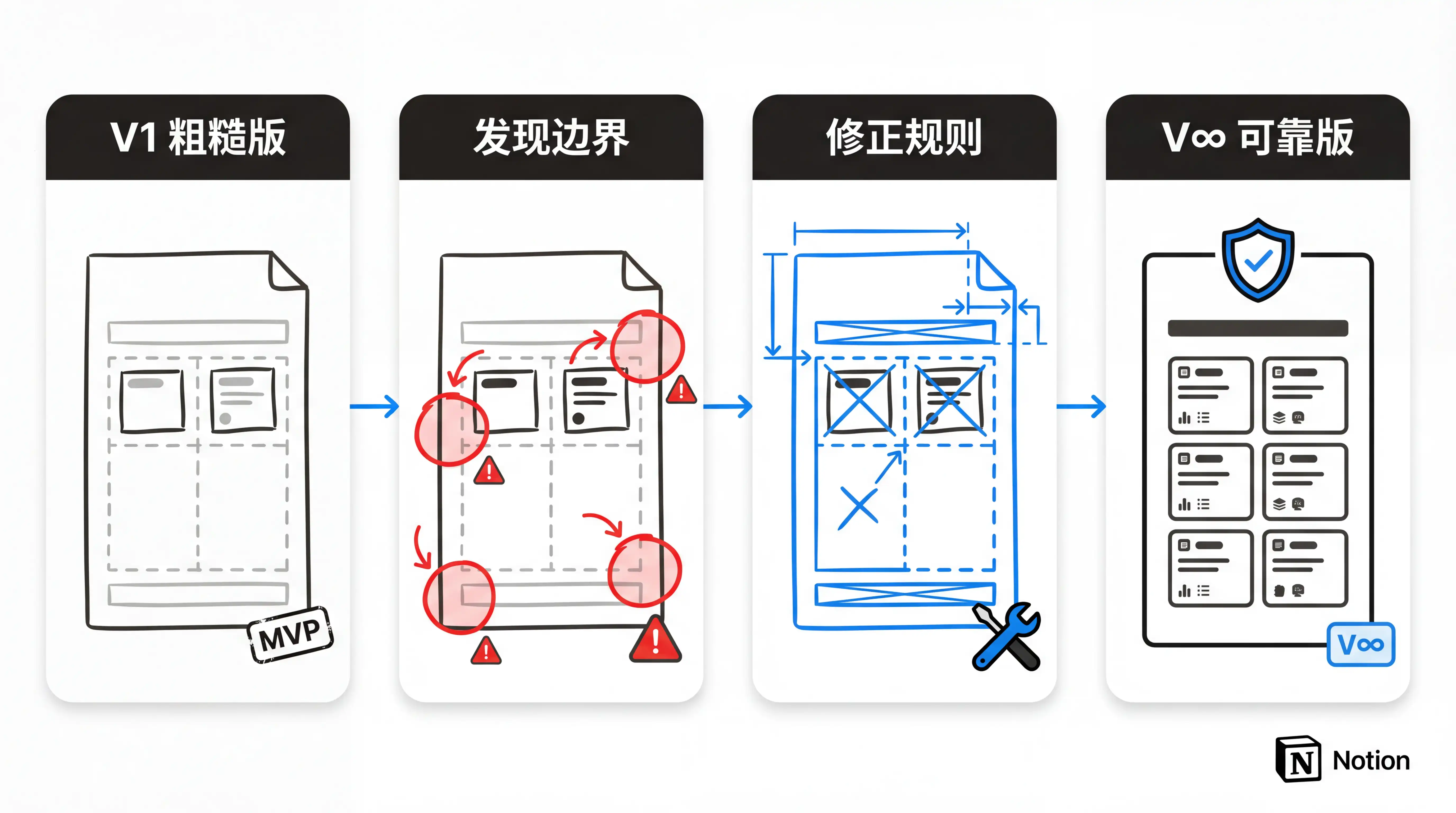
Writing Agent instructions doesn't require perfection on the first try. Iteration is the right approach:
Get it running first — The first version of your instructions should only cover the core steps. Let the Agent run and see if the general direction is correct.
Refine incrementally — After each run, identify what went wrong and add specific boundary conditions and details. Change only one thing at a time so you can easily judge the effect.
Review periodically — Step back every now and then to review the Agent's execution results and verify it's still working as expected. Business scenarios evolve, and instructions need to evolve with them.
Delete decisively — If an Agent feels dispensable after running for a while, delete it without hesitation. Imprecise notifications only create noise and add to your information processing burden.
Last updated on