Introduction
Notion Worker just launched, and I tried it out right away.
Some background first. My blog is deployed on Vercel, with content stored in a GitHub repo in MDX format. I used to write articles in Cursor, using AI to handle format conversion and Git commits — the workflow itself wasn't hard. But one thing always bugged me: I had to write in Cursor. Cursor is designed for writing code, not articles. Writing long-form content while staring at MDX source code — you can't see how the formatting actually looks, and content gets mixed up with markup. The experience was always a notch below what I wanted.
Notion is where I'm most comfortable creating. So I kept wondering: is there a way to keep my writing in Notion and only send the publishing action to GitHub?
Worker solved exactly this problem. This article documents how I used it to build a blog publishing tool — what Worker is, how I used it, and how it feels.
What is Worker, and How is it Different from MCP
If you've been following Custom Agent updates, you probably know that Agent can now connect to quite a few third-party tools through MCP. Notion officially provides pre-built MCP servers for Stripe, GitHub, Figma, Linear, HubSpot, Sentry, and over a dozen others — just a few clicks to set up. My own Stripe order assistant pulls invoice data through MCP without writing any code. Beyond the pre-built options, you can also connect custom MCP servers, which theoretically lets you reach almost any external tool.
So what's the point of Worker?
Simply put, MCP is "using bridges someone else built," while Worker is "building your own bridge."
MCP works out of the box, but you can only use the tools the server provides, with calling conventions and return formats defined by someone else. If the thing you want to do doesn't have a ready-made MCP server, or if existing tools don't quite meet your needs, that's where Worker comes in.
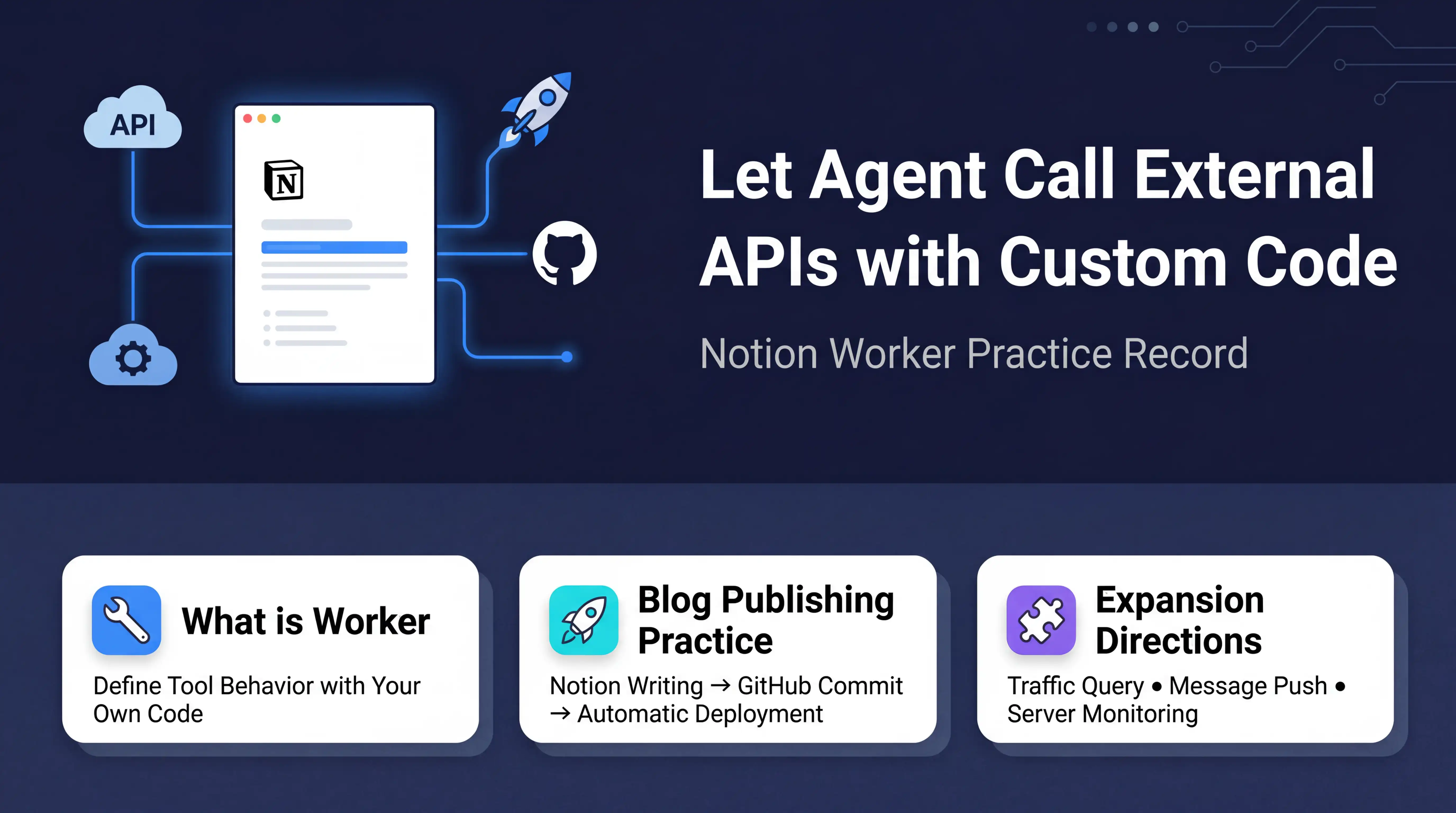
Worker lets you define tool behavior with your own code — precisely controlling what requests to send, what parameters to pass, and how to handle the response. For example, my publishBlogPost needs to write MDX content to a specific path via the GitHub API using Base64 encoding. MCP can't do that, but a few dozen lines of TypeScript in Worker got it done.
Worker is currently in alpha. The official GitHub repo explicitly says "extreme pre-release alpha." It's free to use during the alpha period, and pricing for the official release hasn't been announced yet.
What I Built with Worker
Setup
Notion provides a workers-template template repo with a simple project structure and a built-in sayHello example tool. I started by getting the example working — write code → deploy → have Agent call it in Notion → successfully get a result. The whole process took about an hour, mostly spent on environment setup.
The core tool is Notion's CLI ntn, with just a few key commands:
npm i -g ntn          # Install CLI
ntn login             # Log in to Notion
ntn workers deploy    # Deploy code
ntn workers env set KEY=value  # Set environment variables
Blog Publishing Tool: publishBlogPost
Once I confirmed the mechanism worked, I replaced sayHello with the tool I actually needed: publishBlogPost. What it does is straightforward — it takes a filename, MDX content, and commit message from Agent, then creates a file in the blog repo's content/blog/ directory via the GitHub API. Vercel detects the new commit and automatically deploys.
I used this tool to successfully publish my first article — a Custom Agent deep-dive I'd written earlier. From finishing the article in Notion to it going live on the site, no code editor needed, no manual Git operations — Agent handled everything end to end.
How the Experience Changed
For me, the biggest change isn't the publishing workflow — it's the writing environment. Before, in Cursor, AI handled the dirty work like format conversion and Git operations, so the process itself wasn't much effort. But the entire creative process had to happen in a code editor — writing long-form content while staring at MDX source code, with frontmatter and body text mixed together. Wanting to glance at how the full article looks? The experience just fell short.
Now writing happens entirely in Notion, with format conversion and publishing handled by Agent and Worker.
There's an important division of labor here: Agent handles format conversion (Notion → MDX), Worker just handles delivery to GitHub. Worker itself doesn't do any content processing — it's purely a courier that takes three parameters and fires a request to the GitHub API. If blog formatting requirements change, update Agent's instructions; if the GitHub API changes, update Worker's code. The two sides don't interfere with each other.
What I Want to Do Next
Worker opens up the path of "Agent calling external APIs," and the room for expansion is huge. Here are a few directions I've listed:
- Update existing blog posts: Add SHA parameter support to publishBlogPost so it can modify already-published content instead of only creating new files
- Query website traffic: Call the Umami API to have Agent tell me how many visitors came today and which pages are most popular
- Send messages to Discord: Push notifications to a channel via Webhook — for example, automatically posting when an article goes live
- Check VPS status: Disk, memory, CPU usage — no more SSH-ing in just to check
These tools all follow the same implementation pattern — write a short piece of TypeScript, call the corresponding API, deploy, and it's ready to use.
Final Thoughts
Custom Agent is already very capable — MCP lets it connect to mainstream third-party tools, and integrations for Slack, Mail, and Calendar are solid. But there are always scenarios that off-the-shelf tools don't cover, and Worker fills exactly that gap. Agent handles thinking and coordination, MCP handles connecting to mainstream services, Worker handles filling in the remaining gaps. The three working together can do far more than any one of them alone.
Going from "writing articles in a code editor" to "writing articles in Notion, then having Notion publish them for me" — this shift means Notion is evolving from "a place where you record and manage things" to "a place where you execute and deliver."
Worker is still in alpha, but the core mechanism already works. If you're using Custom Agent and want it to do more customized things, now is the time to try. The free alpha period has zero cost — it's worth spending some time exploring.
Further Reading
- Notion Custom Agent Complete Guide
- Notion Agent Complete Practical Tutorial - Creating Intelligent Workflows with AI
- 6 Things I Learned After Testing 16 Notion Agents in One Month
Agent and Worker can automate a lot, but they work best when your Notion workspace has a clear structure for them to operate on. If you're looking for a solid foundation to organize your tasks, notes, and projects, check out FLO.W — the all-in-one Notion template I built and use as my own daily workflow backbone.