Preface
I got Beta access to Notion's latest feature back in January. Since then, I've built over a dozen fully automated workflows in Notion, and my productivity has been improving at an unprecedented pace. Years of accumulated notes have finally reached a tipping point, and I'm so excited about it that I had to write this article to share the joy.
This latest Notion feature is called Custom Agent — the very one I previewed at the end of my previous article (A Complete Guide to Notion Agent). It is Notion's most significant new feature of the year.
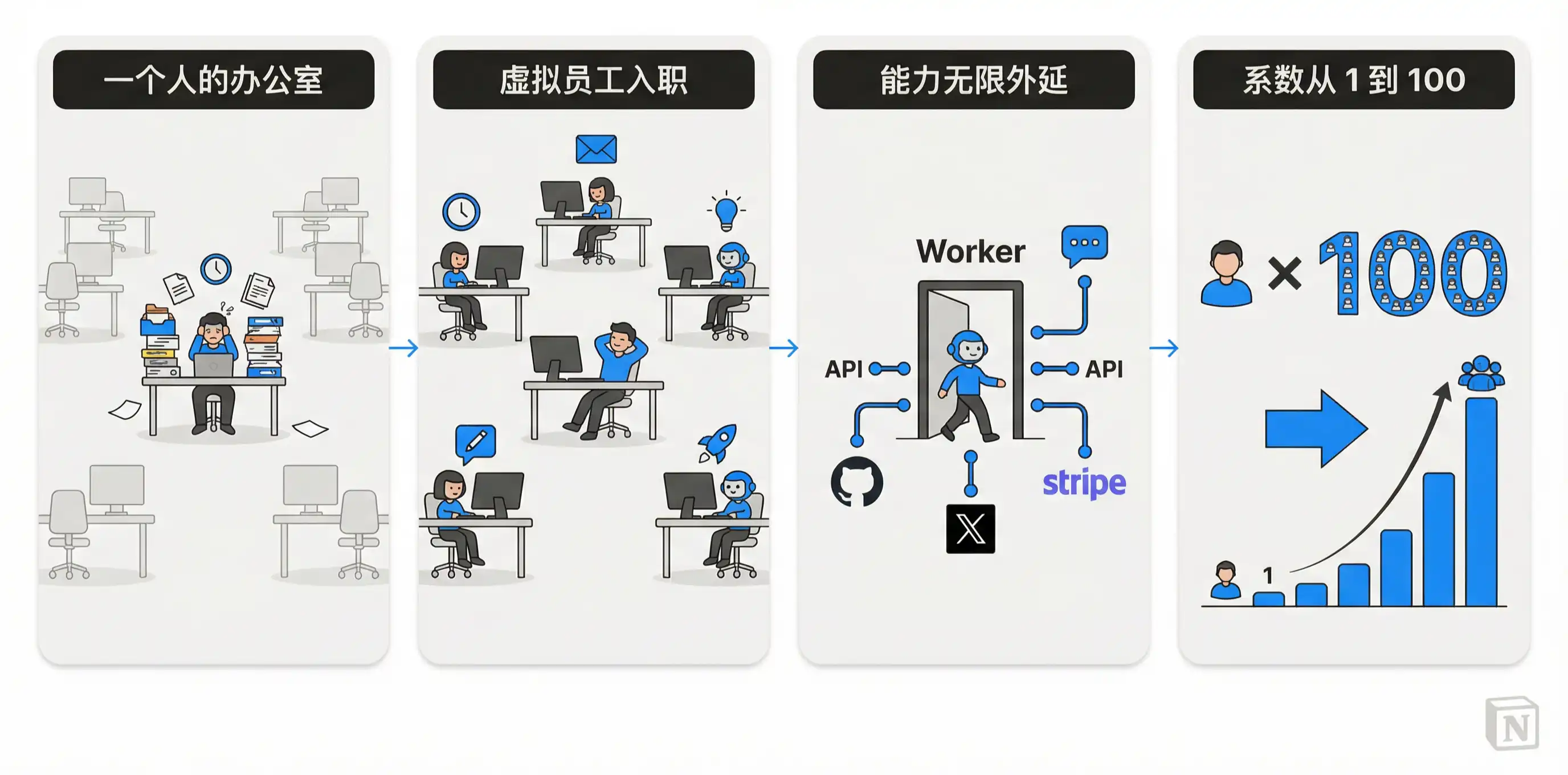
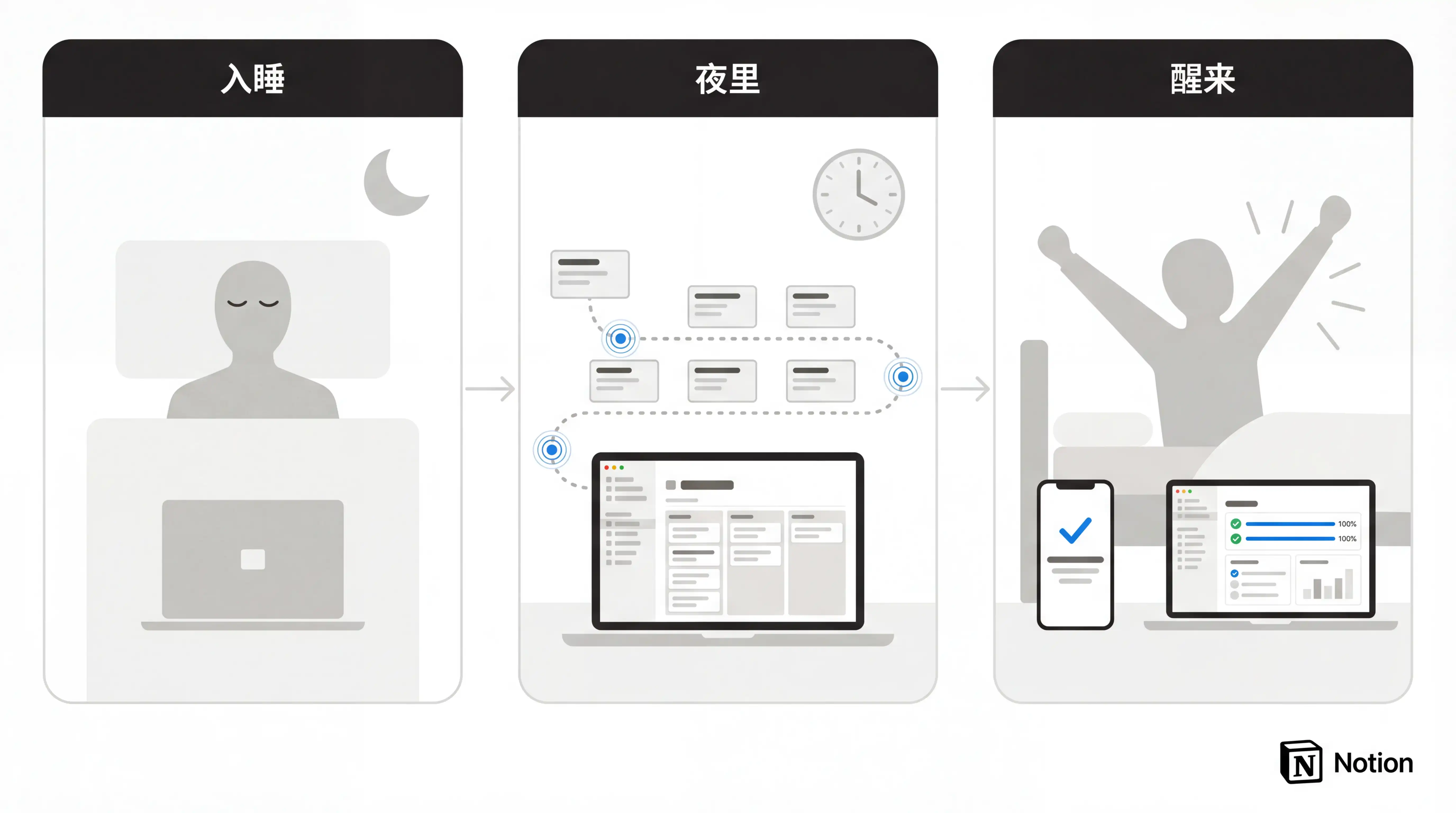
It lets you hire a team of virtual employees that operate 24/7, tirelessly doing work on your behalf. This means your output can potentially multiply tenfold — or even a hundredfold — while you sleep.

Before we dive in, let me introduce the website I built specifically for Notion AI. I'll be sharing my experiences and templates related to Notion AI here on an ongoing basis — feel free to check it out:
21notion.ai
If you'd rather watch the full walkthrough first, I've embedded the companion video for this article below:
What Exactly Is It
What Is Custom Agent
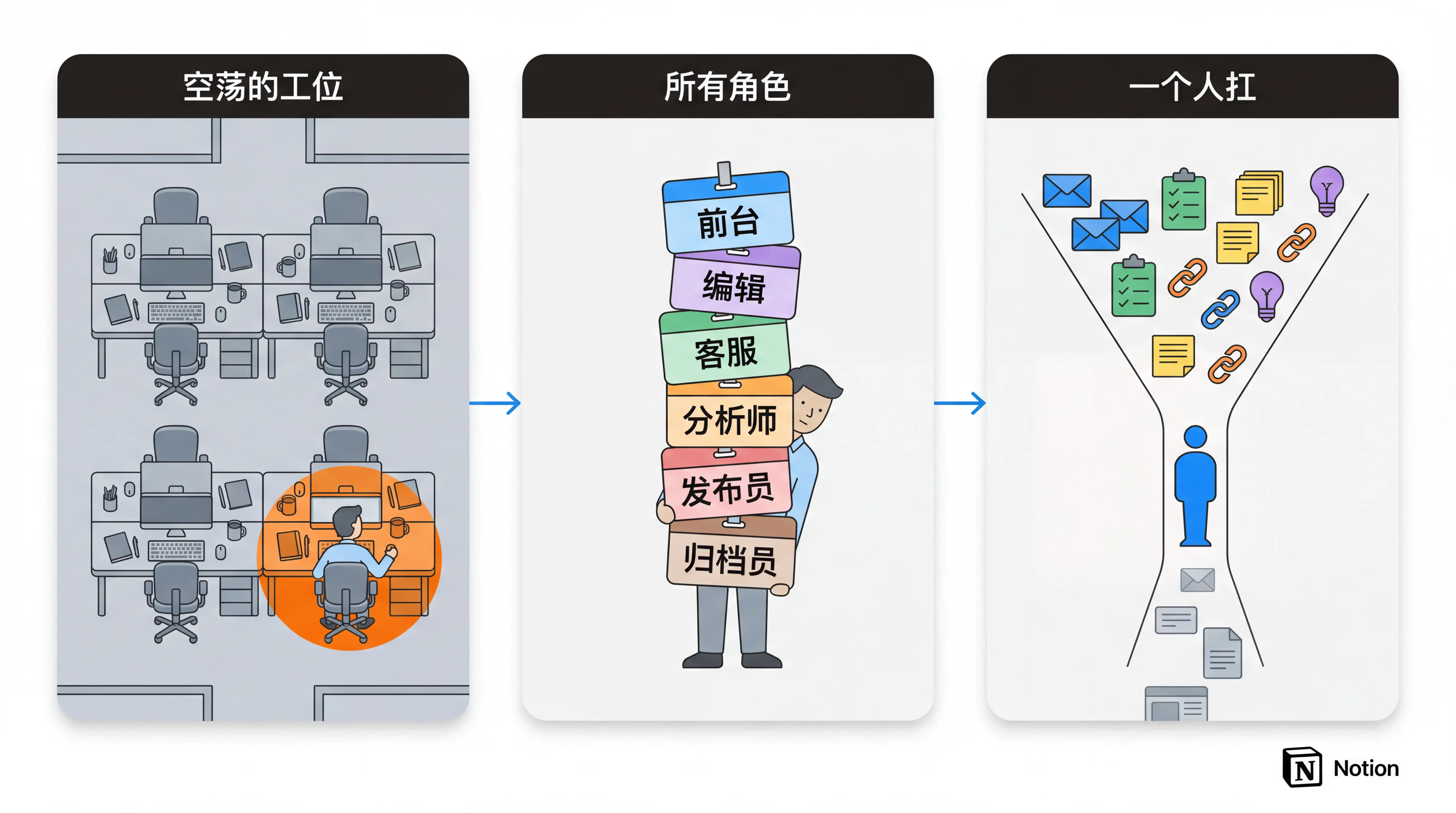
Notion is no longer just a note-taking app — think of it as a "digital office."
It has a reception desk (navigation), workstations (Pages), a filing room (Databases), standard procedures (Templates), a conveyor belt (Automations), in-house consultants (AI), and outsourced teams (third-party integrations). As the head of this office, you're not just taking notes in Notion — you're orchestrating the flow of information, coordinating collaboration, and ultimately driving tasks forward and accumulating knowledge.
But if you don't edit, tasks stall. If you don't act, even the most powerful AI just sits there waiting for your command. The truth is, you're the only employee in this fully equipped office. You're the entry and exit point for all information flow, and the initiator and executor of every decision.
You've probably used Notion AI before — ask it a question and it gives you an answer; tell it to edit a page or database and it gets it done instantly. But all of these actions share one prerequisite: you have to open Notion, tell it what to do, and only then does it act.
Custom Agent breaks that prerequisite. You set up a set of rules, and it just keeps running on its own — no supervision needed, no prompting required. This means your output multiplier can go from 1 to 5, or even 100, because each Agent is essentially a virtual employee with its own brain.
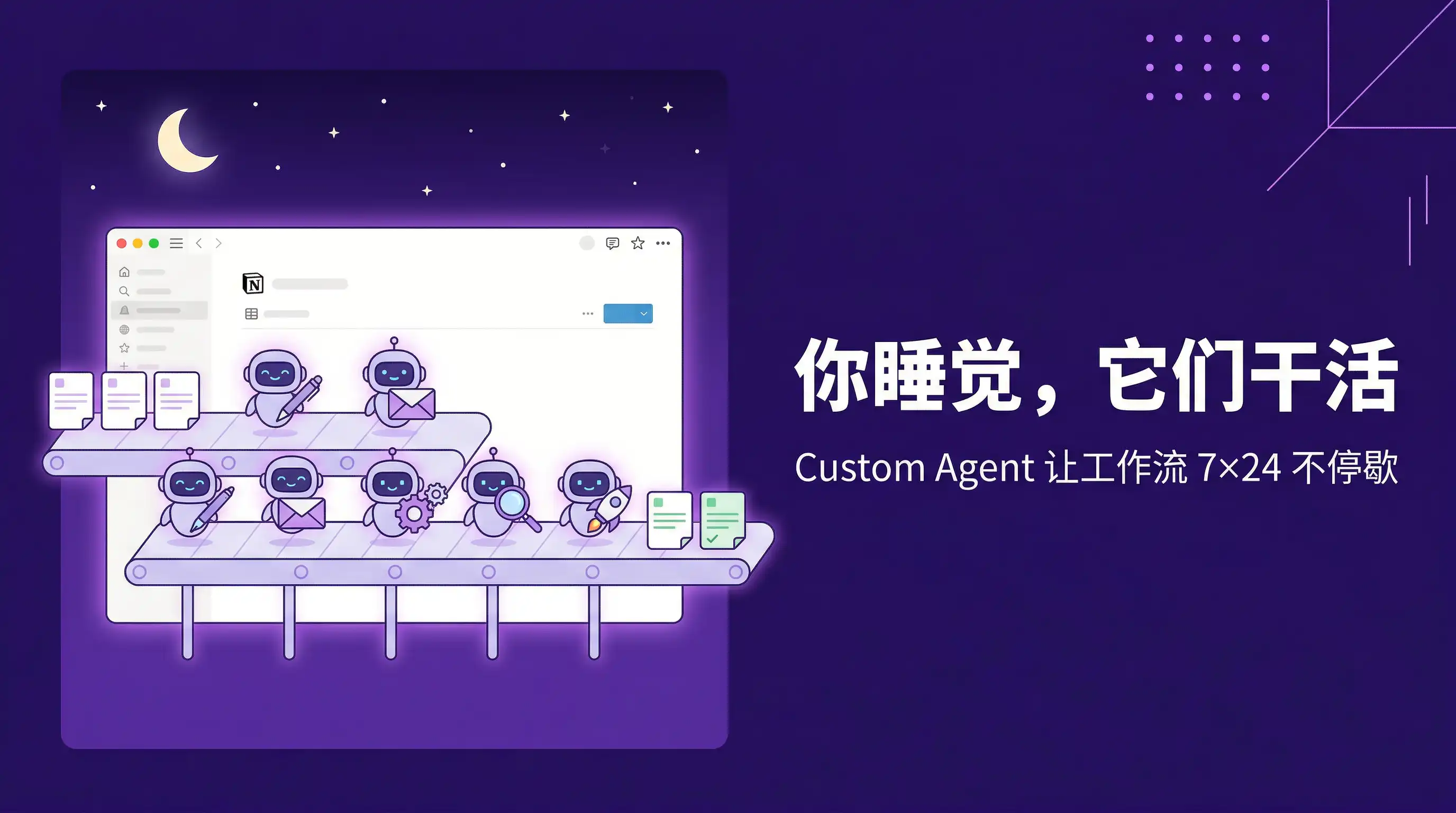
Among the dozen-plus virtual employees I've hired and trained, the most complex one can automatically complete an entire pipeline after I finish writing an article — from content optimization, SEO processing, and multilingual translation to cross-platform publishing. That's 11 complex steps, all executed by a single Agent in one run.
I'll walk through this case in detail later, but for now, just know this: the ceiling for Custom Agent is very, very high.
How to Create a Custom Agent
First, you need a Notion Business plan subscription. Then click the "New Agent" button in the top-left corner.
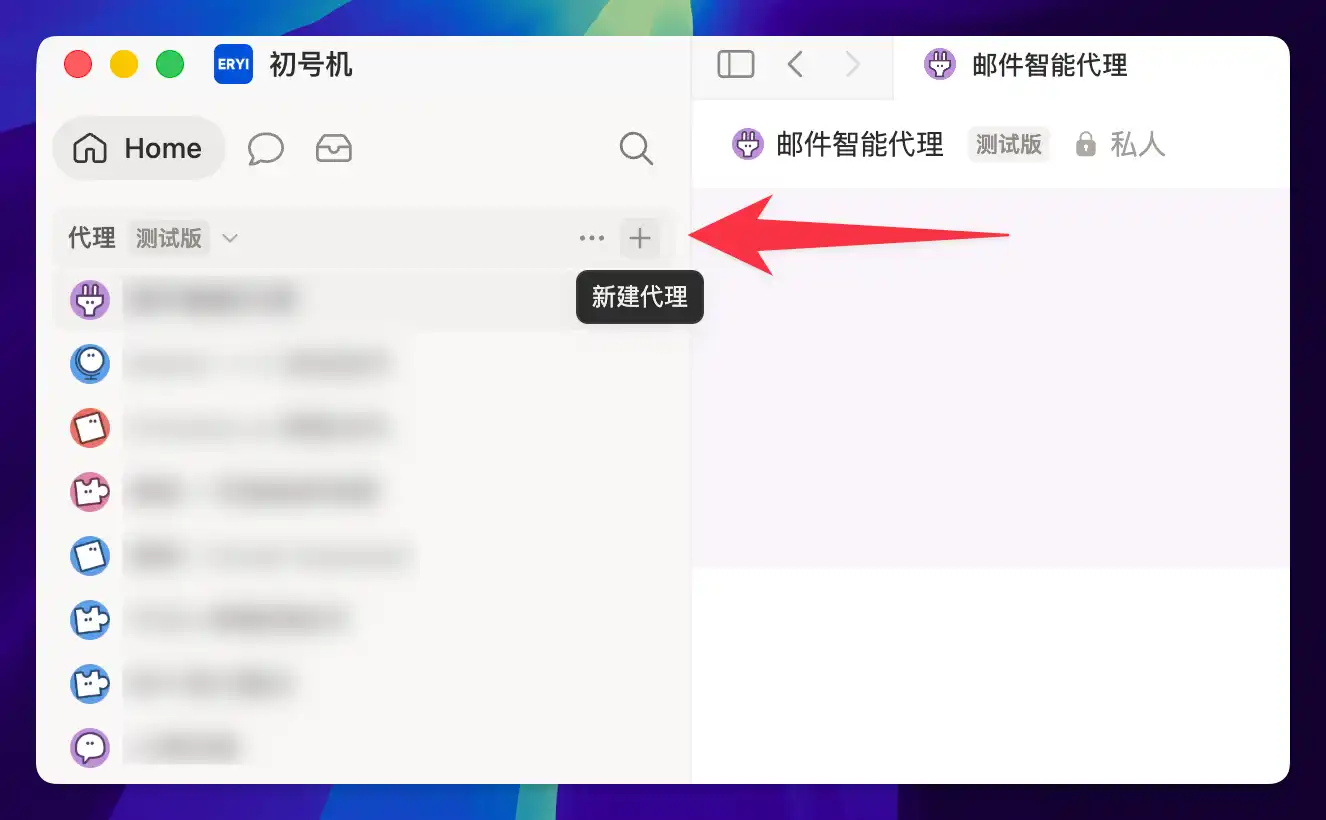
You'll then see the setup interface shown below, where you define your virtual employee's skills and permissions:
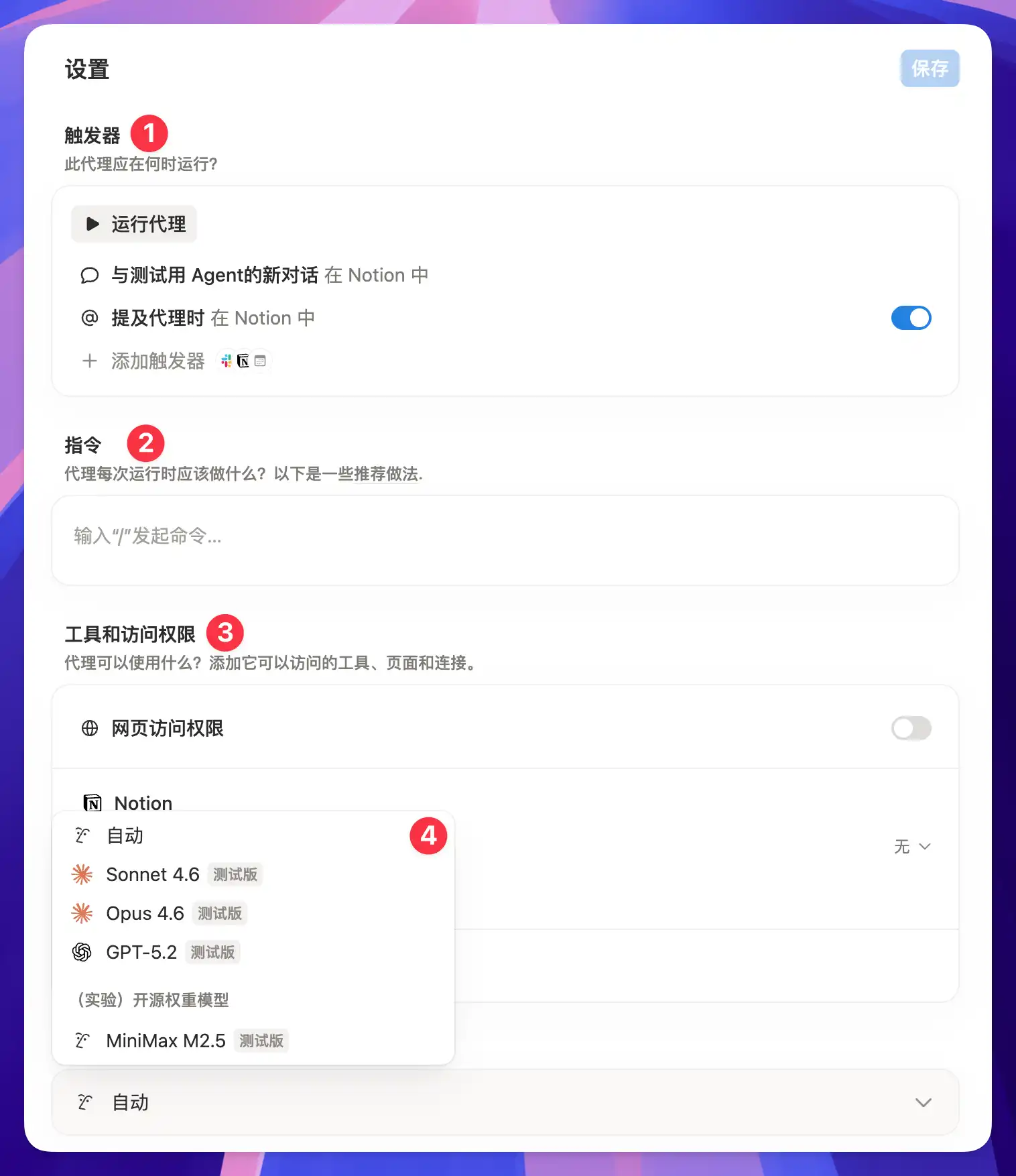
Just like onboarding a new employee: the Trigger is their work schedule, the Instructions are their job manual, and the Model is their brain — the smarter the brain, the better it handles complex tasks, but the higher the "token salary" you have to pay. Tools and access permissions are like the computer and keycard you issue to this employee. Once configured, the virtual employee can operate independently within the boundaries you've set.
It's worth noting that Custom Agent's reach isn't limited to within Notion. It can connect to external services and call third-party APIs through MCP and Notion Worker — I'll cover the specifics in Case Six and Case Seven below.
For non-technical users, Notion's Custom Agent is the most intuitive, easiest to get started with, and most practically valuable AI agent solution I've used so far — far more recommendable than the recently hyped OpenClaw. If someone disagrees, they may know OpenClaw, but they certainly don't know what Notion is capable of today.
Real-World Cases
Next, I'll walk you through seven real scenarios, progressing from simple to complex, to give you a complete picture of Custom Agent's capabilities. You'll see that individual features may not be jaw-dropping on their own, but when they start combining with each other, the tool becomes something entirely different.
Case 1: Morning Briefing
Every morning when you open Notion, all you really want to know is: what should I work on today, what's still pending, and is there anything that needs special attention. This information is scattered across different database pages — you have to jump between them, filter, and piece together the full picture yourself.
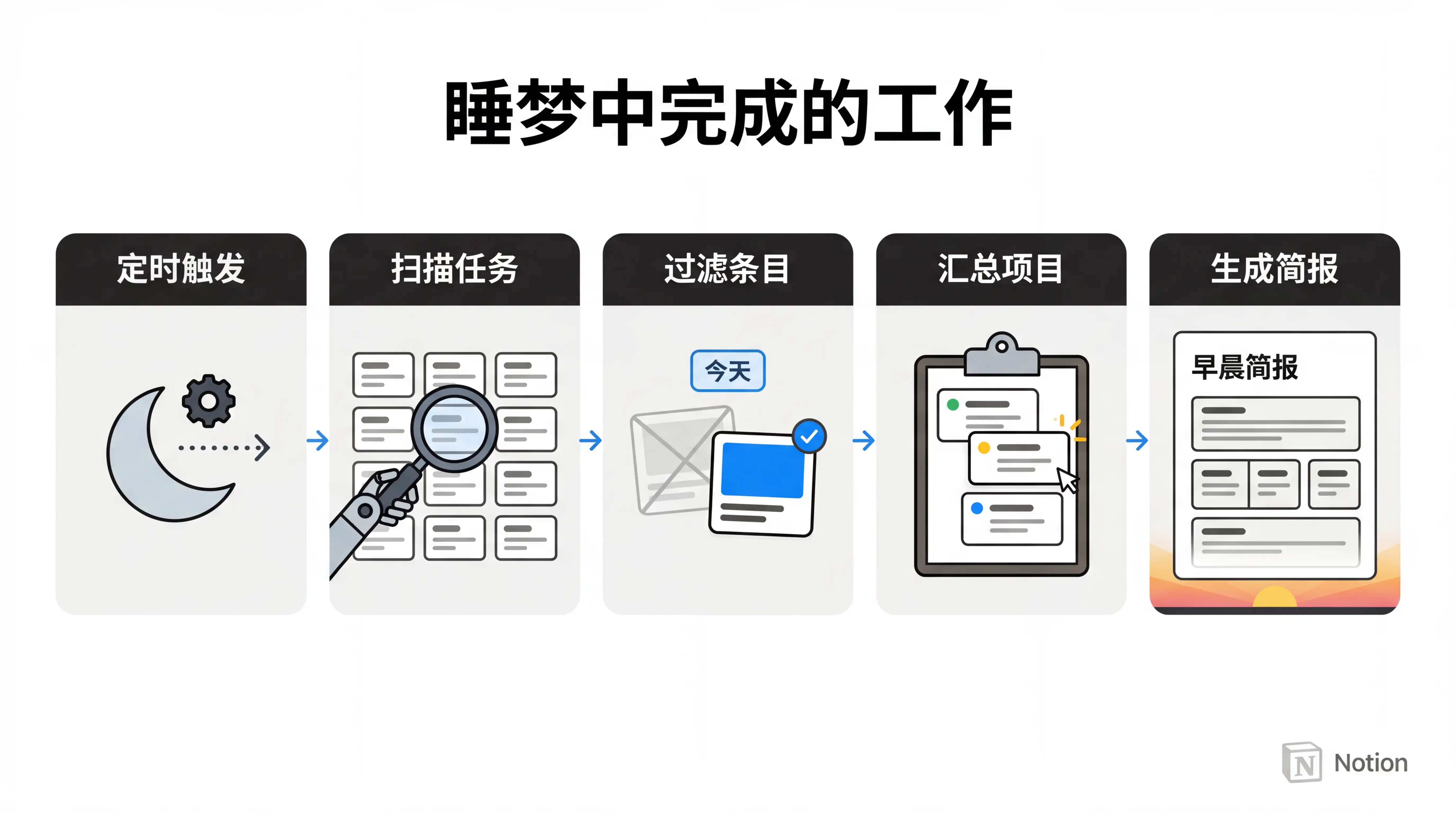
So the first Custom Agent I created was a Morning Briefing. I set up a scheduled trigger so that every morning at 9 AM, the Agent automatically reads my key databases, filters and summarizes all the information I need to pay attention to, then writes the compiled briefing into a designated database and sends me a notification.
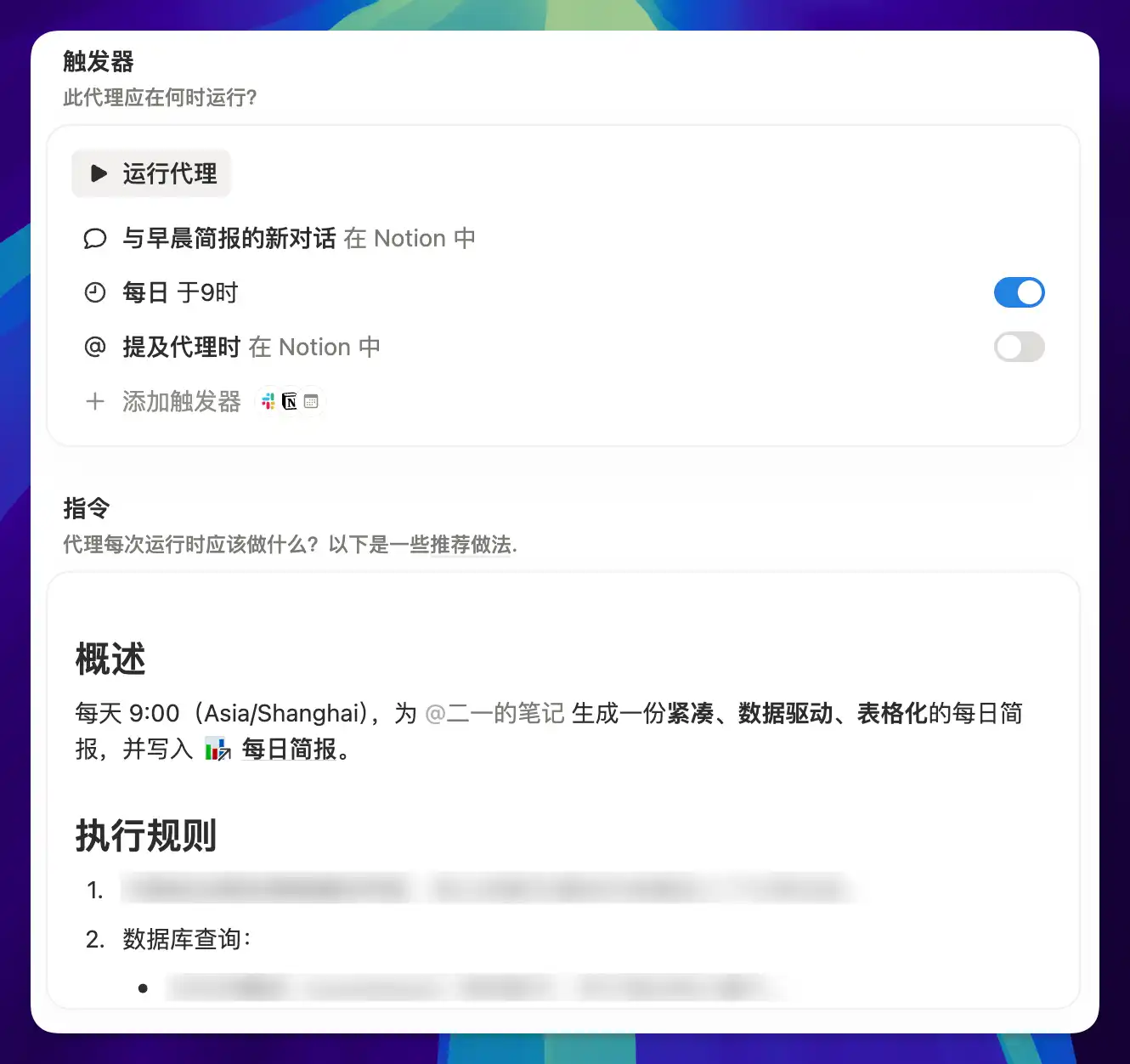
But what really makes the morning briefing interesting isn't just the information aggregation — it's that the Agent makes judgments.
It suggests a priority order based on deadlines and dependencies, flags overdue tasks separately, and proactively warns me about scheduling conflicts. Sure, I could spot these things by digging through databases myself, but I usually only notice problems after they've already happened. The Agent checks everything for me every morning.
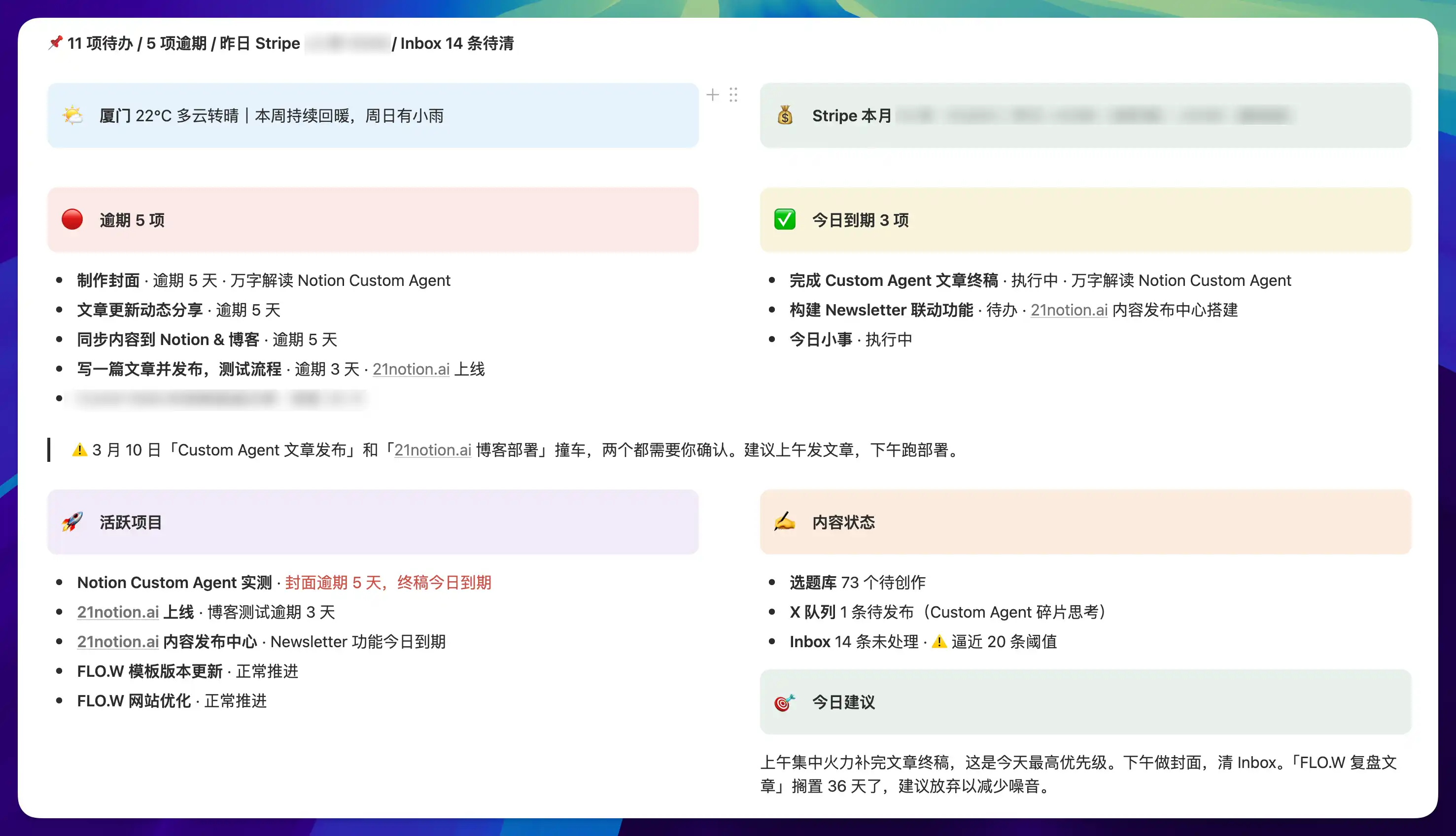
In this scenario, the "Trigger" determines when to act, and the "Instructions" determine what to do. Combining these two elements, you can extend this pattern to all kinds of automation scenarios:
- Automatically generate a daily summary of your web clippings database
- Automatically compile weekly project progress reports
- Automatically organize monthly subscription tool expenses and usage
Of course, the manual effort each morning might only be 10 minutes, but what the morning briefing truly saves isn't those 10 minutes — it's your most precious resource each morning: attention. You just open the briefing, read the results, and save your mental energy for what truly matters.
Case 2: Task Follow-Up
My FLO.W template's task database has a property called "Next Action," designed so that whenever I see a task, I can immediately know what to do next without having to think or hesitate.
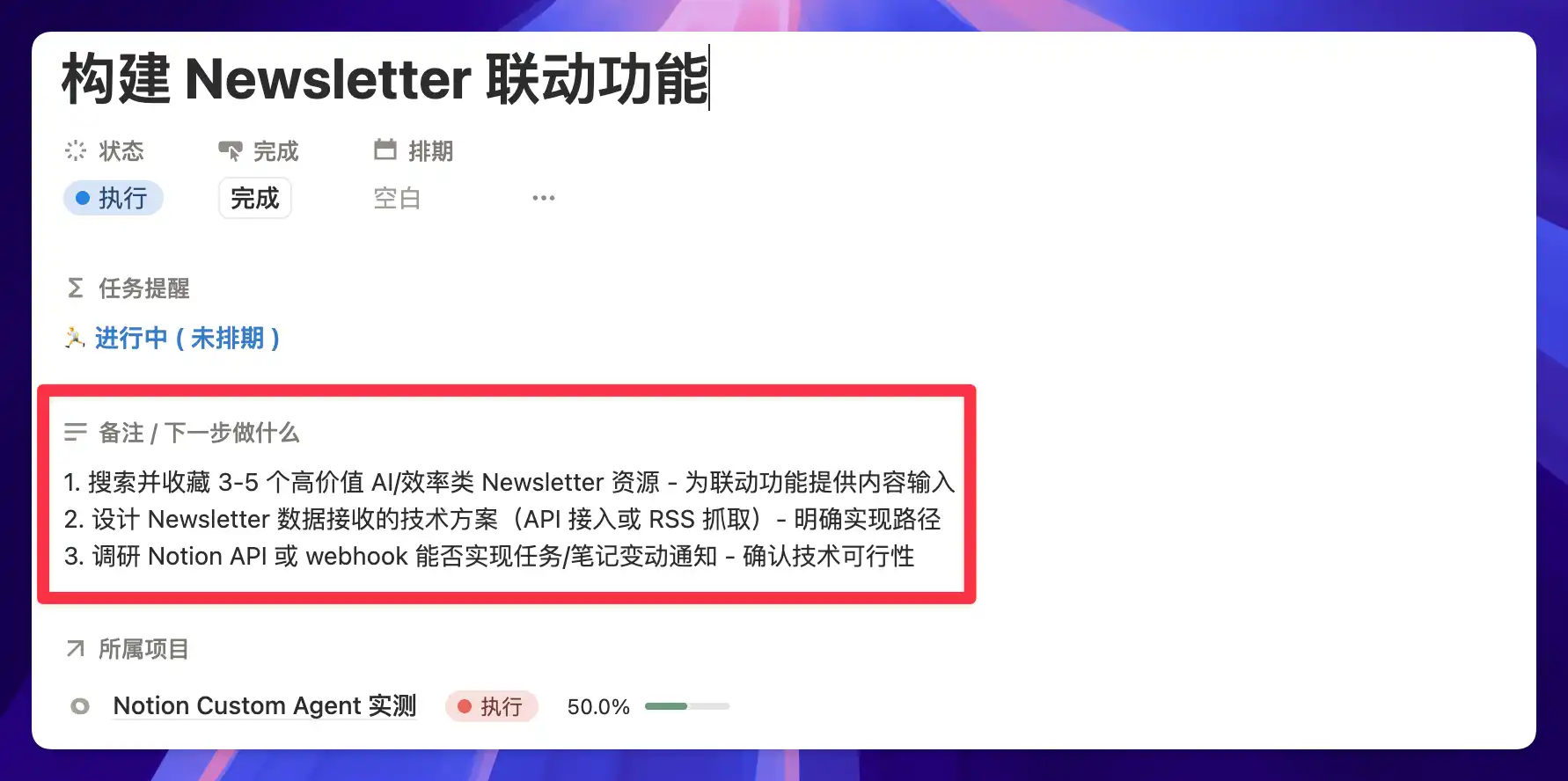
Writing this property well requires spending some mental energy, but now with Custom Agent, I can let the AI fill it in.
First, set up a trigger: when a database page is edited.

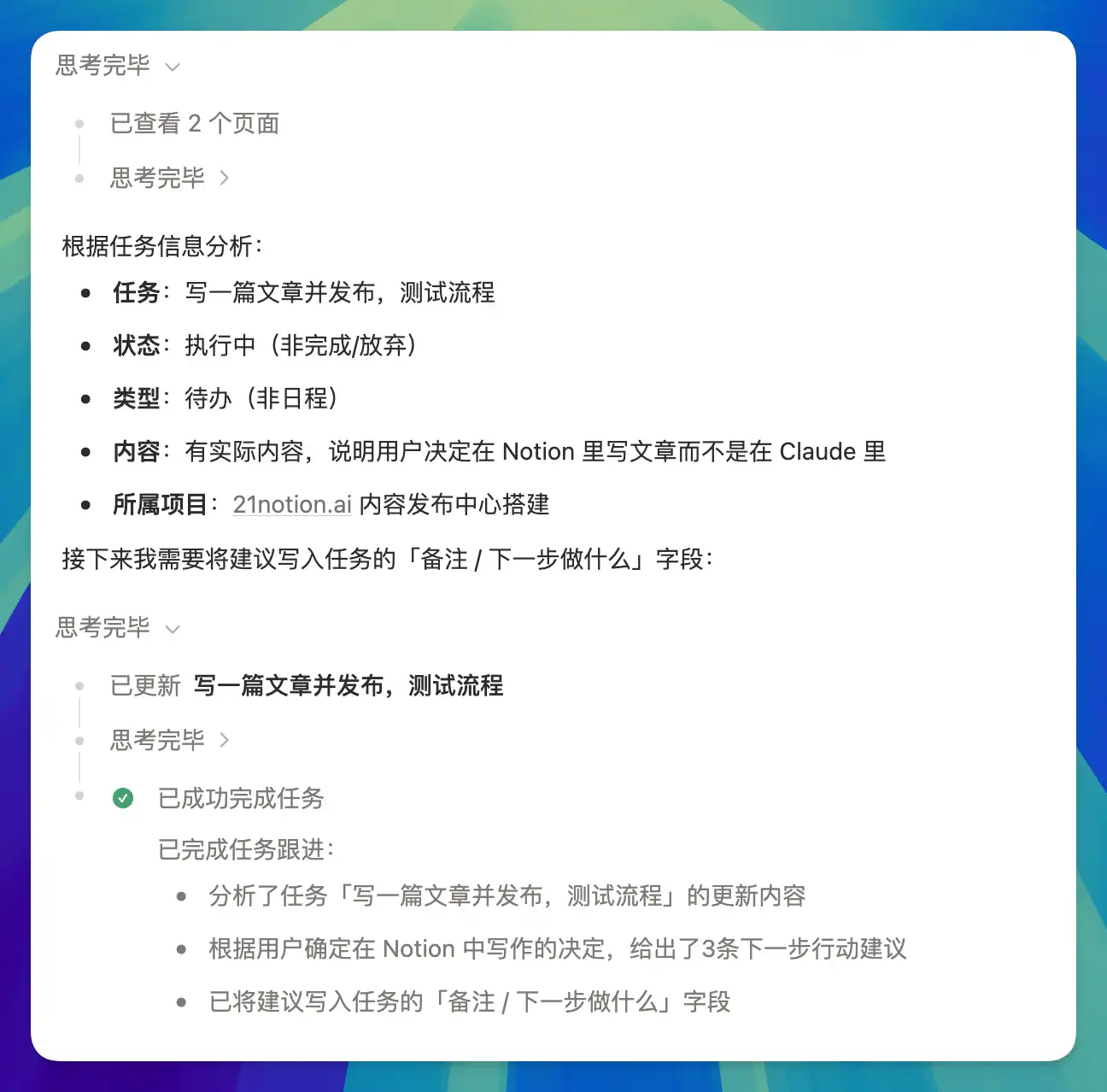
Then give the Agent its execution rules: read all the content of the current page — including the title, body, status, schedule, linked notes, linked projects, predecessor and successor tasks — then perform a comprehensive assessment and write 3 quick, actionable suggestions into the "Next Action" property.

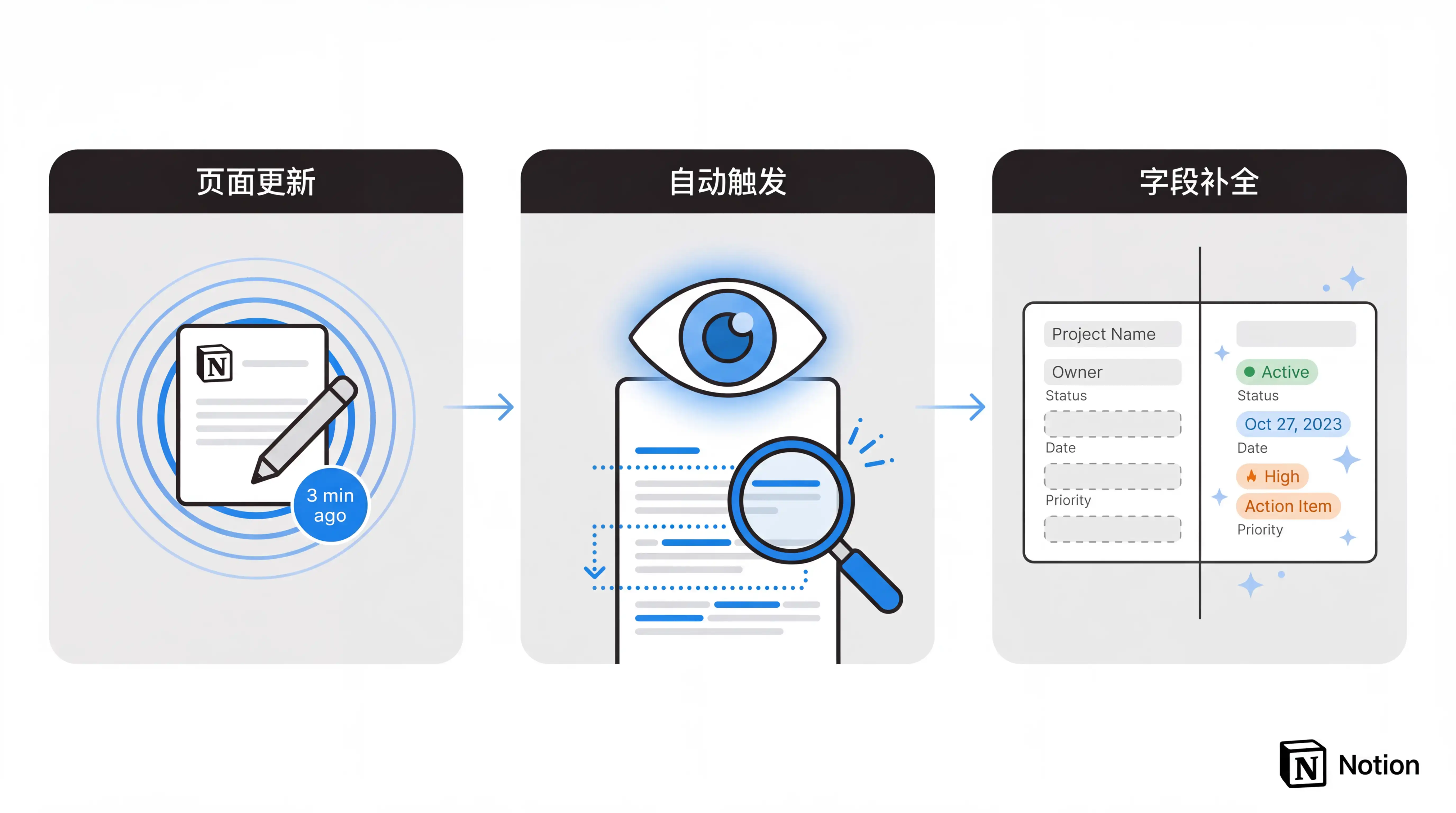
Unlike Case 1, this Agent doesn't work on a schedule. Instead, it responds in real time as you work — not editing alongside you, but automatically executing three minutes after you stop editing the page.
Here's the Agent's thinking process and execution result:
This capability can actually be generalized to many more scenarios. As long as your database has a property that "requires someone to read the content before filling it in," the Agent can fill it for you.
Many database properties stay empty not because you don't know they're important, but because filling them requires reading the page content and making a judgment — a process that's tedious and time-consuming. Over time you just give up, and the property becomes a beautiful but permanently defunct design element.
Now the Agent turns "read first, then fill" into an automatic action. As soon as a page is updated, it fills in the missing properties and organizes the structure. You write down raw information — meeting notes, consultation records, full web clippings — and the Agent processes it into searchable, trackable, action-triggering database properties.
This way, your Notion databases maintain themselves. You just throw in raw information, and the Agent takes care of the rest.
Case 3: Email Processing
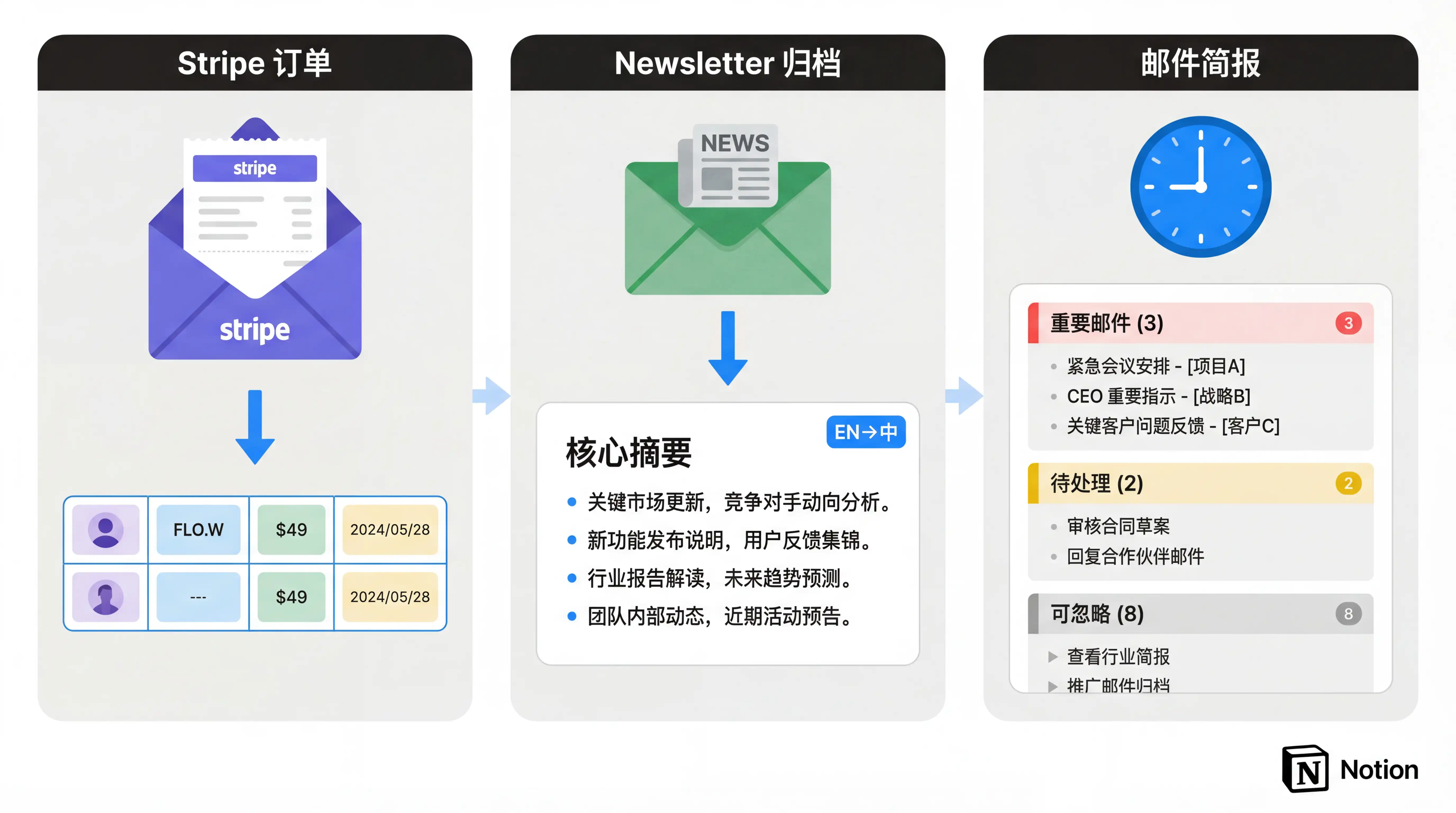
My inbox gets flooded with notifications every day — payment platform transaction confirmations, SaaS tool reports, newsletter subscriptions, and more. These emails contain all sorts of useful information, but they all require me to open, read, and manually extract what I need, one by one.
Now, this entire workflow no longer requires my involvement. All it takes is an "Email Trigger" to activate this automated email processing flow. When I receive a new email, the Notion Agent automatically reads the full email, extracts the key information I've predefined, and writes it into the corresponding database.
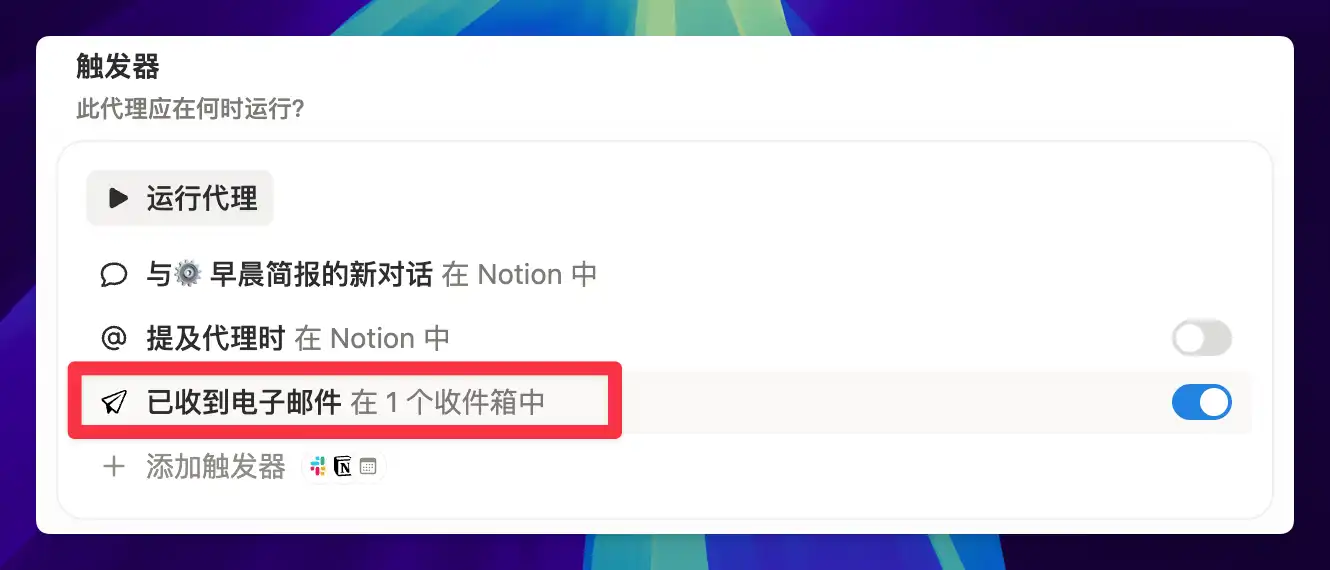
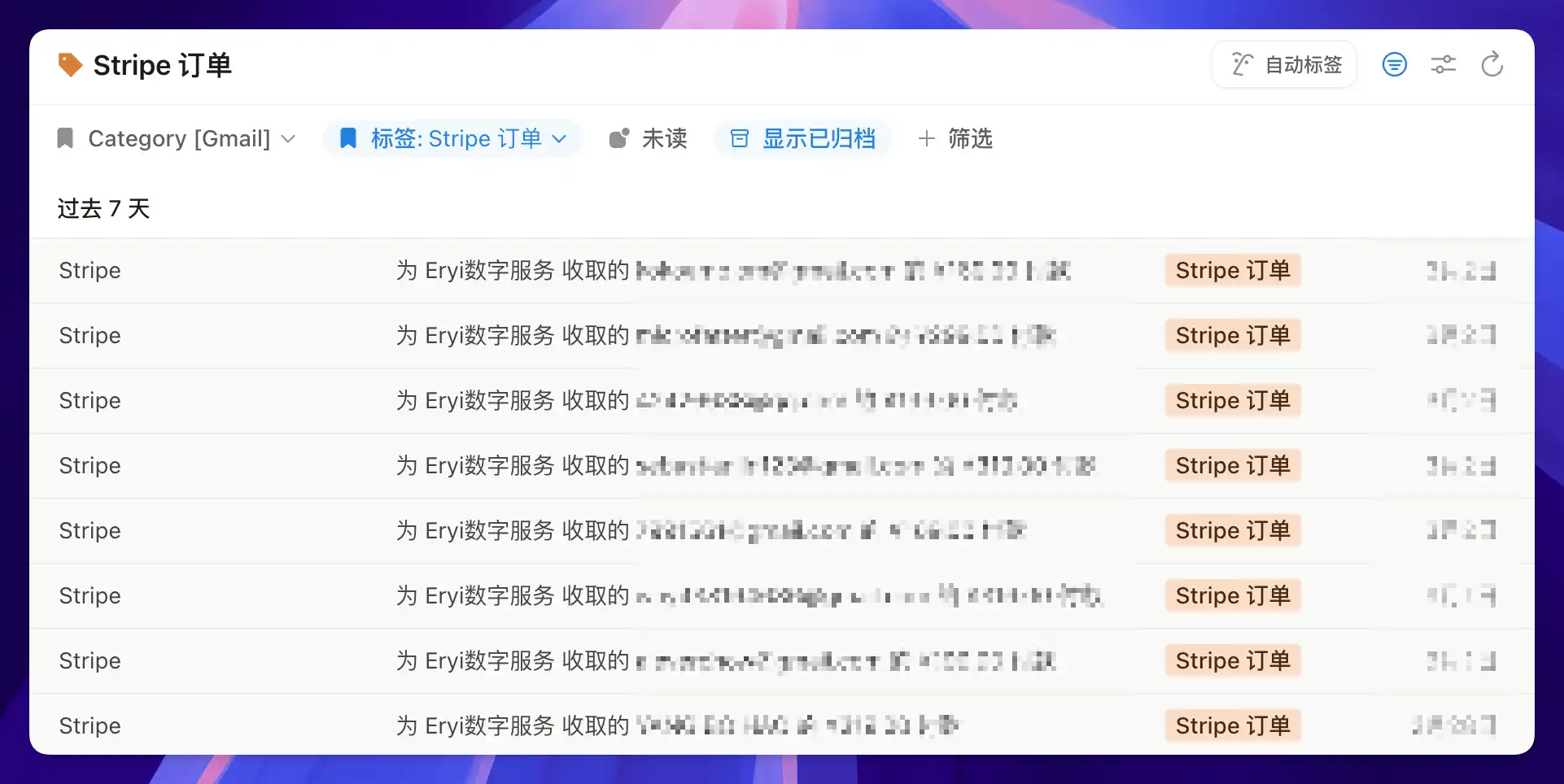
The first scenario I got working was automatic Stripe order logging. Whenever a template sells on my website, Stripe automatically sends me an order confirmation email:
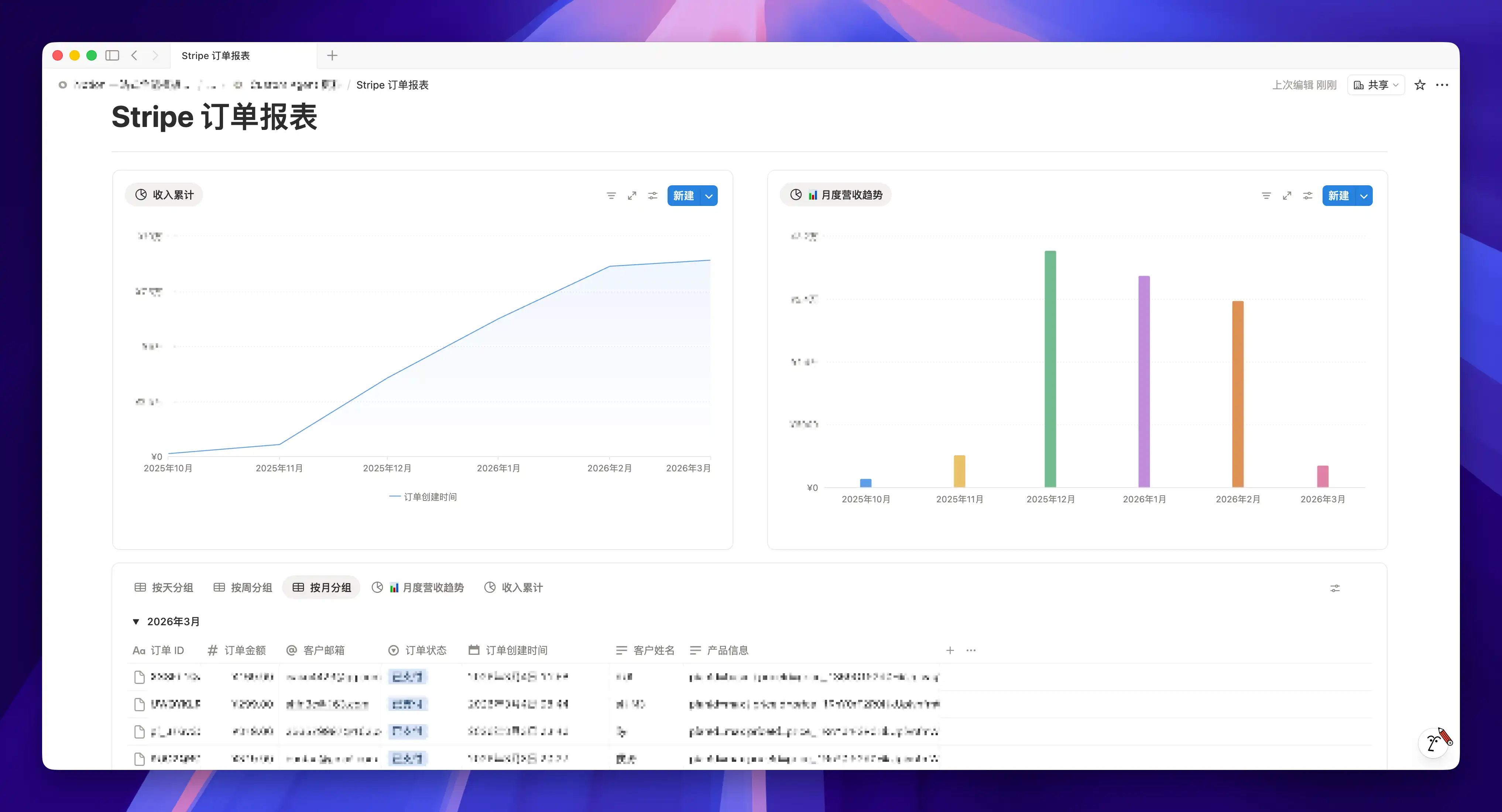
My Agent then automatically reads the order details from the email and writes the customer info, payment plan, and amount into a Stripe Orders database in Notion. This way, I can see my Stripe order activity in real time, right inside Notion.
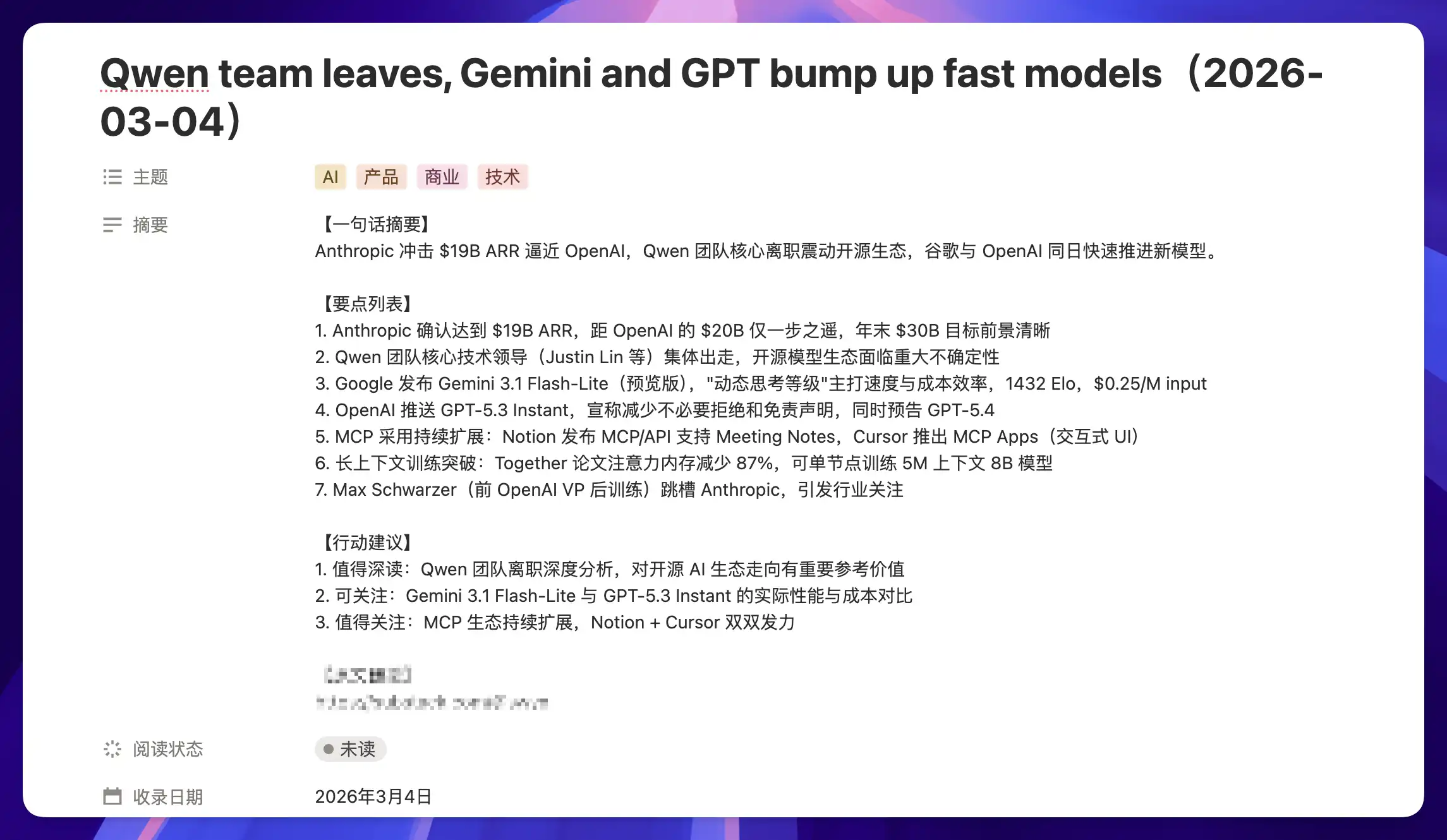
I use the same logic to process newsletter emails.
When an email arrives, the Agent automatically triggers, reads the full email, and generates a core summary based on my predefined rules. This way, even if I subscribe to English newsletters, I can instantly decide whether it's worth reading further.
With a bit more refinement, I think it could entirely replace Readwise Reader.
You might not have Stripe emails in your inbox, but you almost certainly have invoices, recruitment emails, school notifications, reimbursement notices, or customer feedback. As long as the source is consistent and the format is relatively stable, the Agent can reliably extract information and log it into a database.
Once emails can be automatically read, distilled, and written into a database, that information becomes trackable and measurable — and can even trigger downstream automation.
Or, if you want to be even lazier, you could have a Custom Agent read all of the previous day's emails every morning and generate an email briefing for you. As long as you specify the types of information you care about, you won't need to personally read a single email — even if you receive 100 a day.
Case 4: Smart Customer Service
The Agent in Case 3 is a diligent record-keeper — it can log and archive incoming emails for you, but ultimately you still need to read them and handle the follow-up yourself. But what if the Agent could not only understand the email but also reply directly? Then it's doing the job of a smart customer service rep.
And Notion supports exactly this. Custom Agent can not only read emails but also reply to them.
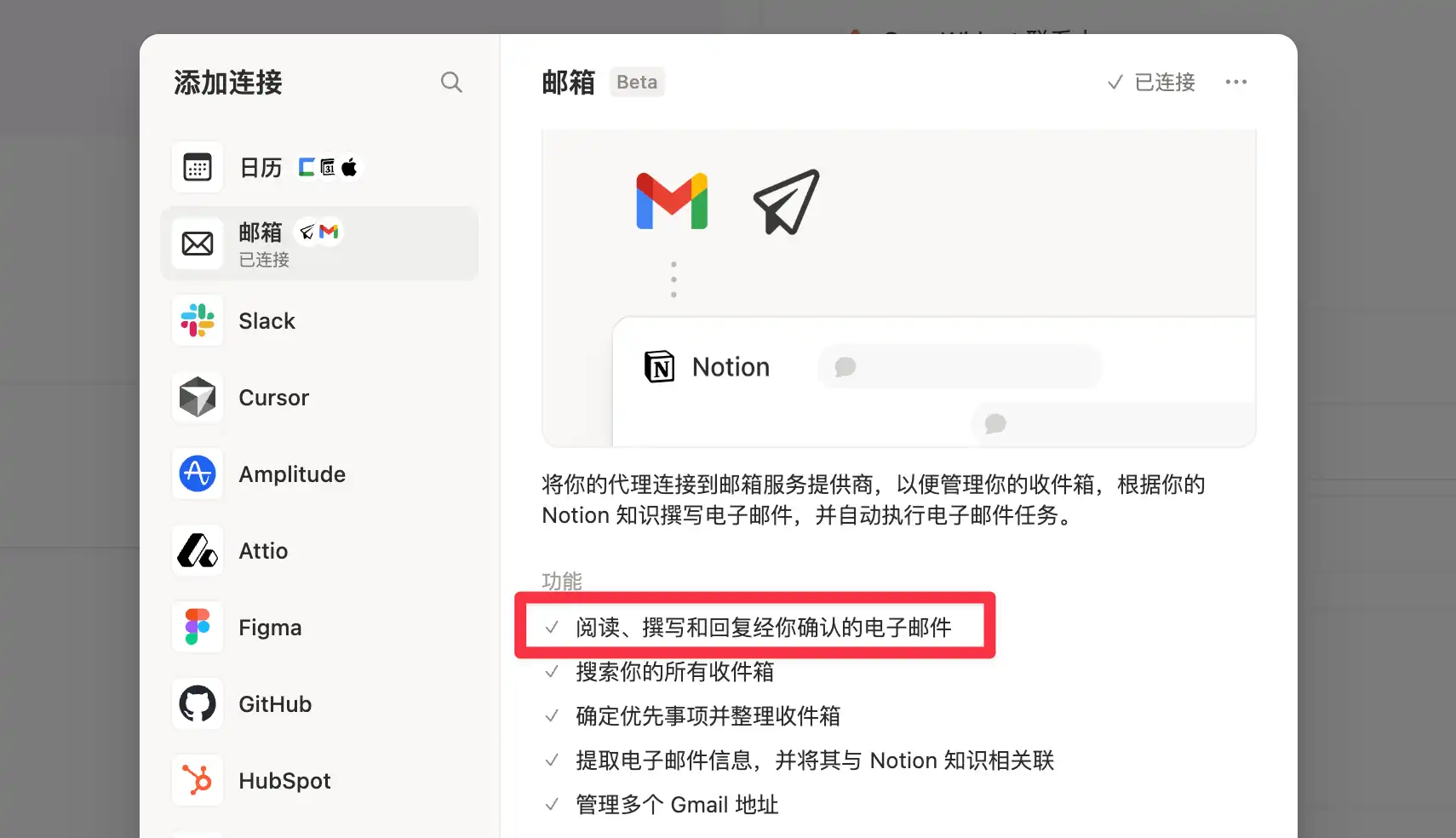
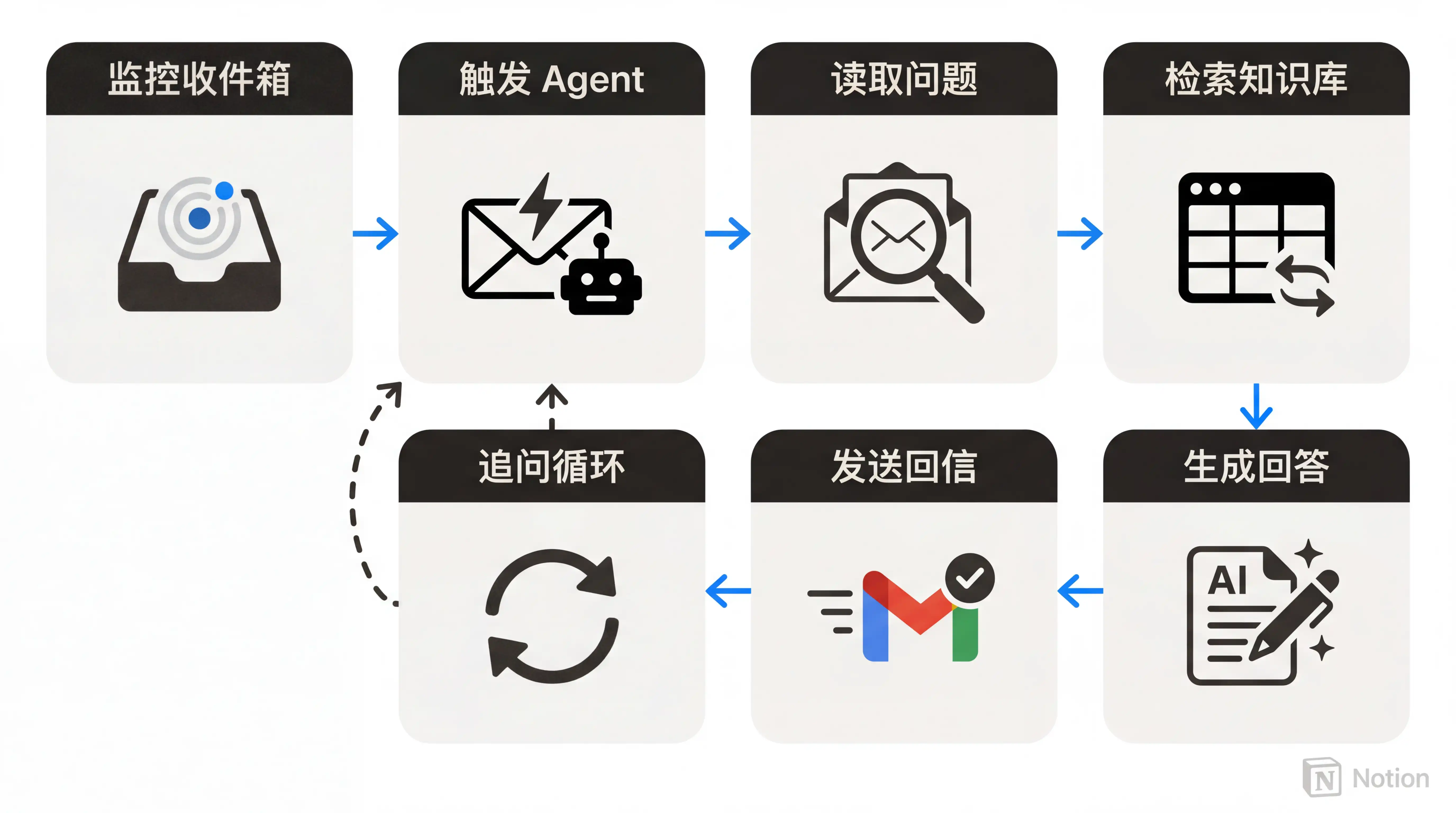
Building on this capability, I set up the following workflow:
- Continuously monitor the inbox
- Trigger the Agent when a customer inquiry email arrives
- Read the user's question from the email
- Search the Notion knowledge base for relevant information
- Generate a response based on the knowledge base and predefined rules
- Use Gmail to send the reply back to the user
- If the user has follow-up questions, repeat the process
Here's a real example: a user emailed asking whether they could pay to upgrade from the "Basic" version of my FLO.W template to the "Advanced" version. The Agent's response perfectly matched my expectations — it not only answered the question but also used appropriate phrasing to encourage a purchase.
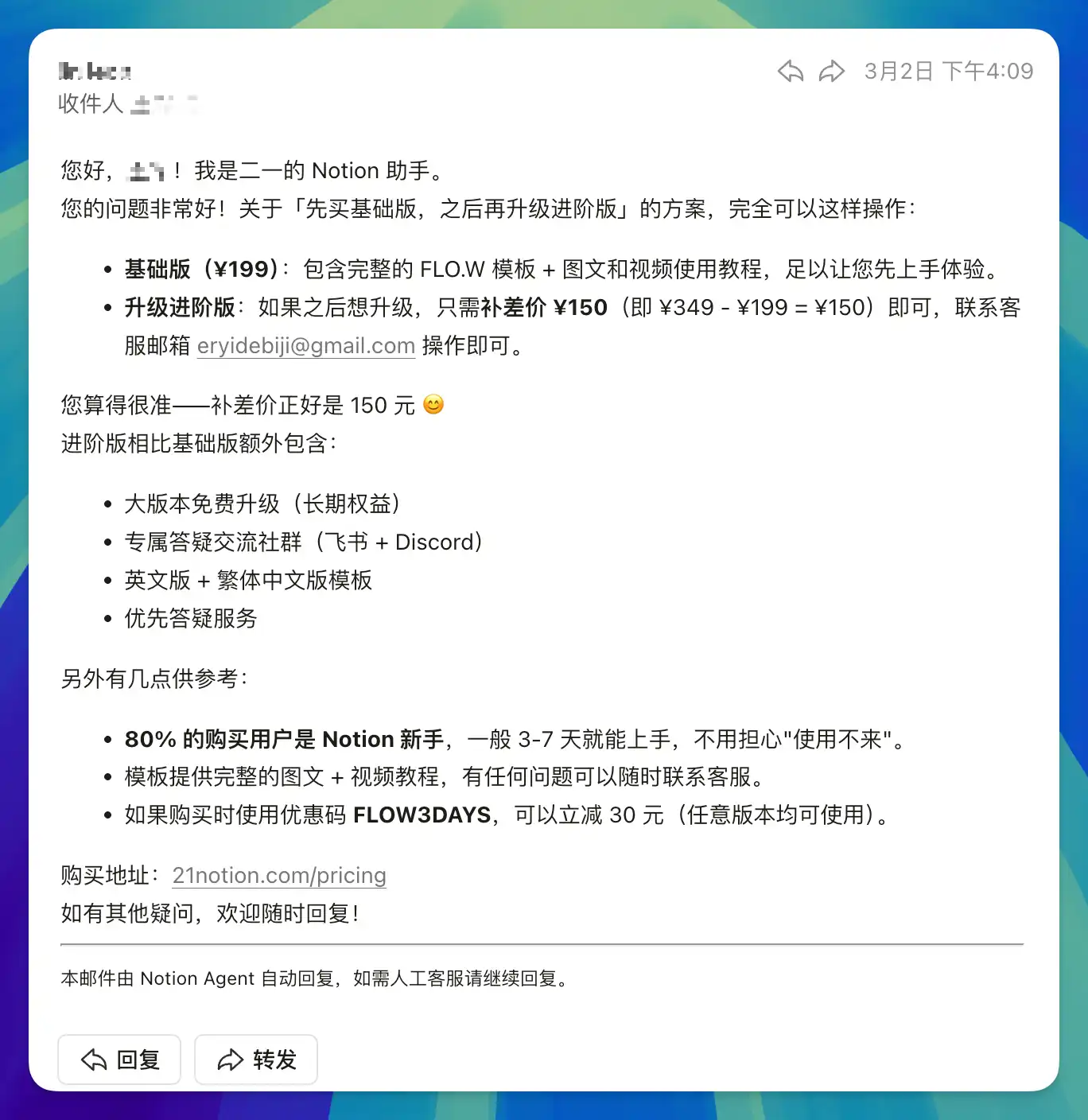
This was impossible before Custom Agent existed. User emails come in all formats and questions are wildly unpredictable — you can't cover every situation with if-else rules. But a large language model can.
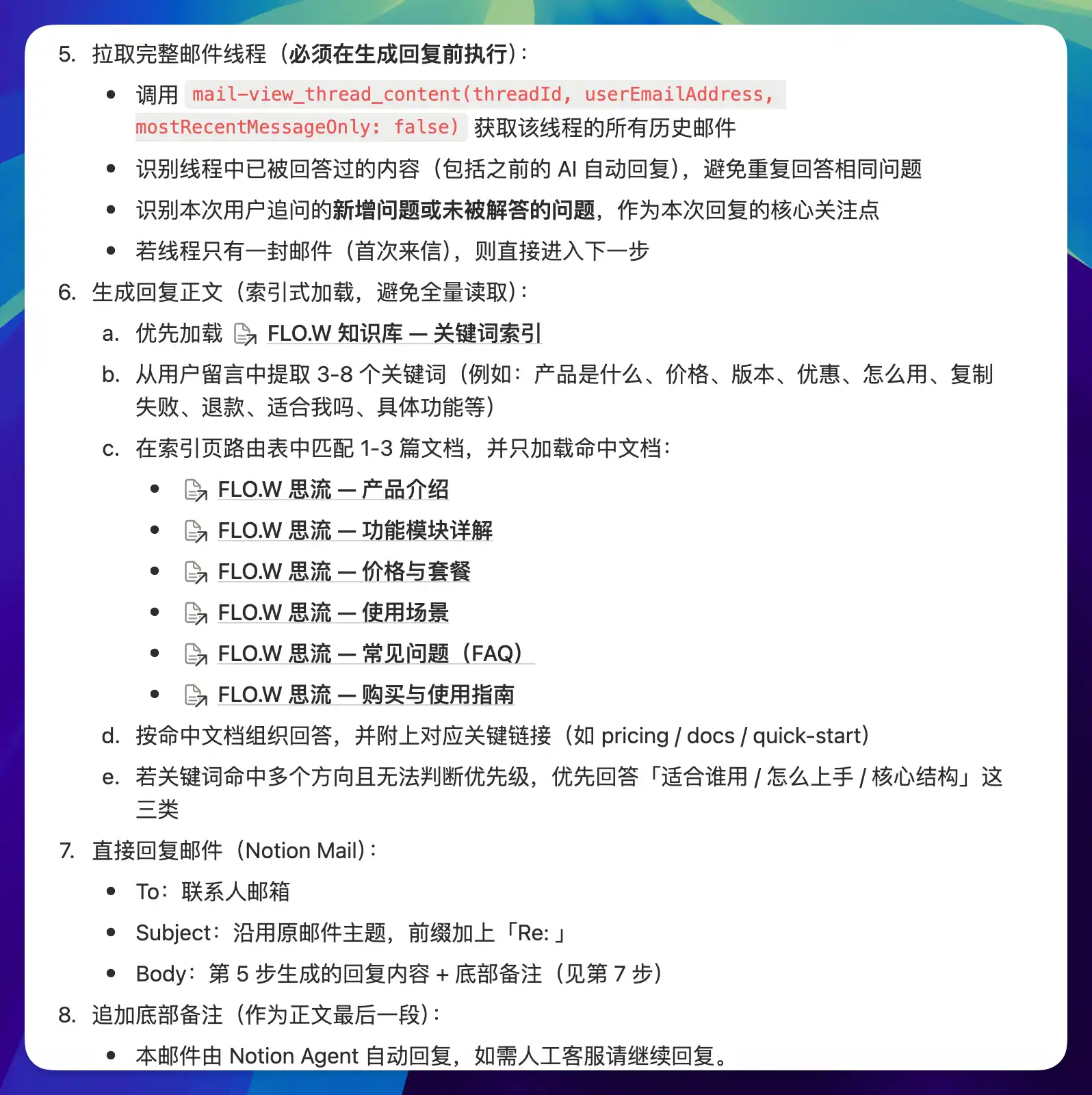
However, the quality of an Agent's responses depends not just on the AI model's capability, but even more on the quality of your Notion knowledge base. If the knowledge base is well-organized and covers common questions, the Agent's replies will be accurate and helpful. If it's sparse or messy, the Agent will give vague or even incorrect answers.
So there's a prerequisite for building effective email-based customer service: you need to invest time in maintaining a structured knowledge base. This is actually harder than building the Custom Agent itself.
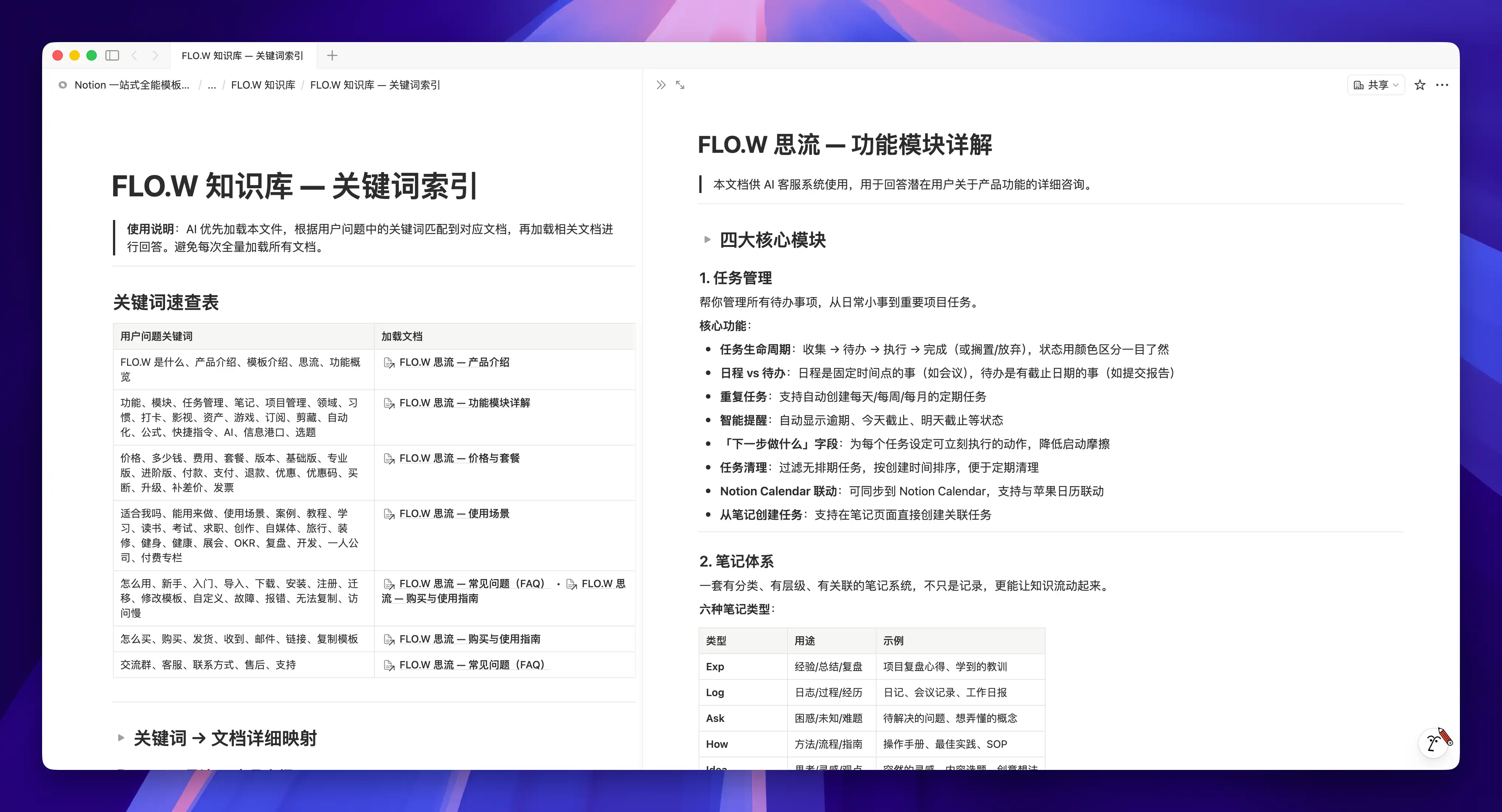
Once the Agent takes over the email entry point, your entire inbox becomes an automated business pipeline — identification, classification, and response, all without you lifting a finger.
For example, before replying, it can perform intelligent routing — identifying whether an email is a pre-sales inquiry, post-sales issue, refund request, or partnership invitation. It can also treat emails as "leads," extracting customer information and then automatically scheduling meetings or sending reminders to the responsible person. It can even serve as a safety net: when it detects keywords that might trigger compliance concerns, it automatically escalates to human handling, preventing AI misjudgments from making things worse.
Email is just one entry point for this smart customer service system. At its core, the pattern is "receive a question -> trigger Agent -> search knowledge base -> generate a response." So whether you're building a product, running a course, or managing a team, this pattern works as long as you have a "high-frequency, standard-answer" Q&A scenario.
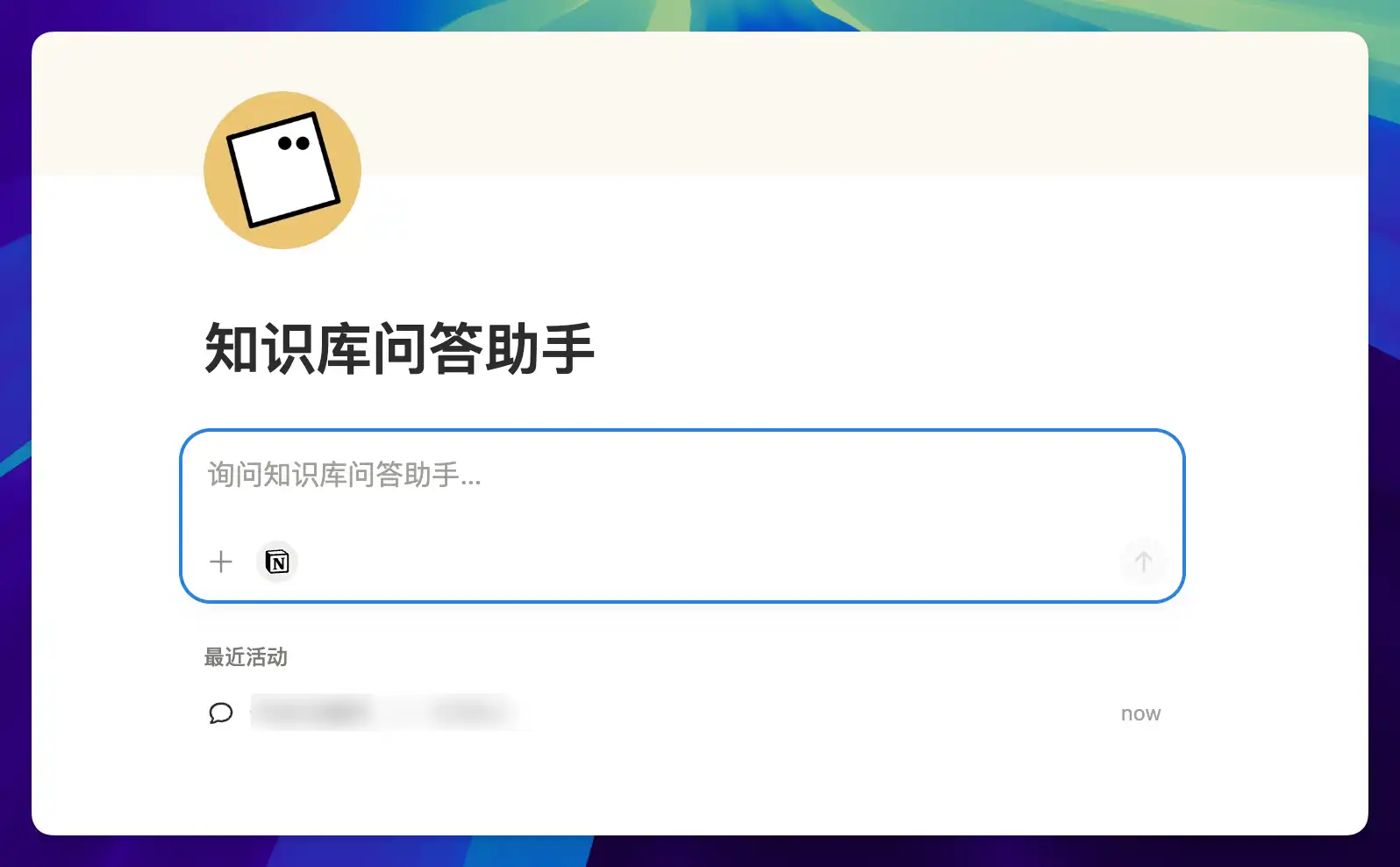
Custom Agent supports not just scheduled and passive triggers, but also manual triggers — you can simply open the agent, chat with it, submit your question, and it will follow the predefined workflow to generate a knowledge-base-backed answer. In a sense, you can use Custom Agent similarly to a Claude Skill.
Case 5: Topic Research Assistant
Many content creators build their own topic databases, and I'm no exception. You come across an interesting angle, think "I could write about this," toss it into your topic database with a title like "Thoughts on XXX," and then... nothing happens. 90% of my topics end up shelved.
Because every topic runs into the same three problems:
- Have I accumulated any related material?
- What's the core angle for this topic?
- How do I write the opening paragraph?
So the topic database gradually becomes a "graveyard of inspiration" — more and more entries, fewer and fewer that actually get written. The backlog grows until you don't even want to open it anymore.
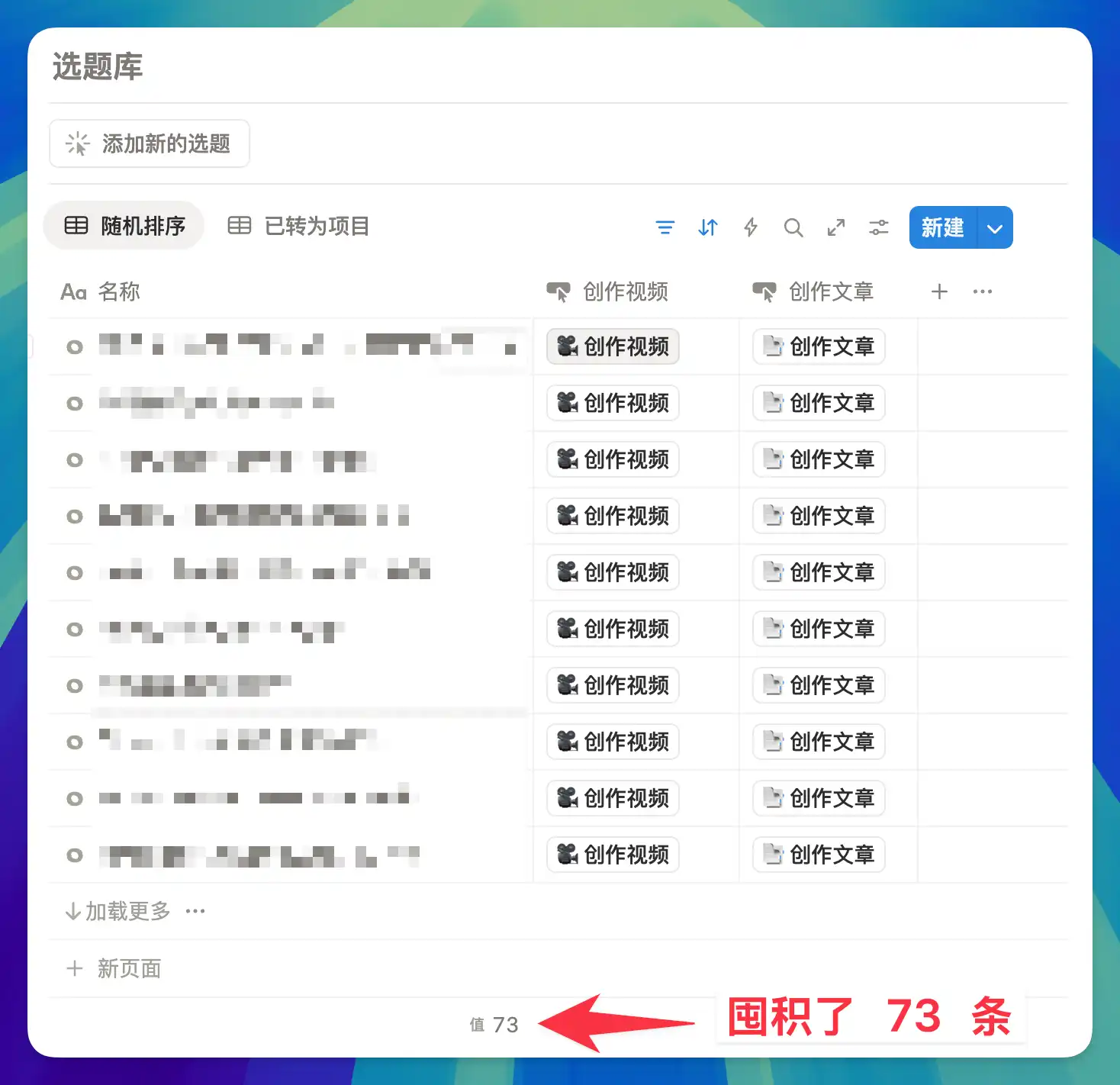
That's why I built a Custom Agent called Topic Research Assistant. Whenever a new page is created in my "Topic Database," this Agent triggers and automatically performs two tasks:
- Material retrieval
- Outline generation
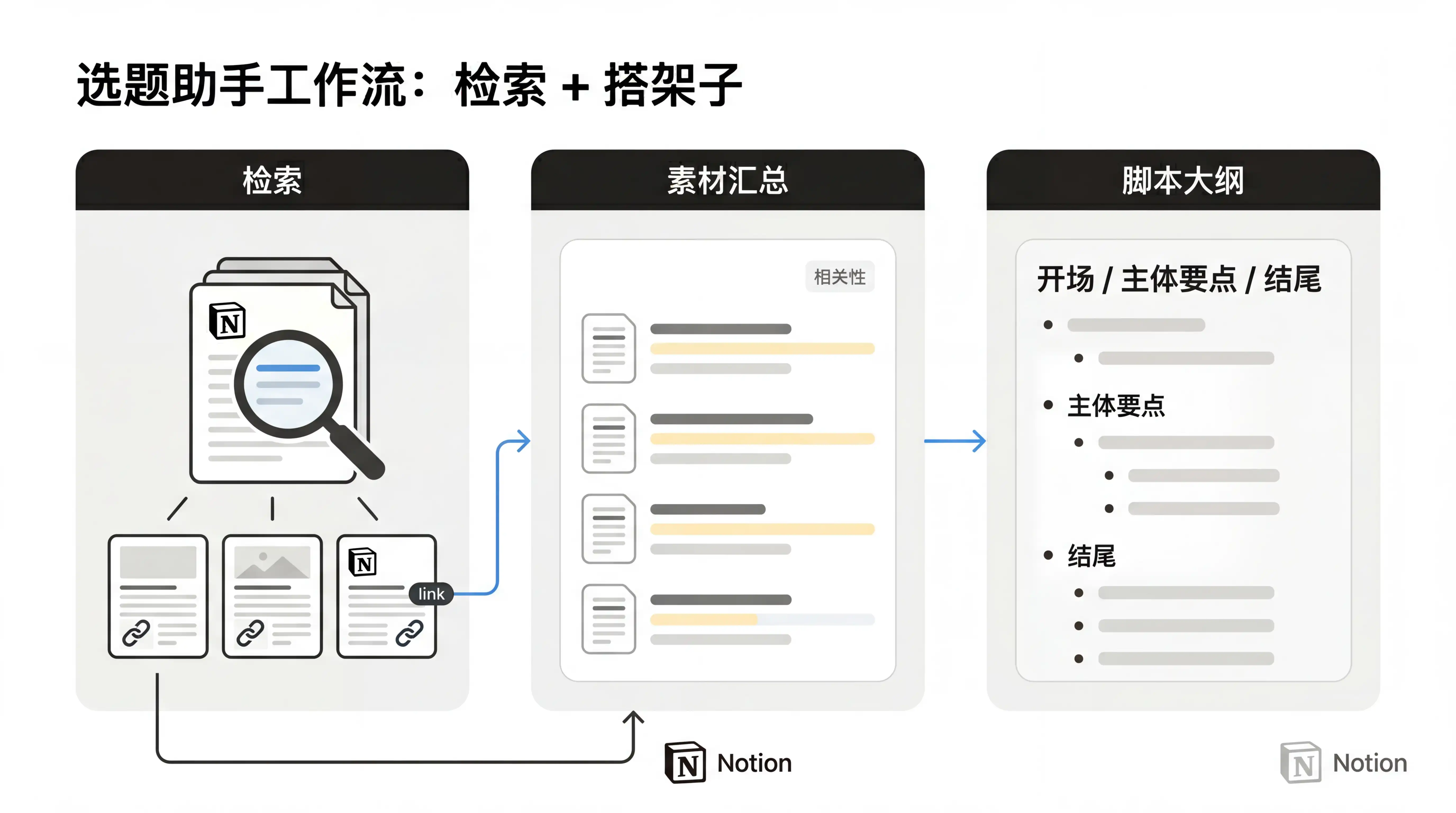
For example, I casually created a random topic called "How I Waste My Time."

The Agent immediately sprang into action. The first thing it did was search — it took the topic and rummaged through my entire Notion system.
I was just testing things out, but it actually dug up a TED talk note from my web clippings about the psychology of procrastination, found a methodology for breaking bad habits from my book notes on Atomic Habits, uncovered a long-forgotten newsletter clipping where a blogger shared how they over-invested in details while losing sight of the big picture, and even surfaced an essay reflecting on hustle culture — arguing that "feeling like you're wasting time" is itself a constructed anxiety.
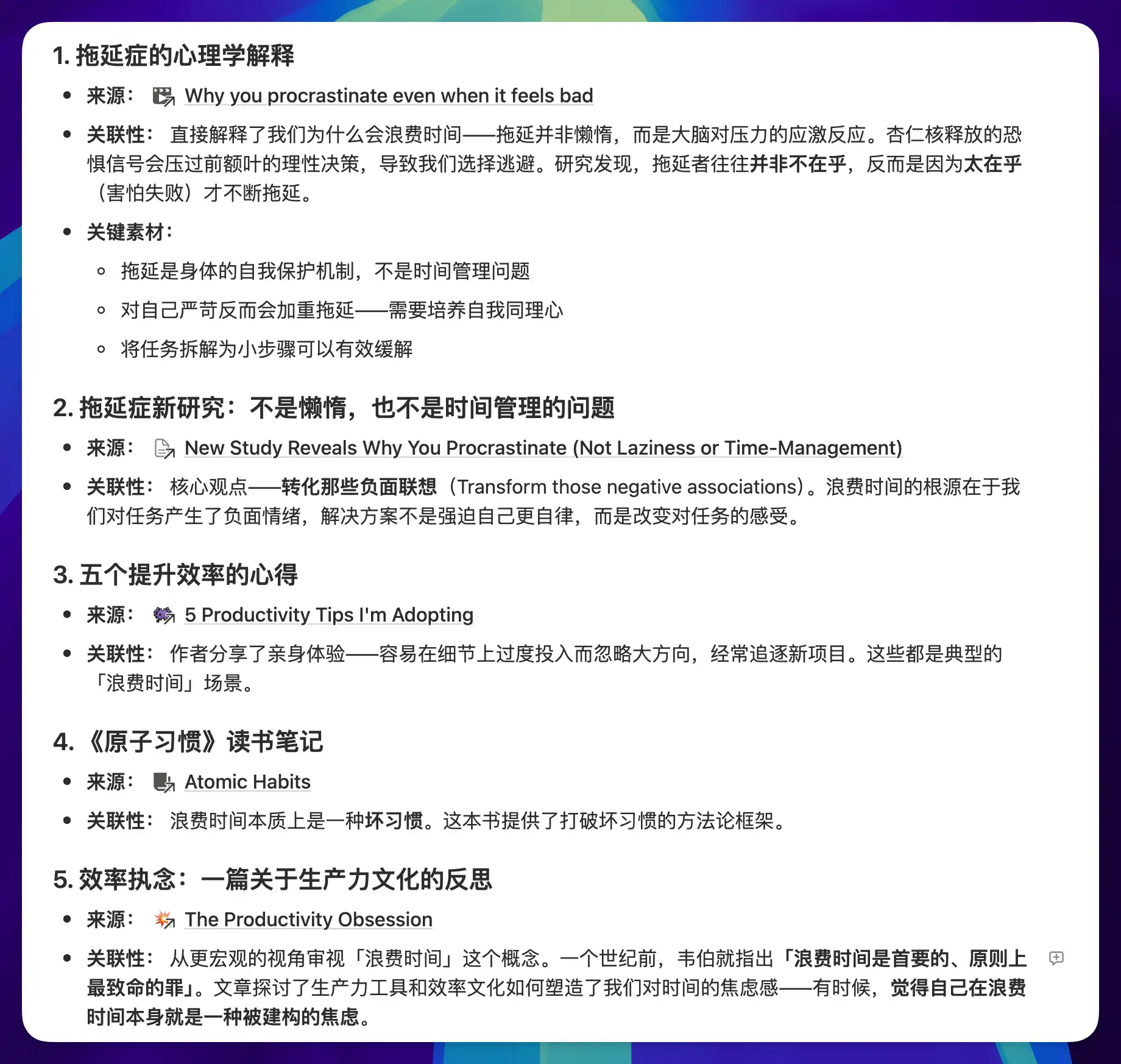
A casually created, seemingly random topic turned up five complete material threads from my system, each capable of supporting an entire section on its own.
The second thing it did was build the framework. Based on the retrieved materials, it automatically generated a script outline — how to open, how many key points in the body, which materials support each point, and how to close. For this topic, it produced four progressively deeper points, from "wasting time doesn't equal laziness" to "maybe our definition of wasting time is the problem," ending with concrete, actionable changes.
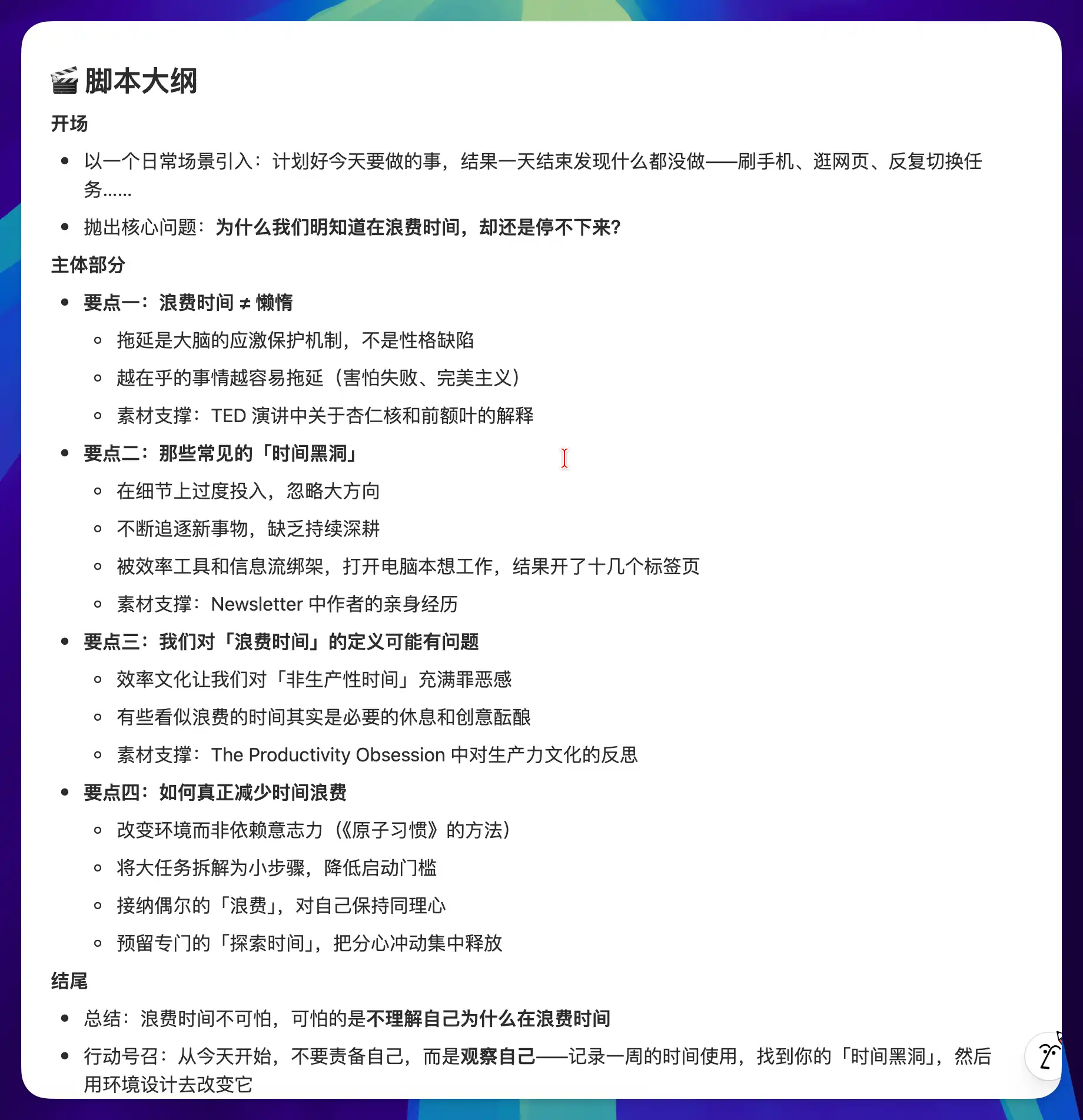
Inspiration is always generated faster than it can be organized. You can come up with an idea in 10 seconds, but turning it into publishable content takes half a day or more — and most of that time is spent on "gathering and organizing materials." This kind of mechanical, tedious work is what causes the most burnout and procrastination.
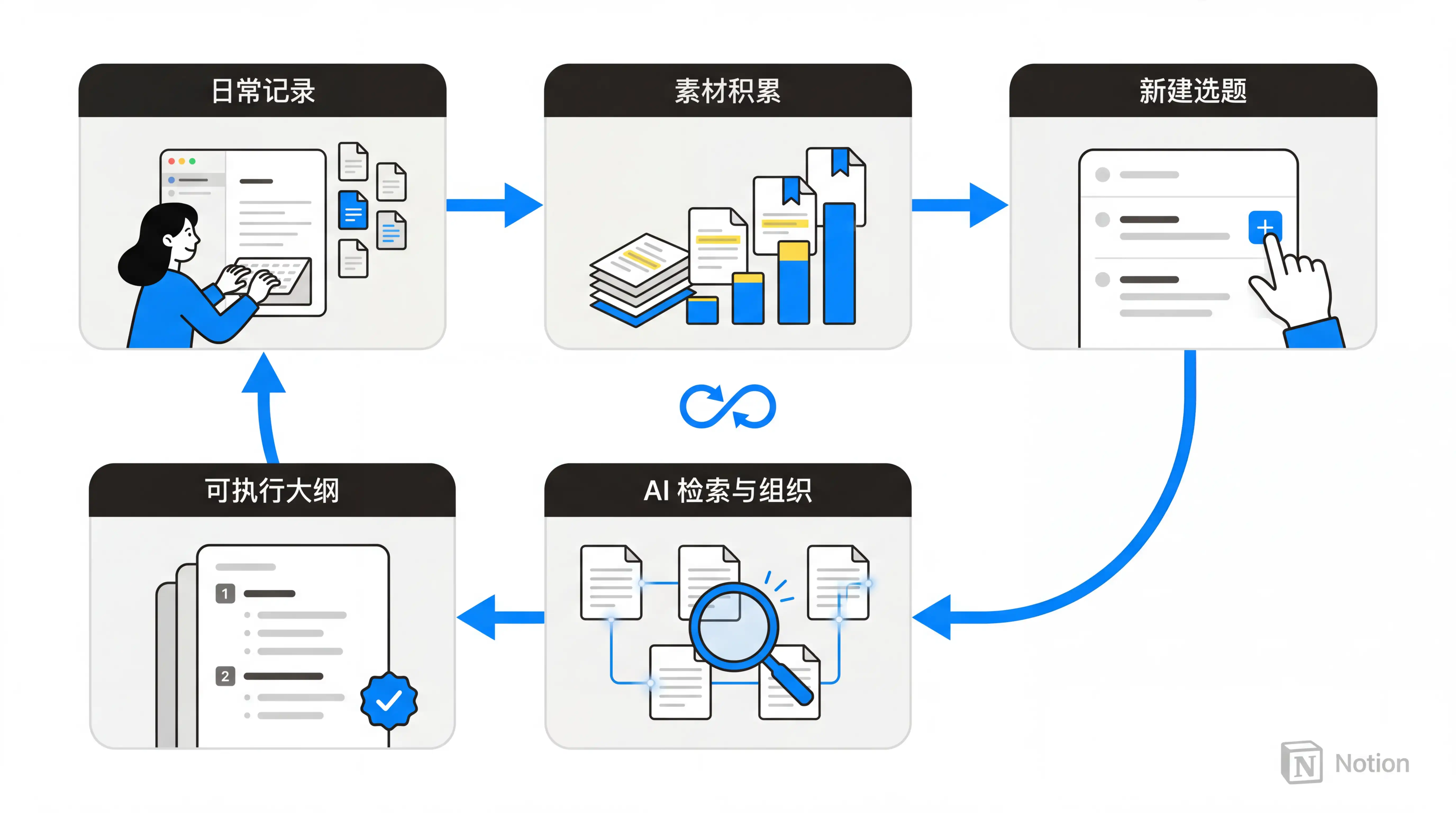
Once the Agent takes over retrieval and framework building, the best part is: every time you create a new topic, it automatically digs through your old notes for materials and builds an outline waiting for you. The more you jot down in your daily notes, the richer the pool of materials the Topic Research Assistant can draw from.
You might say any AI can do material retrieval. But Notion Custom Agent does it fully automatically and unattended — you just capture your inspiration, and the AI handles everything else.
What a beautiful positive feedback loop!
Case 6: Twitter Assistant
When working on daily tasks or projects, I frequently have fleeting thoughts I want to share. I'd open X (Twitter), type up a post in the compose box, and hit send.
But this inevitably triggers an attention-switching problem. The moment I open X, I get drawn into the feed and forget what I was about to do — or the fleeting spark of inspiration gets disrupted.
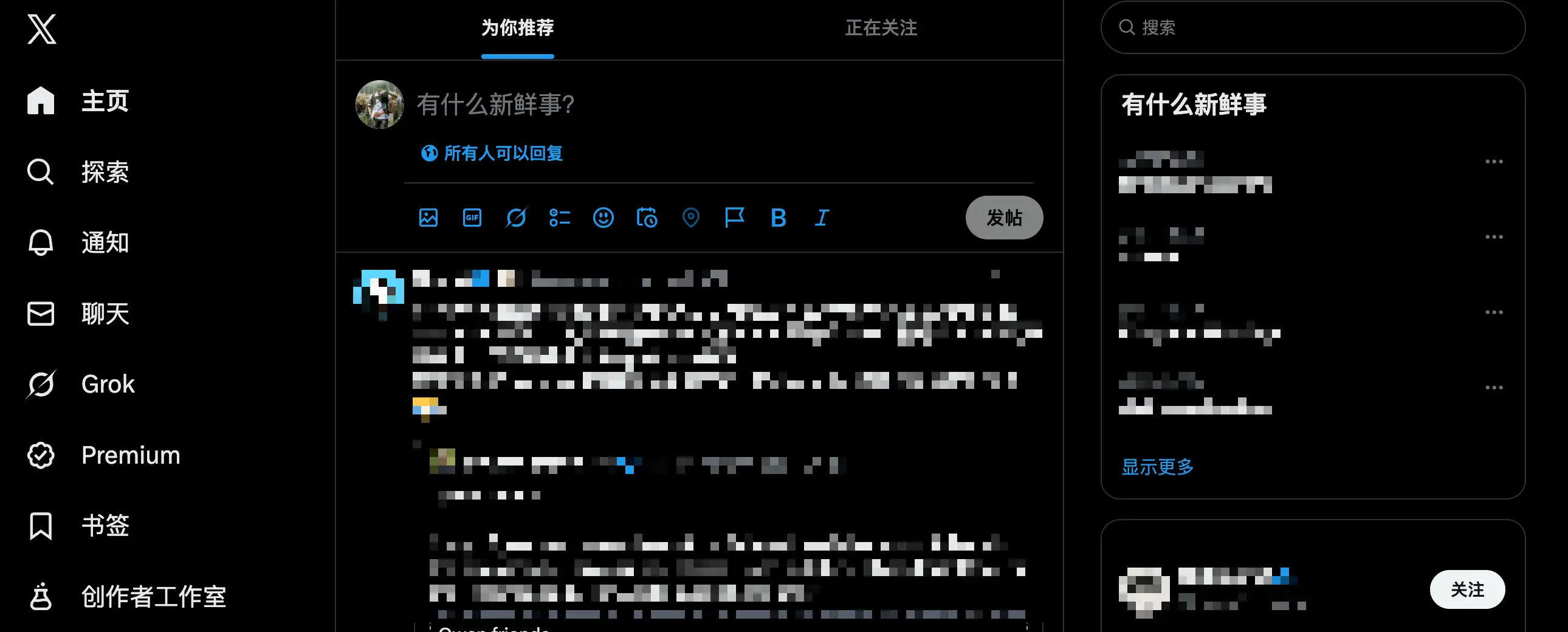
The solution is simple: if switching contexts causes attention loss, then I just shouldn't switch contexts.
So I created an X content management database. Whenever I have something to share, I just create a new page in this database and write down the content.
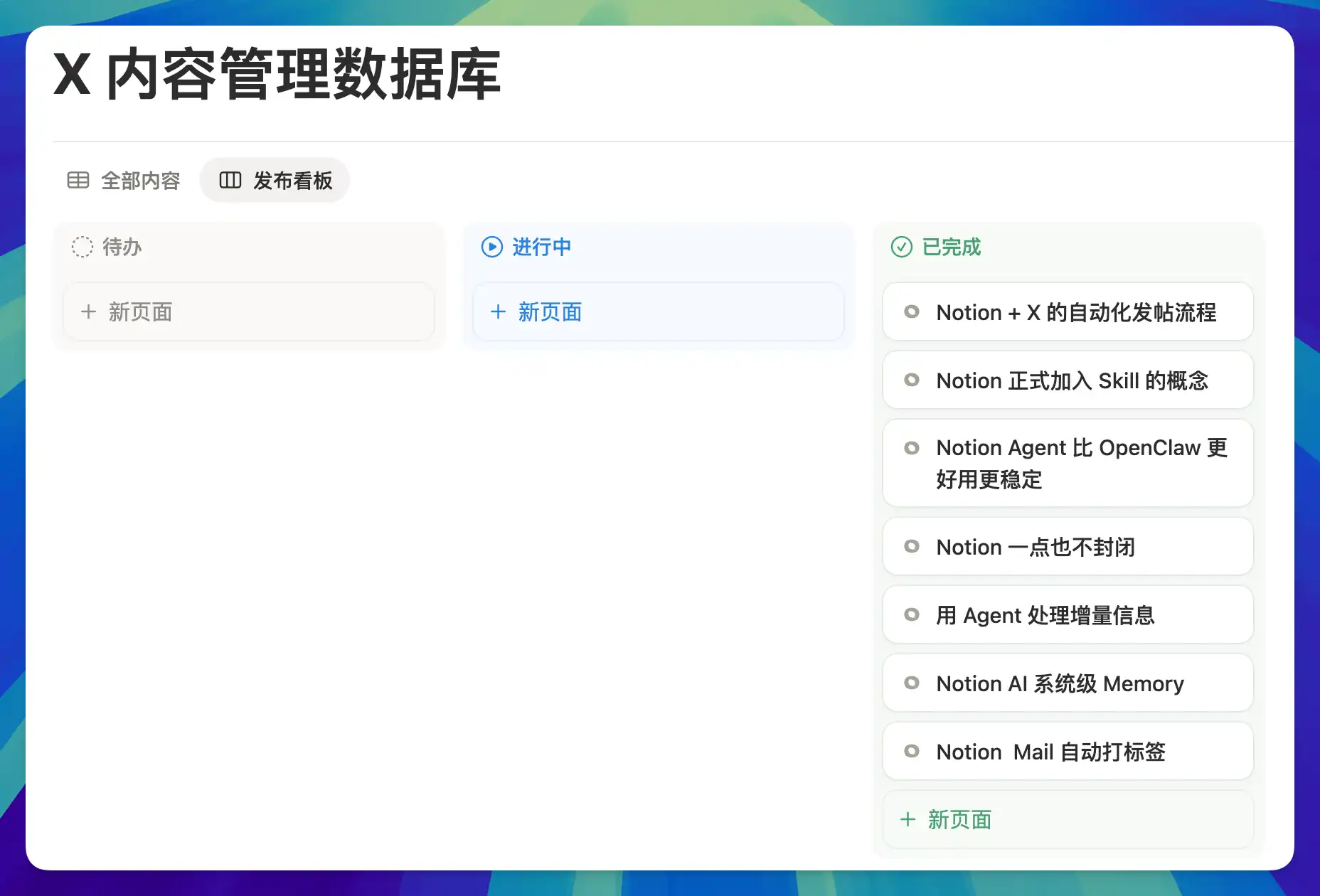
After writing a post, I don't need to manually copy and paste it to X. I just drag the page from "To Do" to "In Progress" on the Kanban board — changing the Status to Ready — and the Notion Custom Agent automatically sends the page content to X for me.
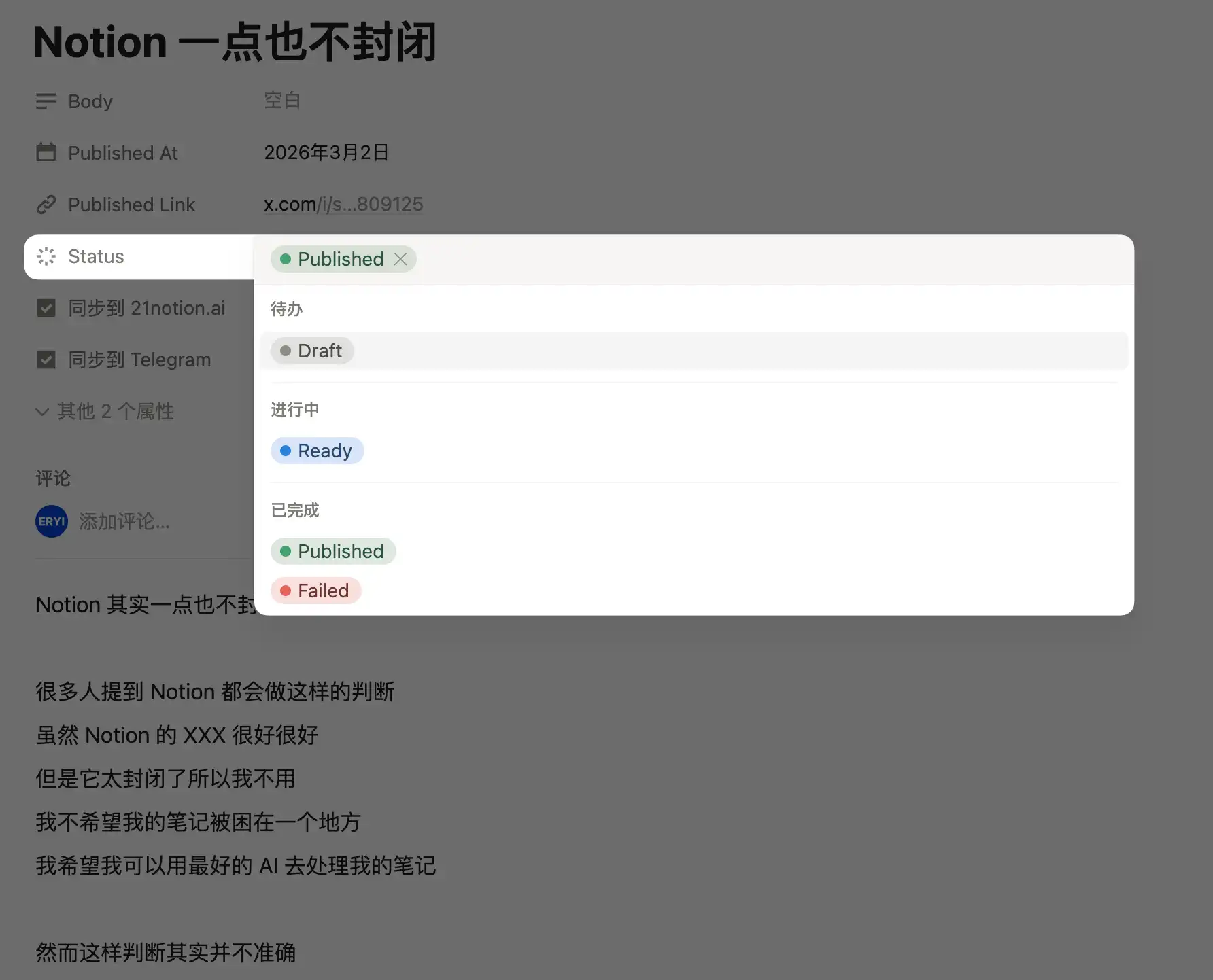
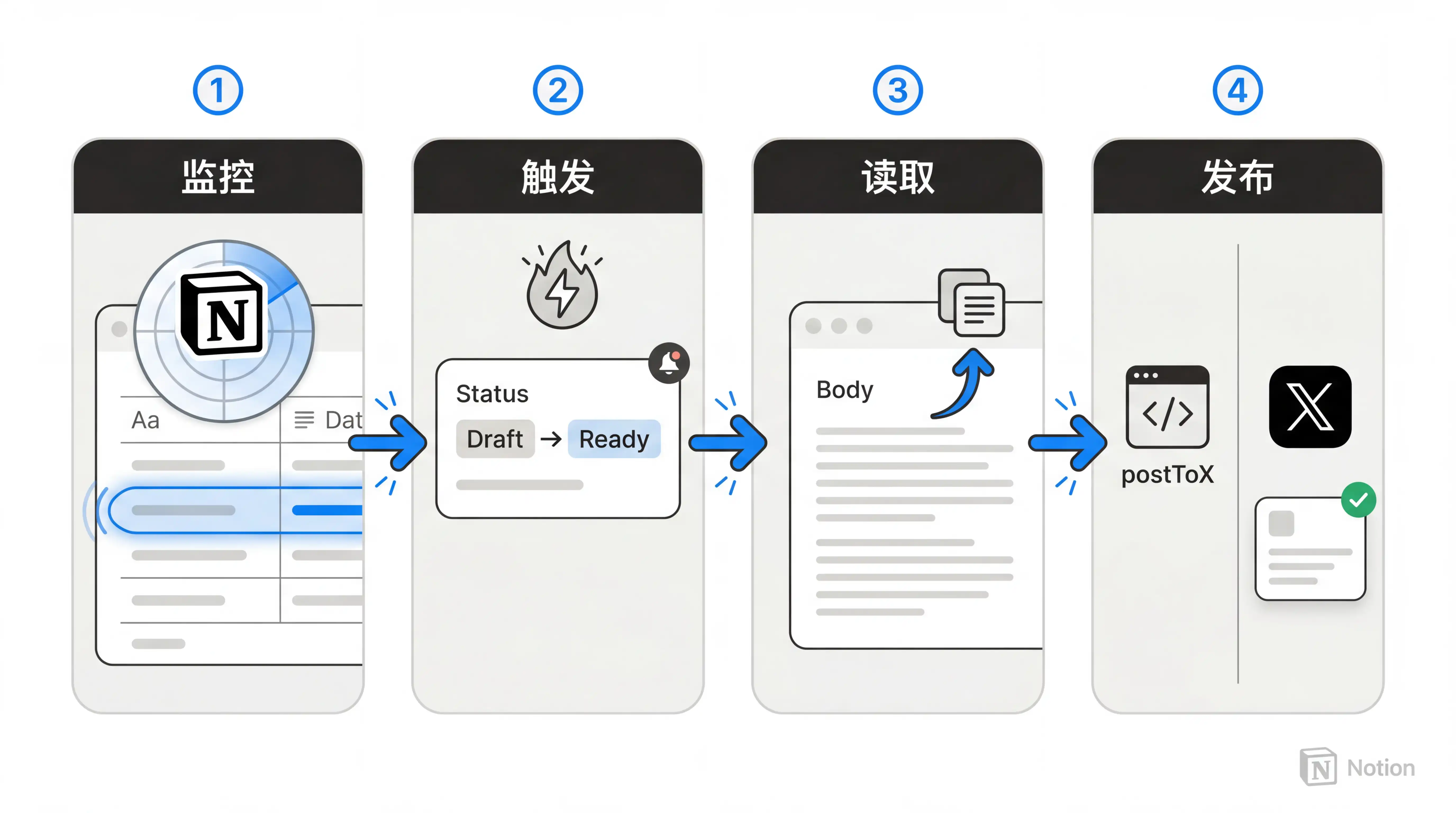
The entire workflow breaks down into these steps:
- The Agent continuously monitors the database
- Triggers when Status is set to Ready
- Reads the page's Body property or body content
- Uses a Notion Worker to publish the content via X's API
We're already familiar with the first three steps, but what's this "Worker" in step four, and what does it do?
You can think of a Notion Worker as a custom code tool that gives the Agent the ability to "leave Notion." If MCP is like a standardized plug, then Worker is a circuit board you solder yourself — more flexible, but also more involved.
Without Worker, Custom Agent can only operate on information within the Notion ecosystem and the handful of third-party services Notion has officially integrated (like Stripe, GitHub, or Cursor). Beyond that, the Agent simply can't reach.
But with Worker, you can write a piece of code, deploy it to Notion's servers, and let the Agent call external platform APIs through that code. In this case, I had AI write a Worker called postToX that calls X's official paid API to publish content from my Notion directly to my X account.
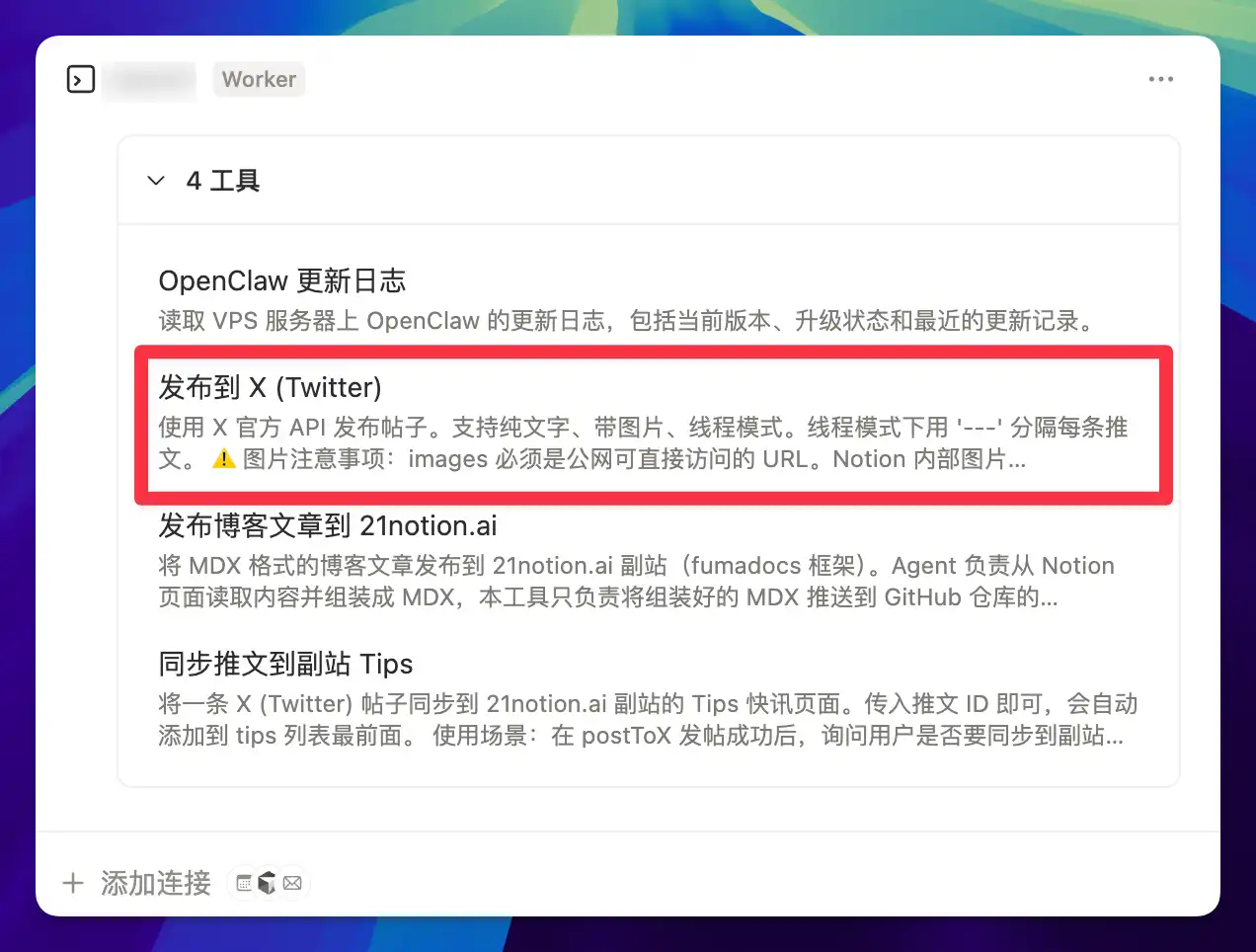
Once it was up and running, the experience became: think of something, write it in the database, drag the status, and the post goes out. Start to finish, I never have to open X. My attention stays in Notion the entire time. In other words, Notion Worker taught this virtual employee how to "go on business trips."
It can carry your instructions out of the Notion office and get things done anywhere there's an API. Today it's posting tweets; tomorrow it could be pushing messages to GitHub, pulling reports from a data platform, calling an AI API for image processing, or even syncing Notion data to your accounting system.
As long as you can write (or have AI write) the corresponding Worker, the Agent's capability boundary keeps expanding outward.
Case 7: Blog Publishing Assistant
The previous case showed how Worker lets the Agent leave Notion, but that was a single-step operation: read content, post to X, done. This case is far more complex.
My website is built with Next.js + Vercel, with articles stored as MDX files in a GitHub repository. I used to write long articles in a code editor (like Cursor) staring at raw Markdown — it works, but the reading experience is painful.
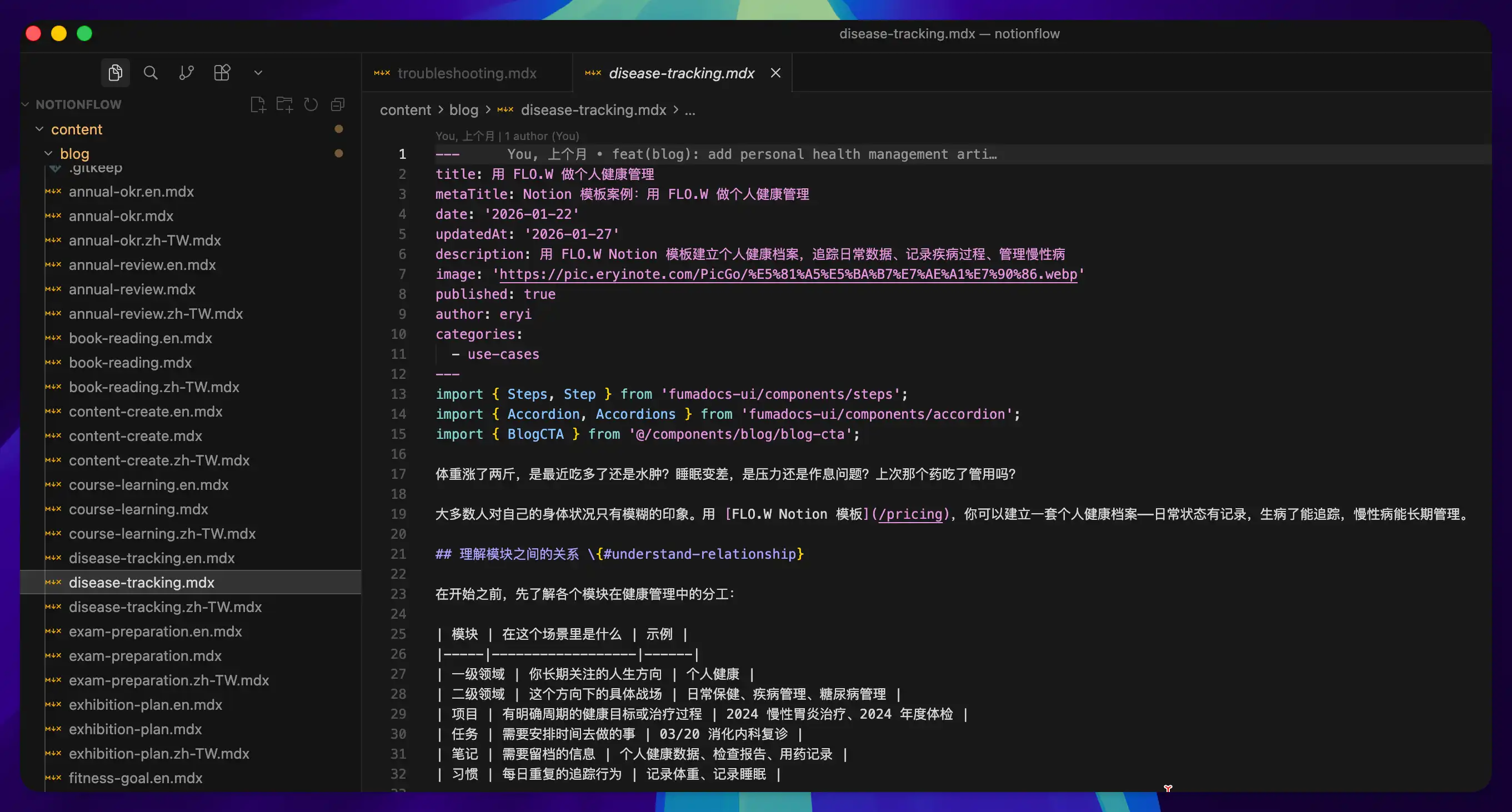
So why not just write and publish directly from Notion?
I created a Blog Publishing Agent paired with a Worker called publishBlogPost. All I need to do is finish writing an article in Notion, then change the status from "Writing" to "Ready to Publish."
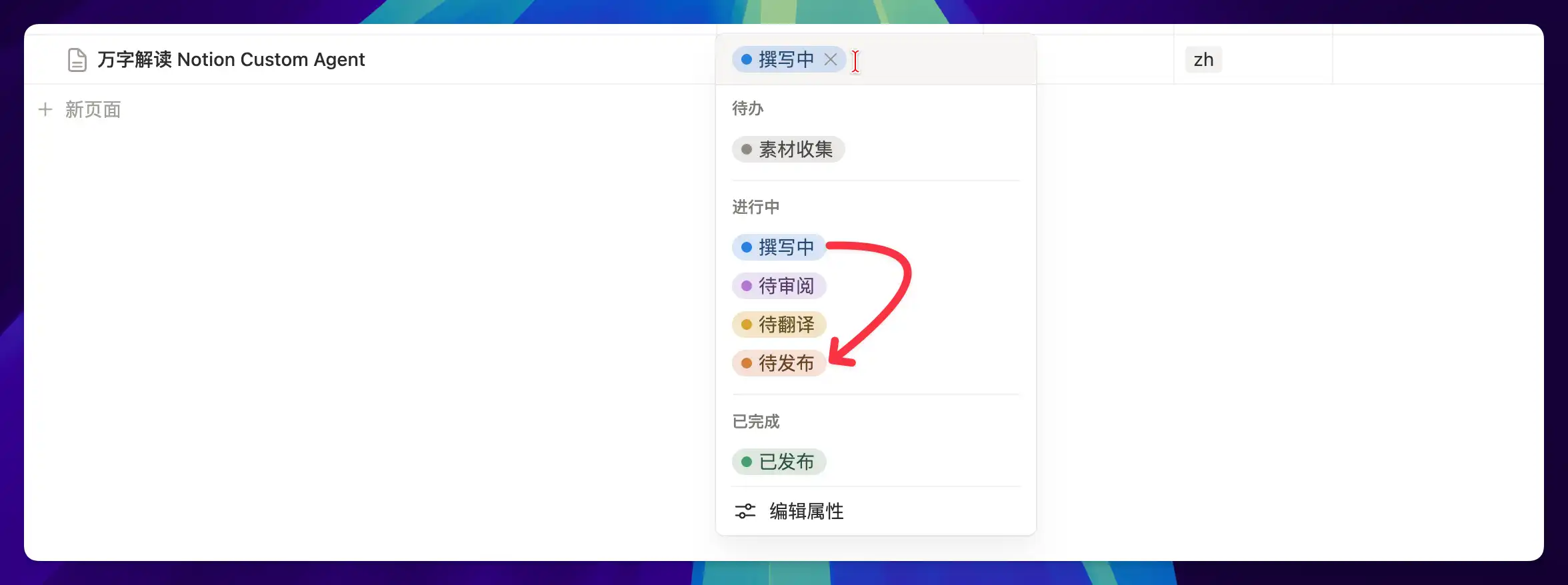
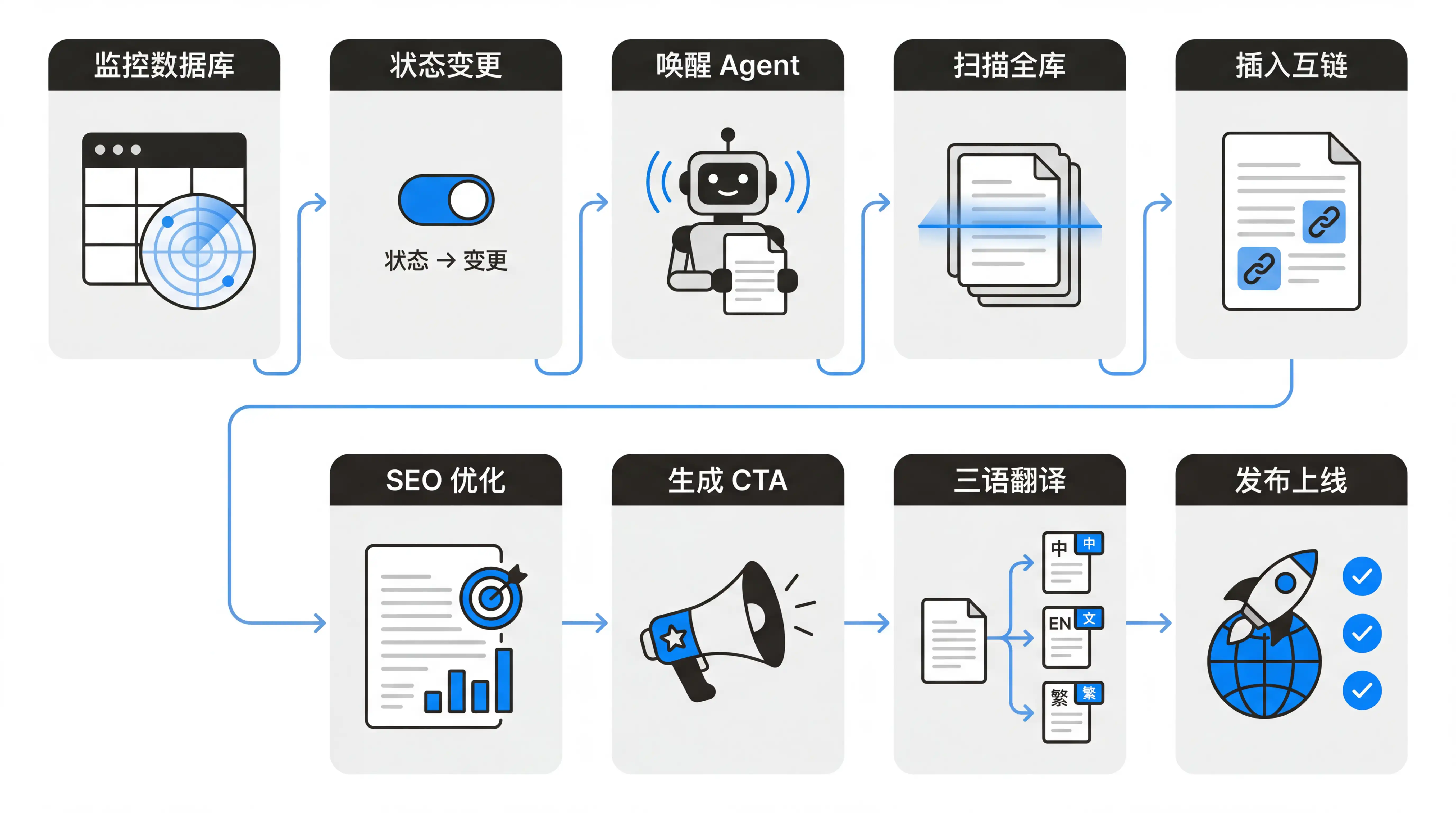
The Agent then automatically completes these 11 steps:
- Detect that the article status has changed to "Ready to Publish"
- Agent wakes up and reads the full page content
- Scan other published articles to find related content
- Insert internal cross-links for relevant keywords in the body
- Optimize title and body keyword placement according to SEO strategy
- Generate a personalized CTA at the end of the article
- Translate the article into English and Traditional Chinese
- Call the API to push the trilingual articles to GitHub
- Vercel detects the new commit and automatically triggers deployment
- Write the published URLs back to the database for all three articles
- Update the article status to "Published"
If you look closely at these 11 steps, you'll notice they chain together all the capabilities from the previous cases: database read/write (Cases 1-3), content understanding and generation (Cases 4-5), status-triggered external API calls (Case 6). The difference is that this time they're not working independently — they're collaborating sequentially on a single assembly line with zero human intervention.
Before this Agent existed, finishing the article was just the easy, enjoyable part. After that, I still had to check SEO keywords, supervise AI translations, push the article to GitHub, wait for Vercel deployment, and then write the published URLs back to the database.
The most draining part is that by the time you finish writing, your creative state is already over — but you still have to push through an hour of mechanical labor. Now I finish writing in Notion, drag the status to "Ready to Publish," go make a cup of coffee, and by the time I'm back, the trilingual articles are live, the published URLs are in the database, and the status has automatically changed to "Published."
My work ends the moment I finish writing, but the output continues all the way to "trilingual articles going live."
Not everyone has a blog, but the pain point of "having to do a bunch of repetitive steps after you finish the main work before it's truly done" is universal. Course creators might face: finish the courseware -> generate handouts -> upload to the platform -> update the course catalog. Documentation writers might face: finish the doc -> multilingual translation -> push to the doc site -> notify colleagues. Even weekly reports involve: aggregate the week's data -> generate a report -> send to your manager -> archive to project docs.
As long as your workflow has this kind of "second half," that's the part an Agent can take over for you.
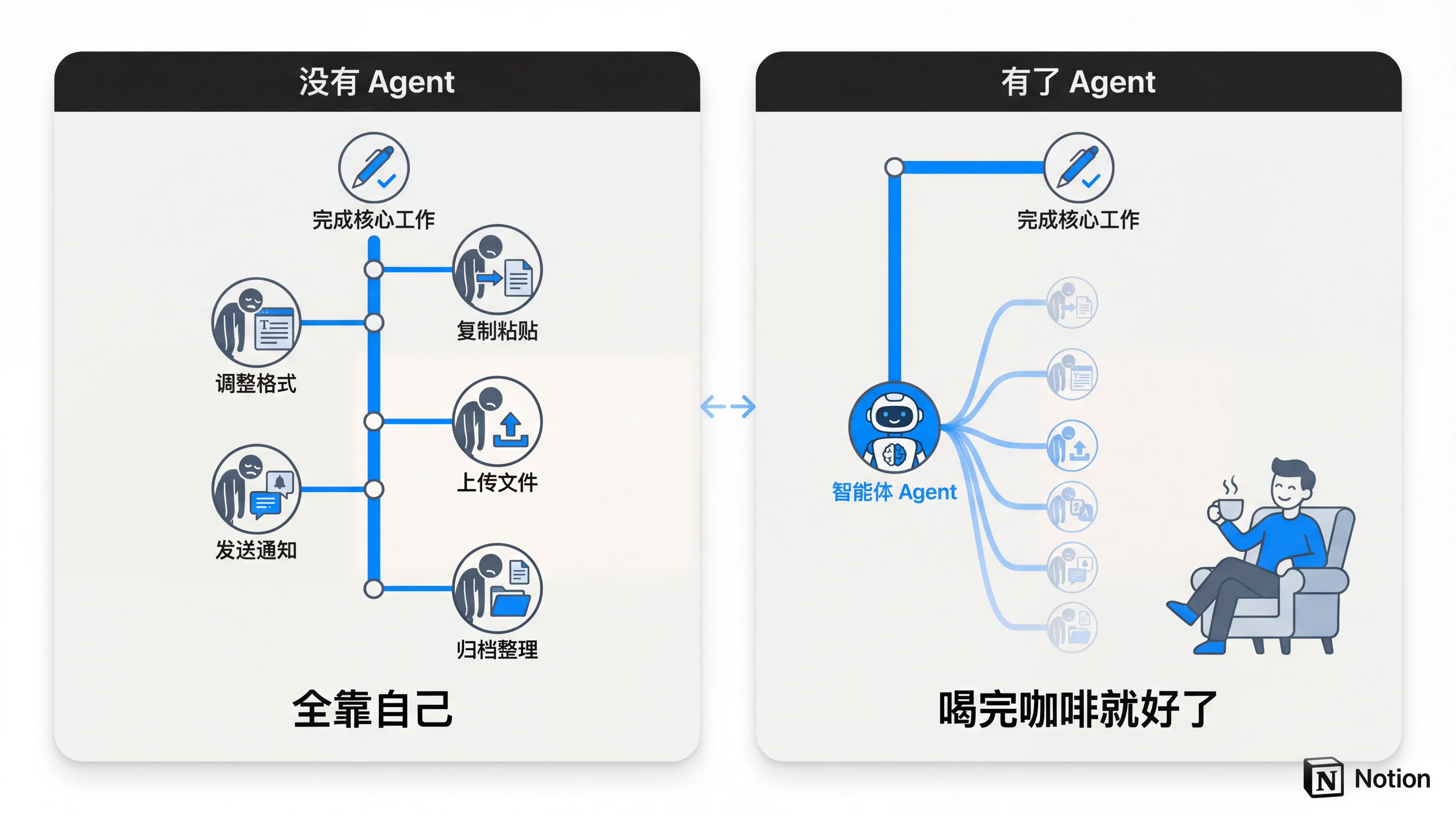
Looking back at these seven cases — from the simplest scheduled briefing to the most complex cross-platform publishing pipeline — Custom Agent's capability isn't about any single feature being powerful. It's about the fact that these capabilities can be freely combined. A single trigger or a single database read/write isn't remarkable on its own, but when they're chained together, what you build is a complete automation system.
But "combinable capabilities" alone isn't fundamentally different from other automation tools on the market. What truly excites me is that all those years of accumulated content can finally be put to use.
I've been taking notes in Notion for eight years — building hundreds of databases, writing dozens of articles and video scripts, and clipping countless links. In the past, this content just sat there quietly. Occasionally I'd dig something up, but most of the time I'd forgotten it even existed. It was sunk cost — time you'd invested without knowing when it would pay off.
But Custom Agent suddenly transforms these dormant assets into resources that can be automatically invoked. The Topic Research Assistant digs through my old notes for materials. The Morning Briefing aggregates task data scattered across databases. The Smart Customer Service searches my hand-written knowledge base to reply to users.
Every Agent consumes my past accumulations, and every new entry I create provides more fuel for all my Agents. This is what I find truly powerful about Notion Custom Agent: it grows from within your existing system. The more you've accumulated in the past, the more it can do.
Every minute you've ever spent in Notion is becoming more valuable.
Lessons Learned
Now that we've covered the cases, let me share some lessons I've learned from hands-on experience. Some are about architectural design, others are about mindset — but they all have one thing in common: knowing them earlier would have saved me a lot of time and credits.
Lesson 1: Email Routing Pattern
As you accumulate more Agents, a problem starts to emerge: every Agent needs a trigger, and every trigger consumes Credits to varying degrees.
Say you have three email Agents handling orders, customer service, and newsletters respectively. Every incoming email wakes all three, each parses it independently, and in the end only one is actually relevant — the other two did all that work for nothing. My solution is to use a single Agent as the entry point, responsible for identification and routing.
First, if you subscribe to Notion AI, Notion's official Mail app can use AI to tag your incoming emails — and this step doesn't consume Custom Agent Credits.
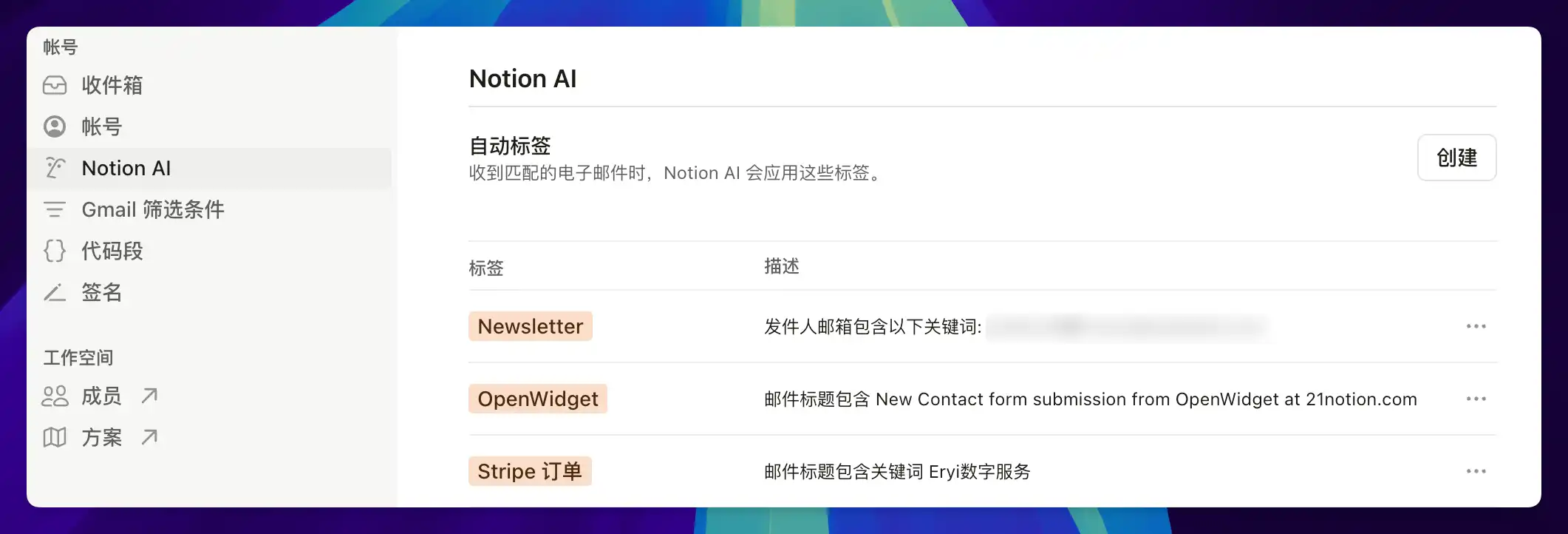
Then back in Custom Agent, change the email trigger to "When a label has been applied to an email."
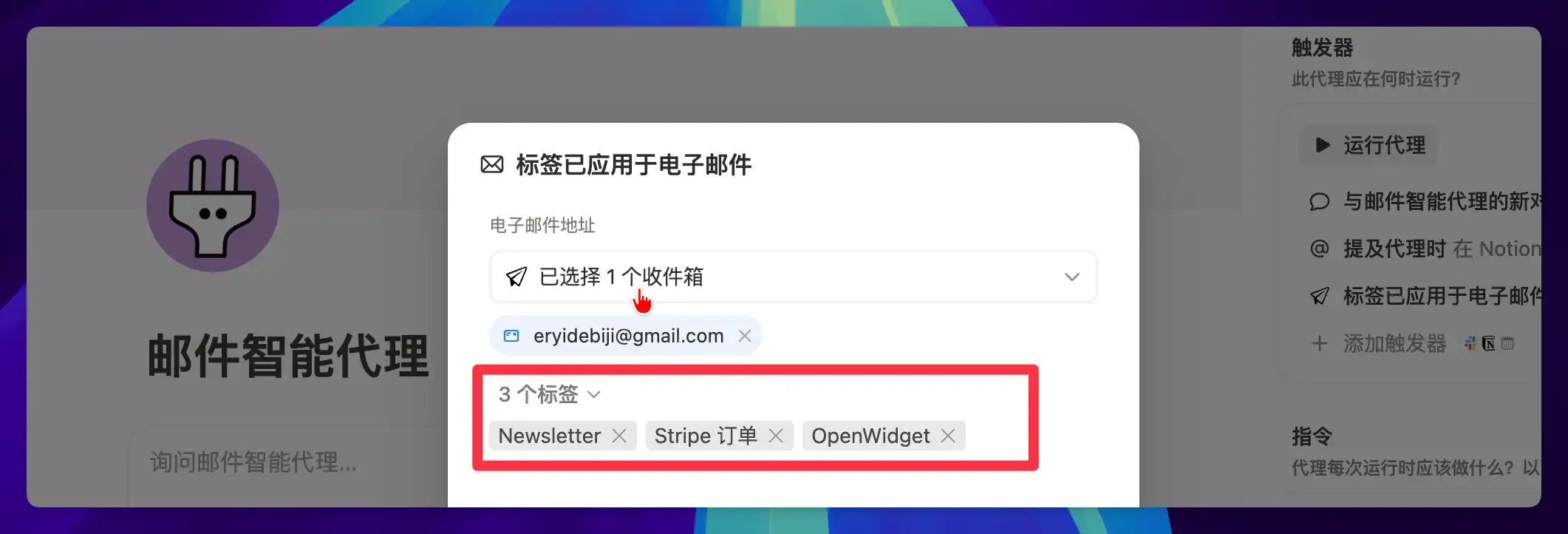
When an email arrives, only the ones that match my needs get tagged with labels like Stripe Order, OpenWidget, or Newsletter. Only then does the email Agent wake up and route to different sub-scenario documents based on the tags, as shown below:
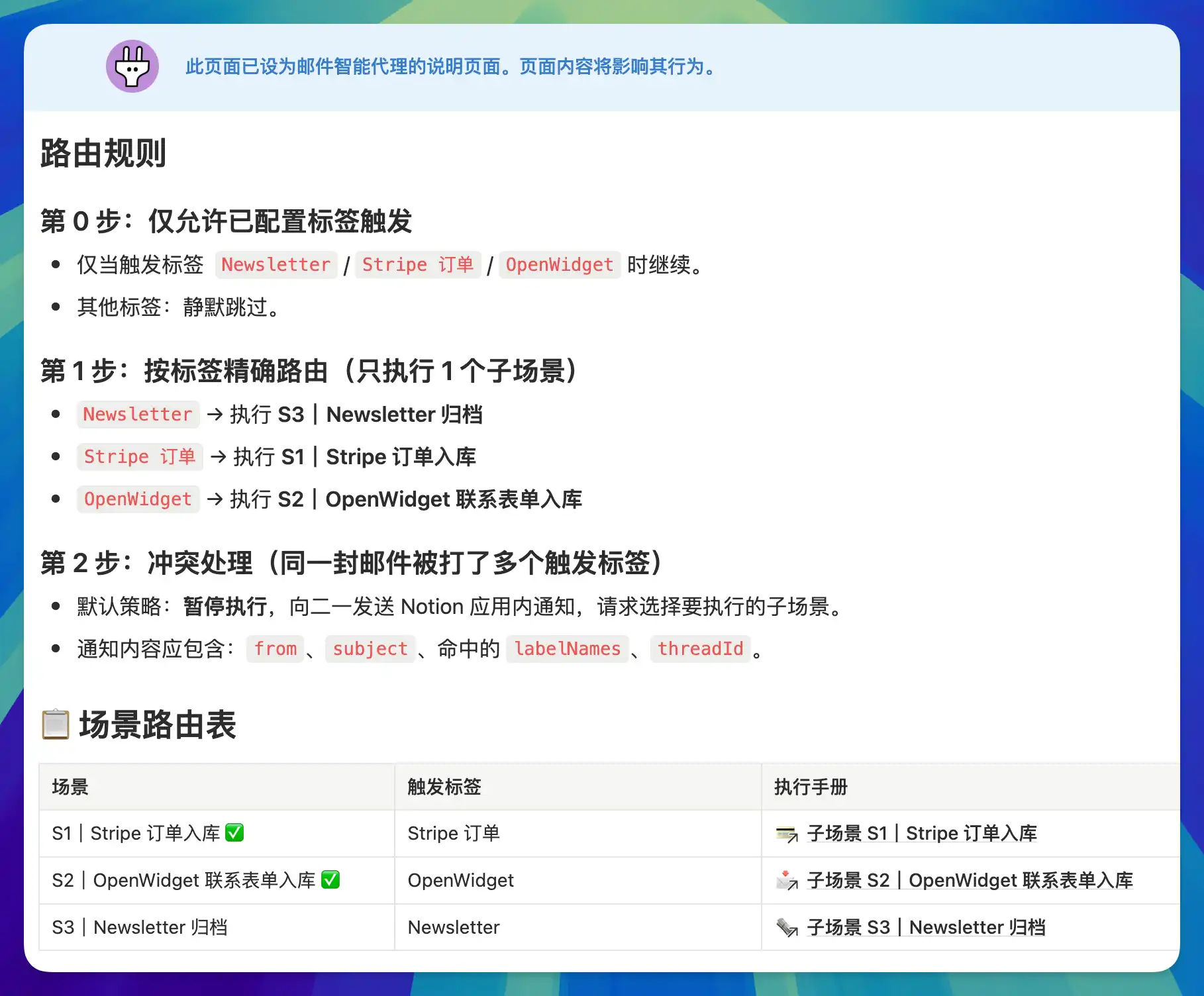
The specific execution rules for each sub-scenario are written in separate sub-pages, and the main instructions reference these sub-pages using @-mentions. The Agent only loads a sub-page's content when it matches the corresponding route. This means when processing a Stripe order, the Agent won't read the Newsletter archiving rules — each execution loads only the necessary context, saving both Credits and reducing noise.
This routing approach was introduced in my previous article (A Complete Guide to Notion Agent) and applies equally well to Custom Agent. Scenario routing keeps Agents that shouldn't wake up asleep, email tags filter out junk mail before the Agent even starts, and instructions split into sub-pages load on demand instead of being crammed in all at once.
So before building a new Agent, beyond asking "what should it do," it's worth asking: when should it not be woken up?
Lesson 2: Start with a Problem, Then Find the Solution
When I first got Custom Agent, my instinct was that all those accumulated notes and stalled tasks finally had a chance. I'd almost forgotten about this content, but I always felt it had value — it just needed the right catalyst to be reactivated.
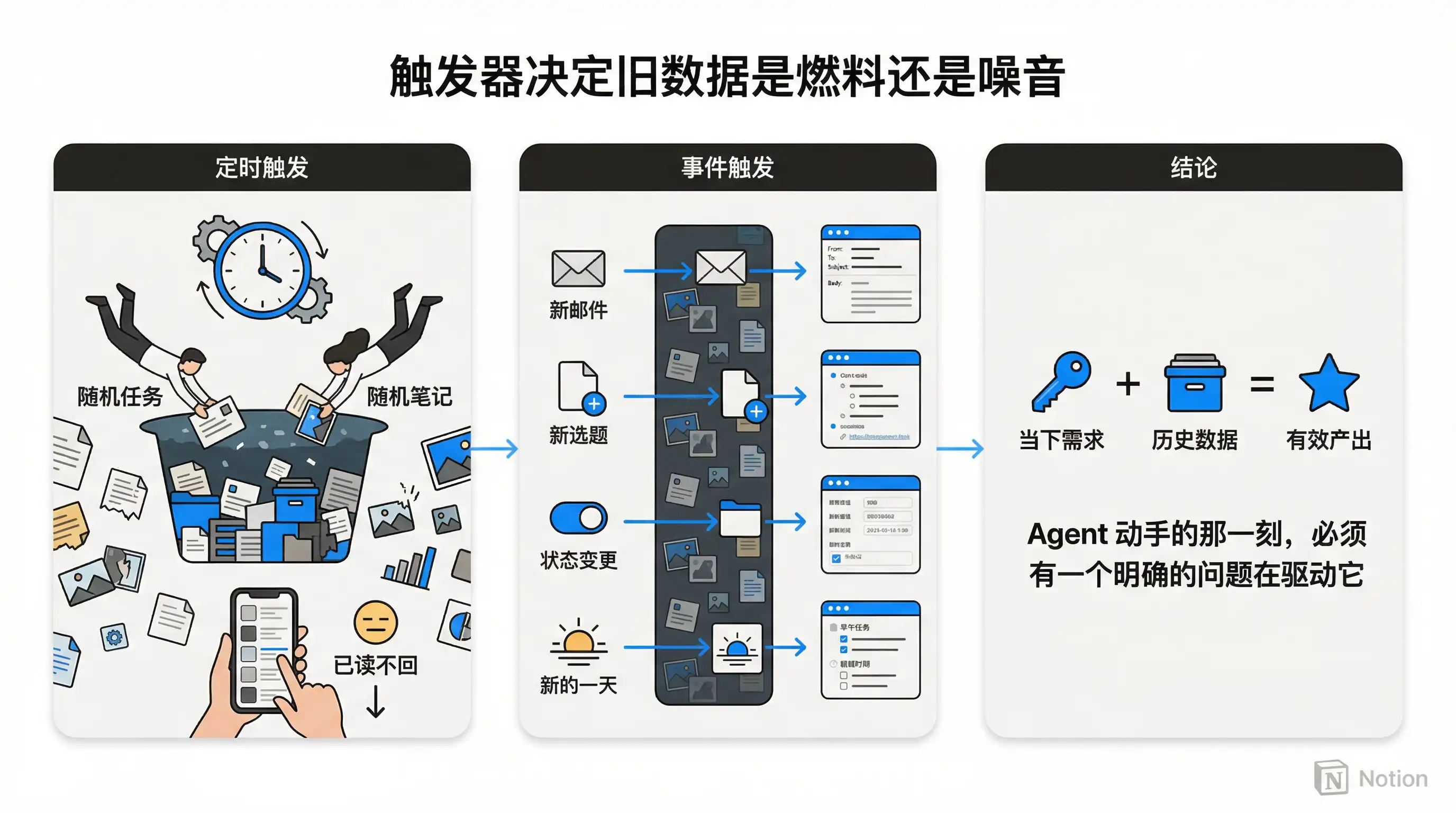
So I immediately built two Agents. One called "Random Task" would randomly surface an old task every day and give me restart suggestions. Another called "Random Note" would randomly pull up an old note and ask "What do you think about this idea now?" — trying to help me revisit past thinking.

Beautiful idea, but after running them for a while, I found that I almost never read their notifications — or if I did, I never took any follow-up action, because the reading burden felt too heavy. It wasn't until I compared these two Agents with the Topic Research Assistant from Case 5 that I figured out what went wrong.
The Topic Research Assistant also searches through old data — from web clippings months ago to book notes from last year — but the reason it feels useful is that I've just created a new topic. That topic acts as a natural filter, and the Agent searches with the question "what does this topic need?" in mind. Naturally, what it finds back is relevant and interesting to me.
The Random Task and Random Note Agents had no such filter. Their trigger was a scheduled timer, not any current need of mine. A search without a predefined goal just brings back a pile of information irrelevant to your present moment — ultimately becoming noise.
So the issue isn't whether the data is new or old. It's whether the Agent has a clear "current need" driving it at the moment it acts.
This means you should design triggers around "current events" — a new email arriving, a new topic being created, a task status changing, a new day starting and needing a briefing. Driven by these events, old data naturally delivers value as a called-upon resource. But without event-driven context, having an Agent proactively push historical information will most likely just annoy you.
Lesson 3: Building Is Just the Beginning
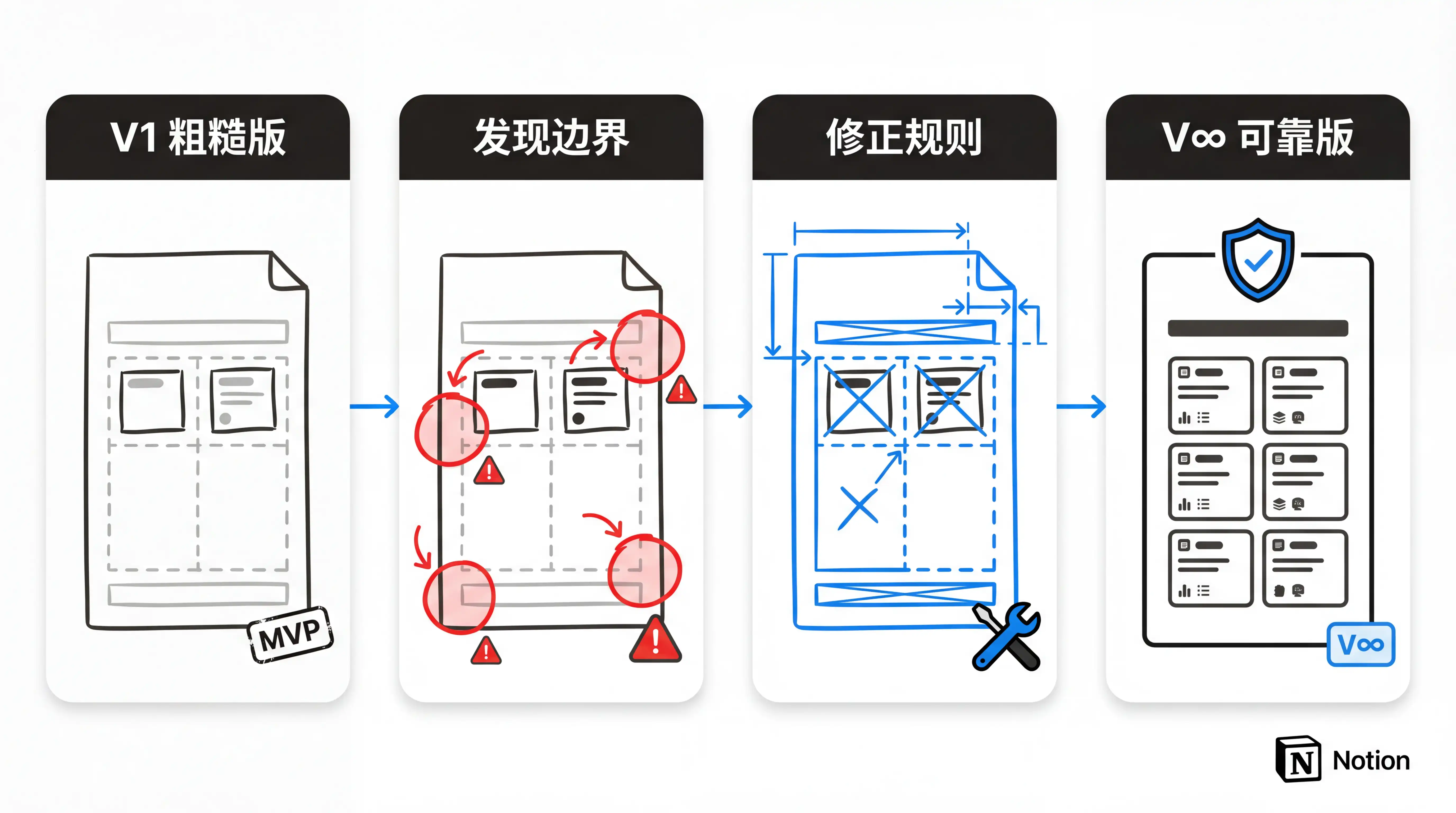
Building an Agent might take just ten minutes and a few sentences. The real effort is the long nurturing period that follows. This process is like onboarding a new employee — you can't expect them to do everything perfectly on day one.
So don't try to make the first version of your instructions perfect. Just write the core steps and let it run. After it runs, see what went wrong — because you'll always miss edge cases you didn't think of. And even after it's running successfully, I recommend regularly reviewing and reflecting, validating the Agent's output, and honestly evaluating whether this Agent is worth keeping. If it feels dispensable, don't hesitate to delete it. Otherwise, over time you'll become numb to a flood of Agent notifications, and eventually you won't be able to tell what's useful from what's noise.
If necessary, you can even create a dedicated memory page for the Agent — have it read the page before each execution and write key information back afterward, essentially using a Notion page as its external memory. The content doesn't need to look polished — just accurate. This is how you gradually refine a rough Agent into a truly reliable virtual employee through incremental adjustments.
The Downsides
After all that about use cases and advantages, let's honestly discuss some current shortcomings of this new feature.
Credit Pressure
First, the psychological pressure from the credit system is greater than I expected. Notion's Custom Agent is billed by credits, with a tentative price of 1,000 Credits for $10. It's currently free during the beta, but charges begin on May 4th — and frankly, it's expensive enough that I curse while using it.
The 50,000 credits shown below isn't a normal month — excluding test runs, my actual monthly spend would be around 30,000 credits, which is about $300. That's enough to subscribe to both ChatGPT Pro and Claude Max 5X combined. I think this alone could extinguish all the enthusiasm you built up reading this article.
What's even more disappointing is that Notion currently doesn't offer a BYOK (Bring Your Own Key) option — you can't use your own API key to reduce costs.

But the good news is that we're still in beta, and things can still change.
Notion clearly knows that this level of credit consumption can't scale the market, so they quickly added MiniMax 2.5, a Chinese-made model. This is the first time a domestic model has been available in Notion. While it's not as smart, it reduces credit consumption by at least two-thirds — sufficient for simple scheduled, repetitive tasks.
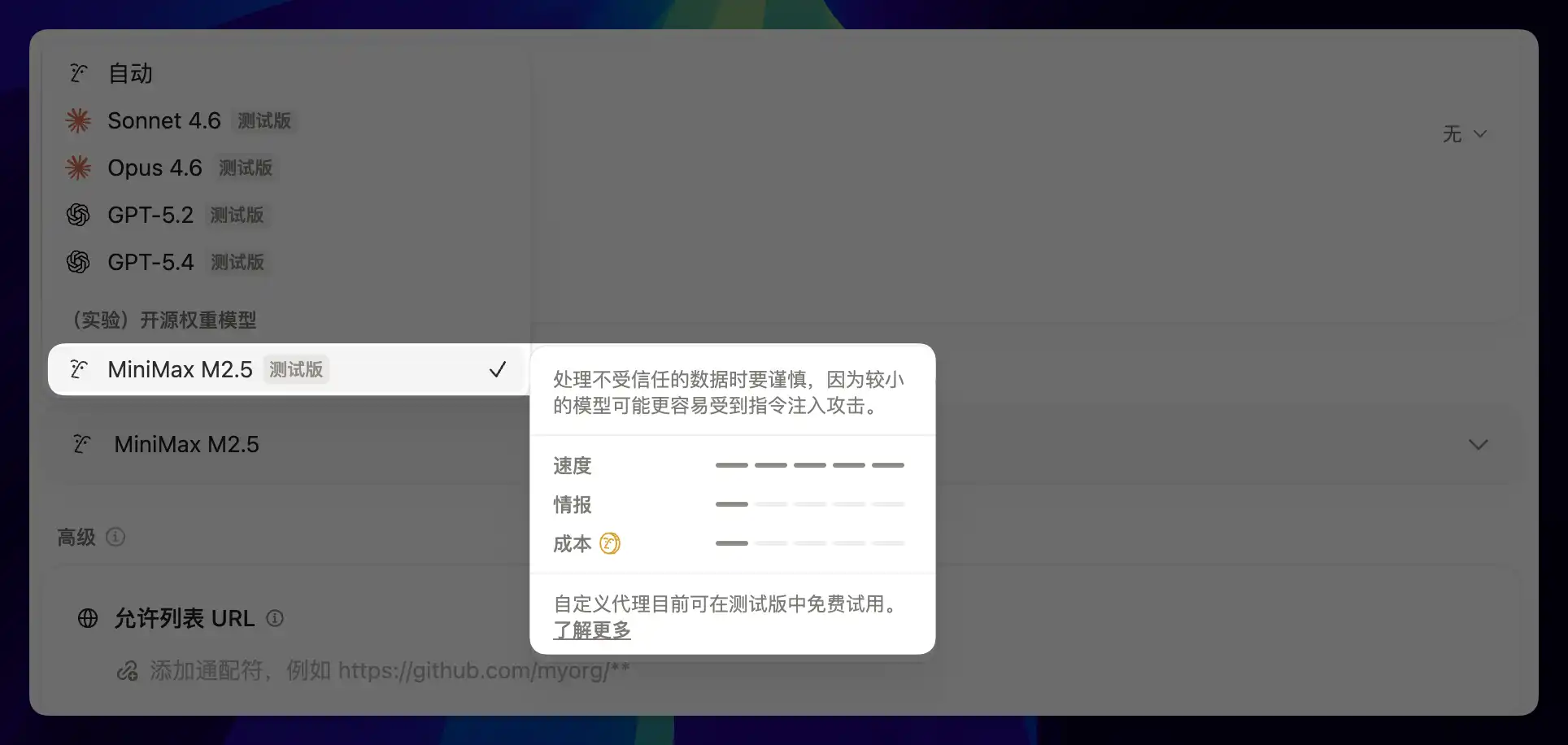
Notion's CEO has also indicated that more model options are coming — something to look forward to.

Limitations and Stability
Beyond cost, capability boundaries are another unavoidable limitation. Worker does let the Agent send a field operative on a "business trip," but the trip is a bit like being stuck in a hotel room with only Wi-Fi — it can only communicate with the outside world through public HTTP requests. It can't access your internal network or call local services.
Worker is also stateless and executes on demand — it does its job and leaves, with no way to maintain persistent connections. So if you want Notion Agent to manipulate local files, call locally running models, or interact with devices on your LAN, those use cases aren't possible yet. Worker is more like a window that just opened — you can see the scenery outside, but walking freely out there will require more time.
Another issue is the stability of page permissions, which is particularly insidious because it's not the kind of visible error you can easily spot. I've occasionally encountered situations where an Agent's page access permissions mysteriously disappeared. On the surface, the workflow still looks fine, but in reality it's been silently broken for a long time — and I never received any notification. This kind of "silent failure" is far scarier than an outright error. It doesn't happen often, but when it does, it's quite frustrating.

Generalizability
The issues above are all technical and iterative. The most fundamental concern is that Custom Agent's value is almost 1:1 tied to how deeply rooted you are in Notion.
The seven cases above work — and excite me so much — because I've been recording in Notion for eight years, with hundreds of databases and countless notes and structured information for the Agent to draw upon. But if you're not a Notion user, or your Notion only has a handful of scattered pages, then Custom Agent won't mean nearly as much to you.
All of its perception, reasoning, and action revolve around your Notion workspace. Step outside that center and its value drops rapidly. By contrast, Claude Code or OpenClaw aren't picky about where they work — your local file system, any third-party API, any development environment can serve as their workspace. Their flexibility and range of coverage are genuinely broader.
So if you ask me "should I get into Notion Custom Agent," my answer is: first ask yourself whether you're already in Notion. If you're already here and your accumulation runs deep, it can activate everything you've built. But if you haven't started yet, there may be more universal options at this stage.
That said, if you've read this far in this article, you're probably already a Notion user.
Final Thoughts
As I wrap up, the one thing I'm certain of is that the real change Custom Agent brings is in your relationship with your system.
Many organizational and recording tasks that used to require you to constantly push forward can now keep running on their own once you clearly define the rules. The notes, properties, and documents you've accumulated over years get read, invoked, and transformed into next steps and outputs during the hours you're not watching.
I don't want to make this sound effortless. The anxiety from credits, Worker's limitations, the occasional silent permission failures, and the hard boundary of ecosystem lock-in are all real problems. Some of these issues may not disappear anytime soon. But I'm still willing to keep using it, because the direction is clear enough and the benefits are concrete enough.
So if you want to get started, I'd suggest beginning with the smallest possible scenario. Build a morning briefing, or make a small tool that auto-fills a property. Let it run. You'll quickly experience the feeling of waking up to find things already taken care of.
Once you get that first taste, the rest of the workflow will naturally grow from there.
All the Agent cases mentioned in this article run on the Notion system I built: FLO.W. It's not just a template — it's a knowledge work operating system designed for the AI era.
FAQ
What is Notion Custom Agent?
Custom Agent is Notion's intelligent agent feature. You set trigger conditions and execution rules, and the AI automatically completes tasks within your Notion workspace. Unlike regular Notion AI, Custom Agent doesn't require you to manually initiate actions — it runs on its own.
Does Notion Custom Agent require programming skills?
Creating and configuring an Agent requires no programming skills — you just need to write instructions in plain language. However, if you want to use Worker to extend capabilities (such as calling external APIs), that part requires code, which can be done with AI assistance.
Is Notion Custom Agent expensive?
It's currently free during the beta phase. After May 4th, it will be billed by credits (1,000 Credits for $10). In practice, monthly usage runs about 30,000 credits (approximately $300), which isn't cheap. However, Notion has already introduced the lower-cost MiniMax 2.5 model, and more model options are on the way.
Is Custom Agent still worth using if I don't have many notes in Notion?
Custom Agent's value is directly tied to the depth of your accumulation in Notion. If your Notion is rich with databases and notes, the Agent can automatically leverage those resources. If you don't have much yet, you can start with simple incremental scenarios (like automatically processing new emails) and build up as you go.
Get the Most Out of Notion Agent
All 7 Agent cases in this article run on the FLO.W Notion system. Its pre-built database structures, property designs, and relationships allow Agents to instantly recognize and utilize them — no need to build from scratch.